Keepers app icon

Keepers

  • iPhone
  • iPad

Tidy your photo library, one swipe at a time.

Keepers deals your camera roll to you one photo at a time: keep the good ones, and file the rest into albums with a tap.

  • Finds the junk and the retakes for you
  • Keeps the best of every burst
  • Everything happens on your device
Lifetime · pay once$8.99forever25 photos a day free. No subscription.
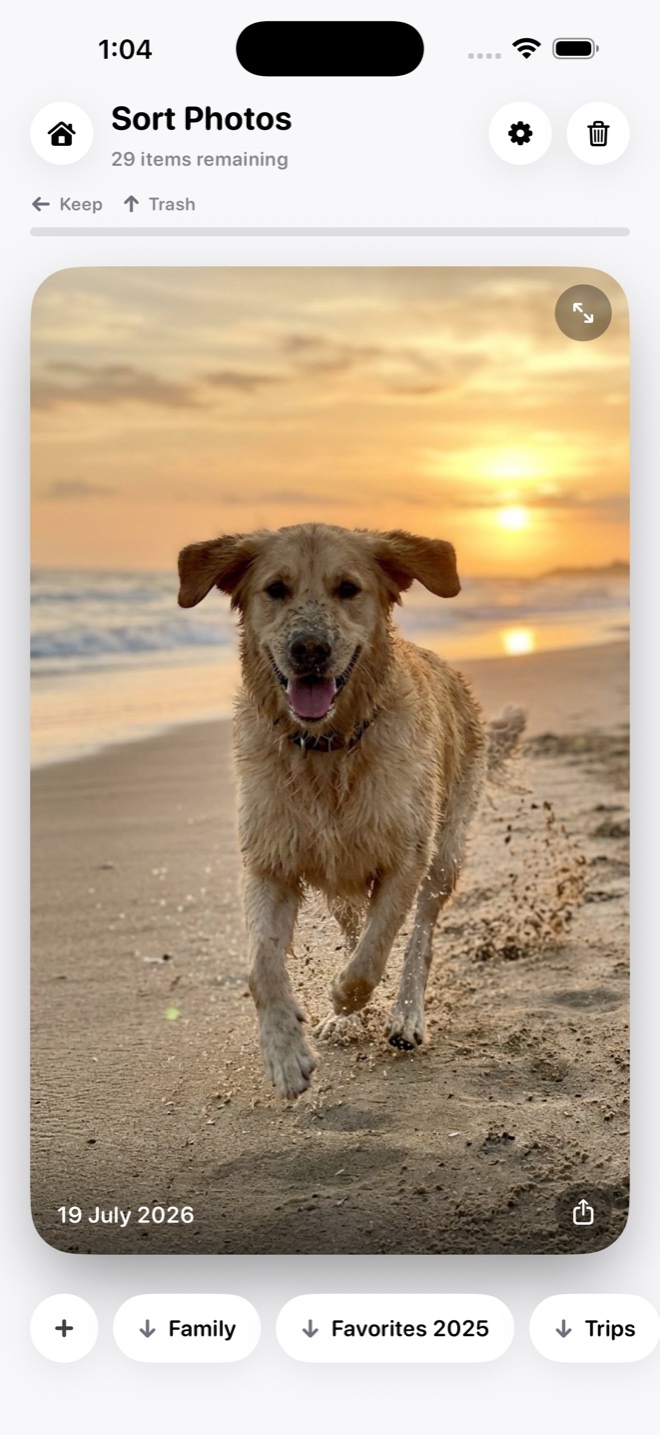
Keepers sorting photos one at a time: a dog running on a beach at sunset, 29 items remaining, with Keep and Trash at the top and album buttons for Family, Favorites 2025 and Trips underneath.

How it works

One photo at a time, until the pile is gone.

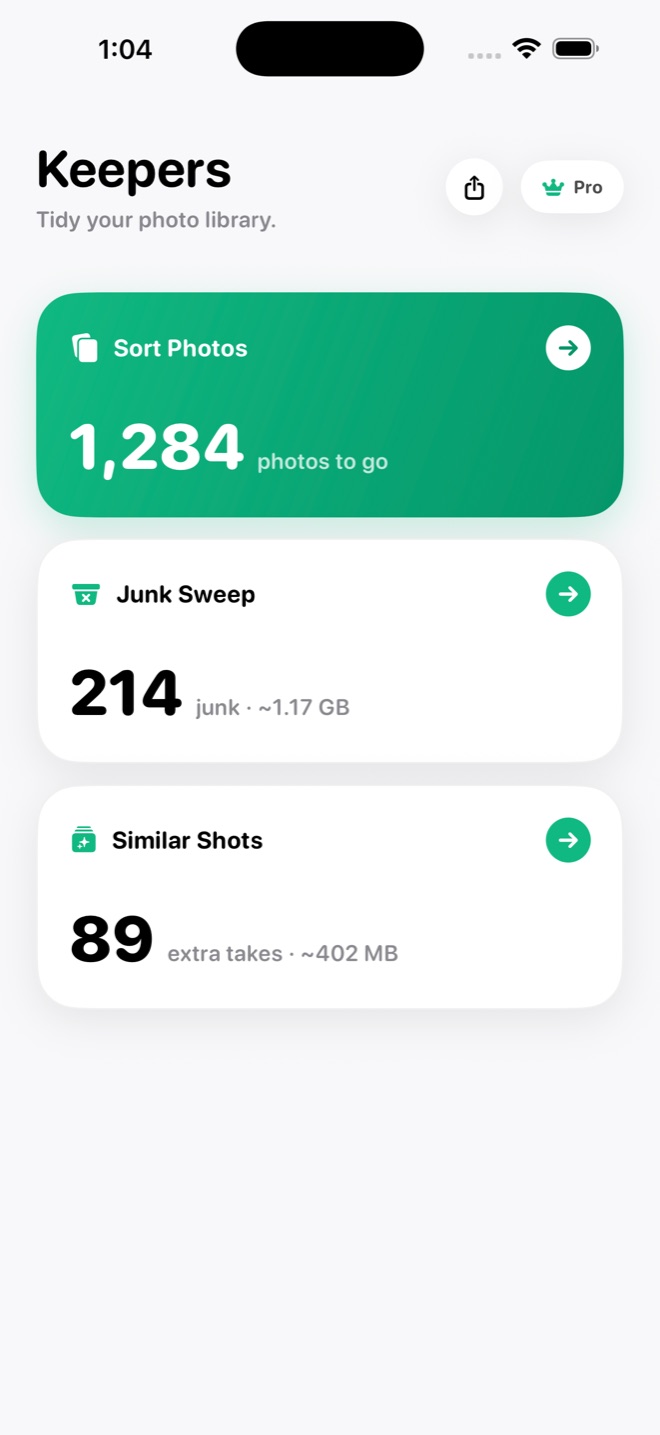
  1. The Keepers home screen: a green Sort Photos card with 1,284 photos to go, a Junk Sweep card with 214 junk at about 1.17 GB, and a Similar Shots card with 89 extra takes at about 402 MB.

    Open Sort Photos

    Tap Sort Photos on the home screen. Your unsorted photos and videos are dealt one at a time, newest first. Photos already in an album are left alone.

  2. Sort Photos with 29 items remaining: a dog running on a beach at sunset, Keep and Trash hints at the top, and album chips for Family, Favorites 2025 and Trips underneath.

    Swipe or tap a chip

    Swipe left to keep a photo, swipe up to send it to the trash tray. Tap an album chip under the photo to file it there, or New Album to make one on the spot.

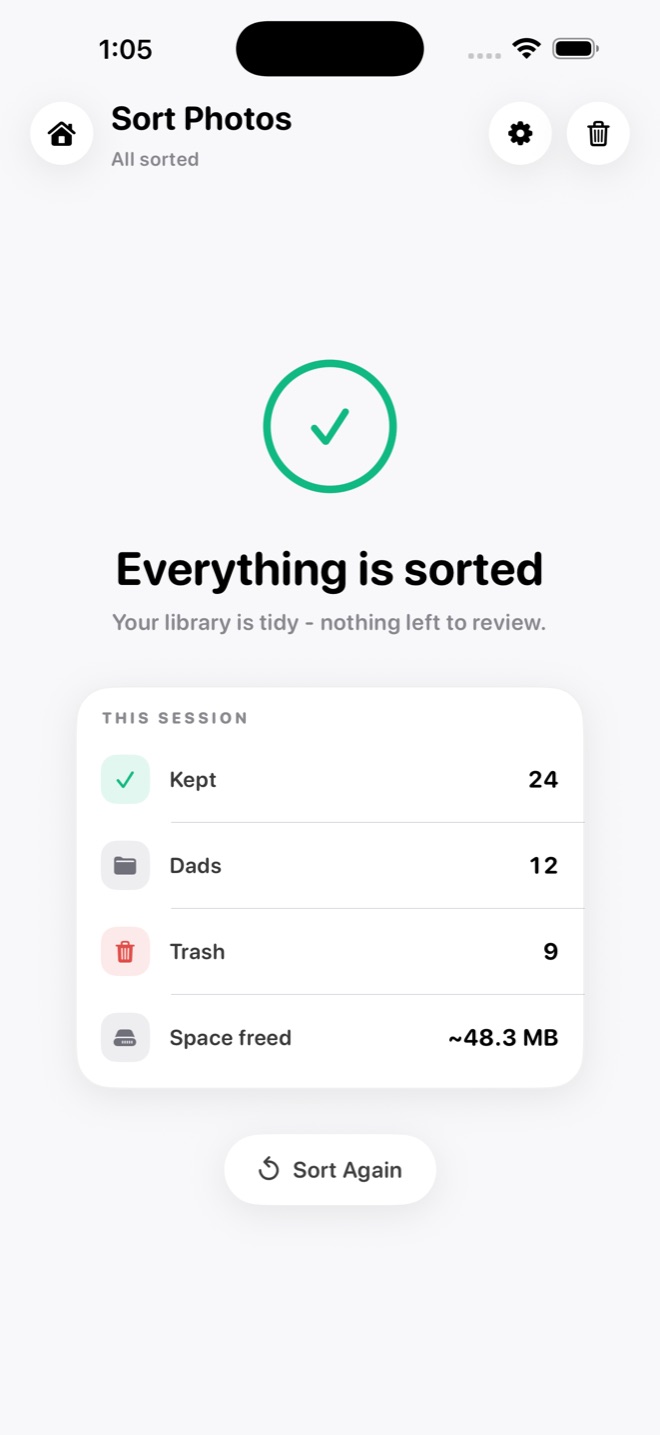
  3. Sort Photos showing Everything is sorted, with a session summary of 24 kept, 12 filed into Dads, 9 in the trash and about 48.3 MB freed, and a Sort Again button.

    Delete when you are ready

    Nothing is deleted while you sort. Open the trash tray, put back anything you want, then tap Delete. iOS asks once more before anything leaves your library.

What it does best

It finds the junk and the retakes, so you don't have to.

Junk Sweep

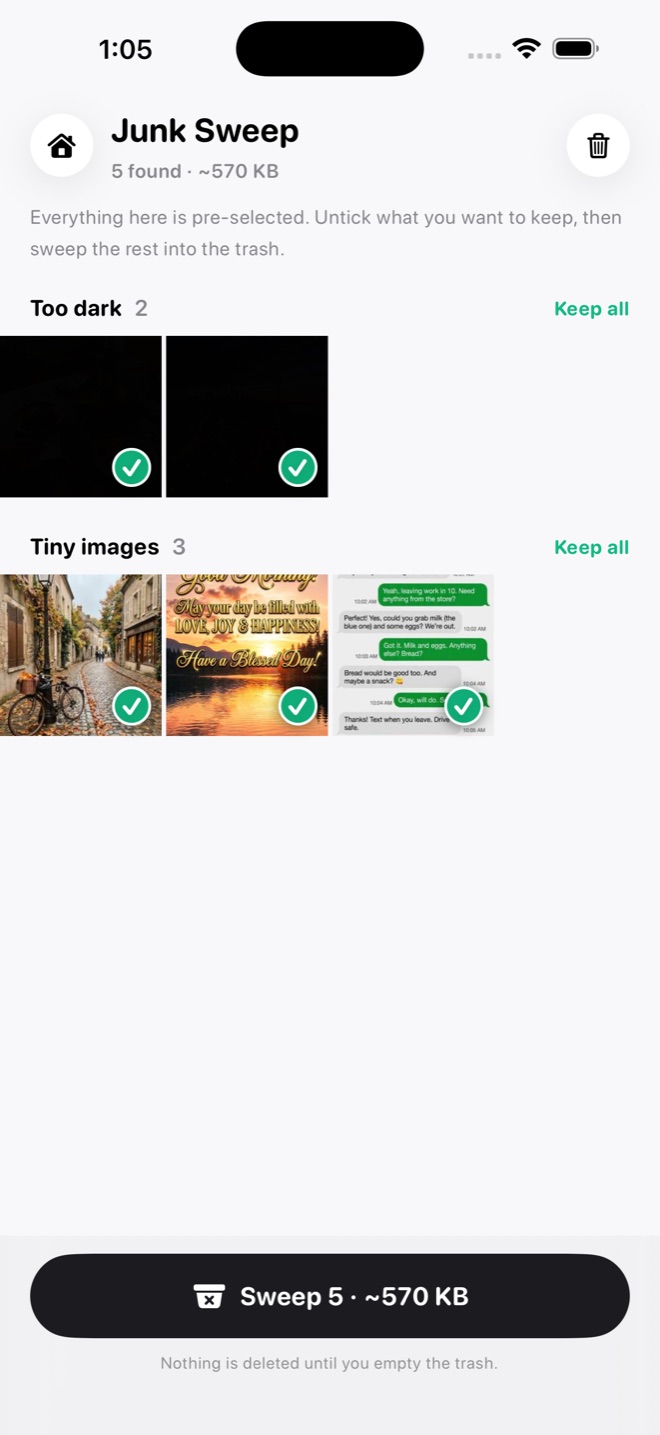
Keepers scans your unsorted photos on your device and rounds up the clutter: accidental videos, tiny images, dark and blurry shots, receipts and whiteboards, old screenshots, chat forwards and photos of screens. Everything arrives pre-selected. Hold a thumbnail to see it bigger and why it was flagged, and untick anything you want to keep.

  • Blurry and too dark
  • Old screenshots
  • Receipts and notes
Junk Sweep with 5 found at about 570 KB: two Too dark photos and three Tiny images, all ticked, each section with a Keep all link, and a Sweep 5 button at the bottom.

Similar Shots

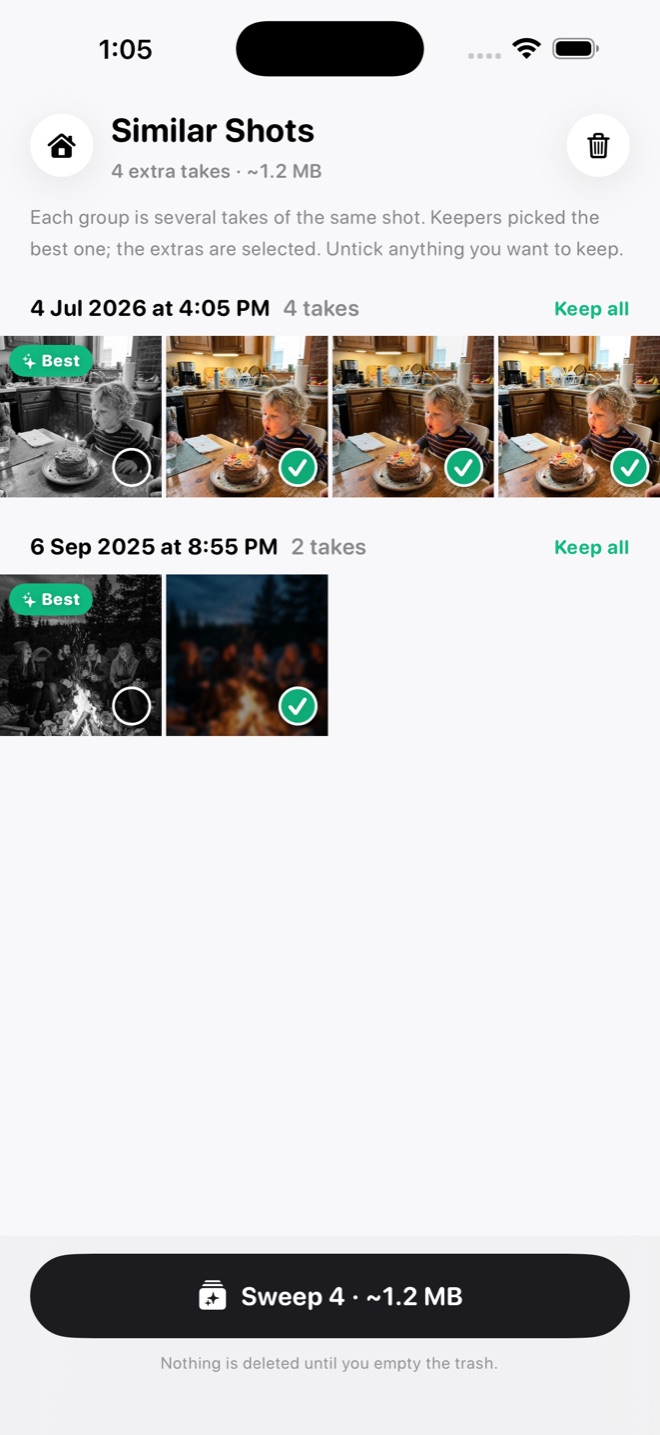
Five tries at the same moment? Similar Shots groups takes shot within a minute of each other and picks the best one by sharpness, faces and open eyes. The best take wears a Best badge and the extras line up to sweep. A photo you marked as a Favorite always wins.

  • Sharpest take
  • Eyes open
  • Favorites win
Similar Shots with 4 extra takes at about 1.2 MB: a group of four takes of a child blowing out birthday candles and a group of two campfire photos, the best of each marked Best and the extras ticked, with a Sweep 4 button at the bottom.

And also

The small things that keep it quick.

  • Select many at once

    Tap Select for a grid grouped by day, then Keep, Add to album or Trash the lot.

  • Undo

    The curved arrow takes back your last sort, and a whole Select batch in one tap.

  • See it full screen

    Tap a photo to see it large, with Keep and Trash right there, or share it anywhere.

  • Pick the order

    Newest first, oldest first or shuffled, from the gear in Sort Photos.

  • Choose which albums count

    Chat-app albums don't count as sorted by default. Switch any album on or off.

  • Favorites are safe

    Photos you marked as Favorites in Apple Photos are never flagged as junk.

  • Sort Again

    When everything is sorted, Sort Again deals the photos you kept once more.

Price

Free every day. Yours forever for $8.99.

Free$0
  • Sort 25 photos a day, reset at midnight
  • Junk Sweep and Similar Shots show everything they find
  • Undoing a sort gives it back to the day's count
  • No account, no trial clock
Premium$8.99once
  • Unlimited sorting
  • The one-tap Sweep in Junk Sweep and Similar Shots
  • Works on your iPhone and iPad with the same Apple Account
DownloadFree on the App StoreNo subscription. Prices vary by country.

Private by design

Your photos stay on your phone.

  • Scanned on your device

    Junk Sweep and Similar Shots run on your iPhone or iPad with Apple's own on-device tools. No photo is uploaded or looked at remotely.

  • No servers

    Keepers has no servers of its own. A photo only leaves the app when you share it yourself.

  • Nothing collected

    No analytics, no crash reports, no identifiers and no third-party code.

  • No account

    There is nothing to sign up for. The only permission Keepers asks for is Photos.

Read the Keepers privacy policy

Questions

Asked before you download.

Do I need an account?

No. Keepers has no accounts or sign-in. Premium is tied to your Apple Account, so it comes back on a new device or after a reinstall.

What is free, and what does Premium add?

The free plan sorts 25 photos a day, and Junk Sweep and Similar Shots show everything they find. Premium is $8.99 once and adds unlimited sorting and the one-tap Sweep. No subscription.

Do my photos leave my phone?

No. Keepers has no servers and collects nothing. The scans run on your device and only read copies already there, so they never download from iCloud.

What do I need to use it?

An iPhone or iPad, with Full Access to Photos so Keepers can file and delete. On iOS 27 with Apple Intelligence on, Keepers asks Apple's on-device model for a second look at unsure photos. Without it, the other checks still run.

Can Keepers delete something by mistake?

Nothing is deleted until you tap Delete in the trash tray and confirm in iOS. Deleted photos go to Recently Deleted in Photos for 30 days. With iCloud Photos, a delete also removes them from your other devices.

All Keepers answers in the help centre

Tidy your photo library, one swipe at a time.

25 photos a day free. $8.99 once for unlimited. iPhone and iPad.

DownloadFree on the App Store

More from Papermint

Other apps, same promise.