PennyBook
iPhone · Coming soonYour money, in a book
only you can read.
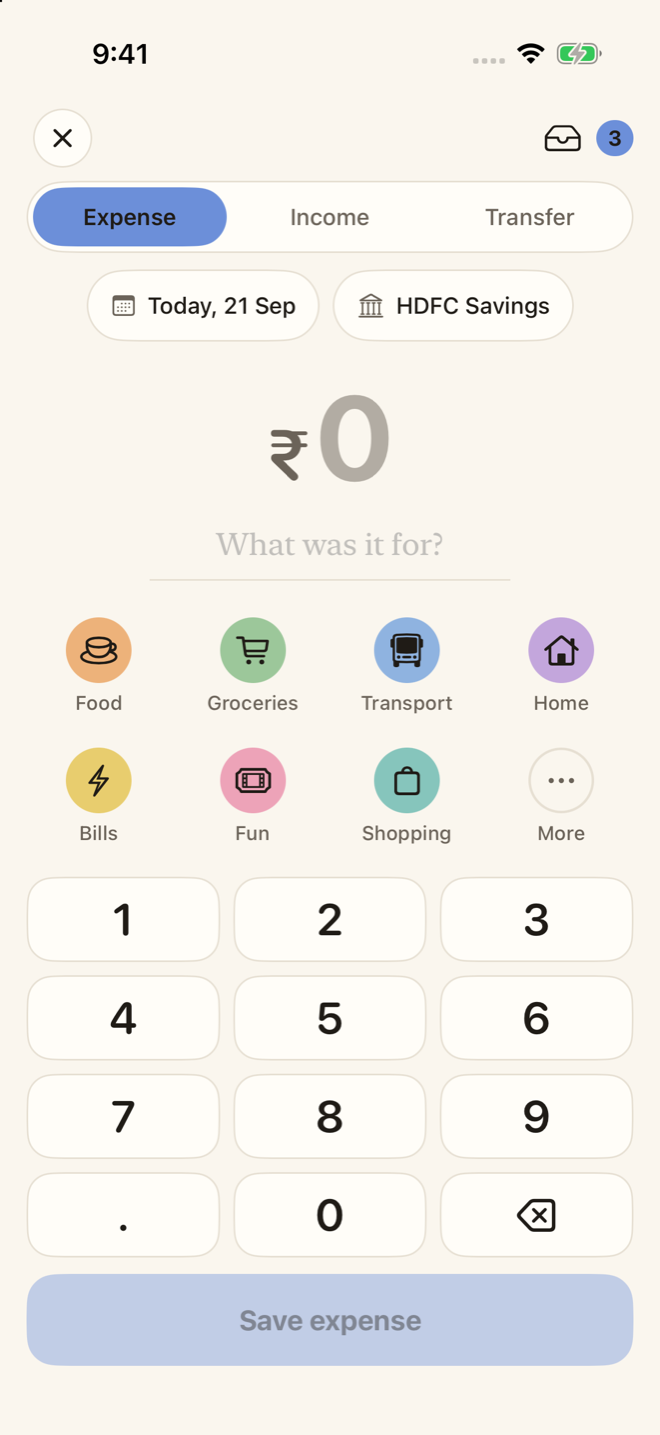
Most expense trackers want your bank login, an account and a monthly fee, and people still give up because logging is a chore. PennyBook opens on a keypad: an amount, a tap, done in about three seconds. It keeps your wallets, your income and your balances - and none of it ever leaves your iPhone.
How it works
A keypad, a few words, and the book keeps itself.
Three seconds on the keypad
The app opens on the amount. Type it, tap a category, save. Add a few words - “swiggy dinner” - and the category picks itself, learning from what you filed before. Type “chai 20” and the amount fills in too.
Money in, money out
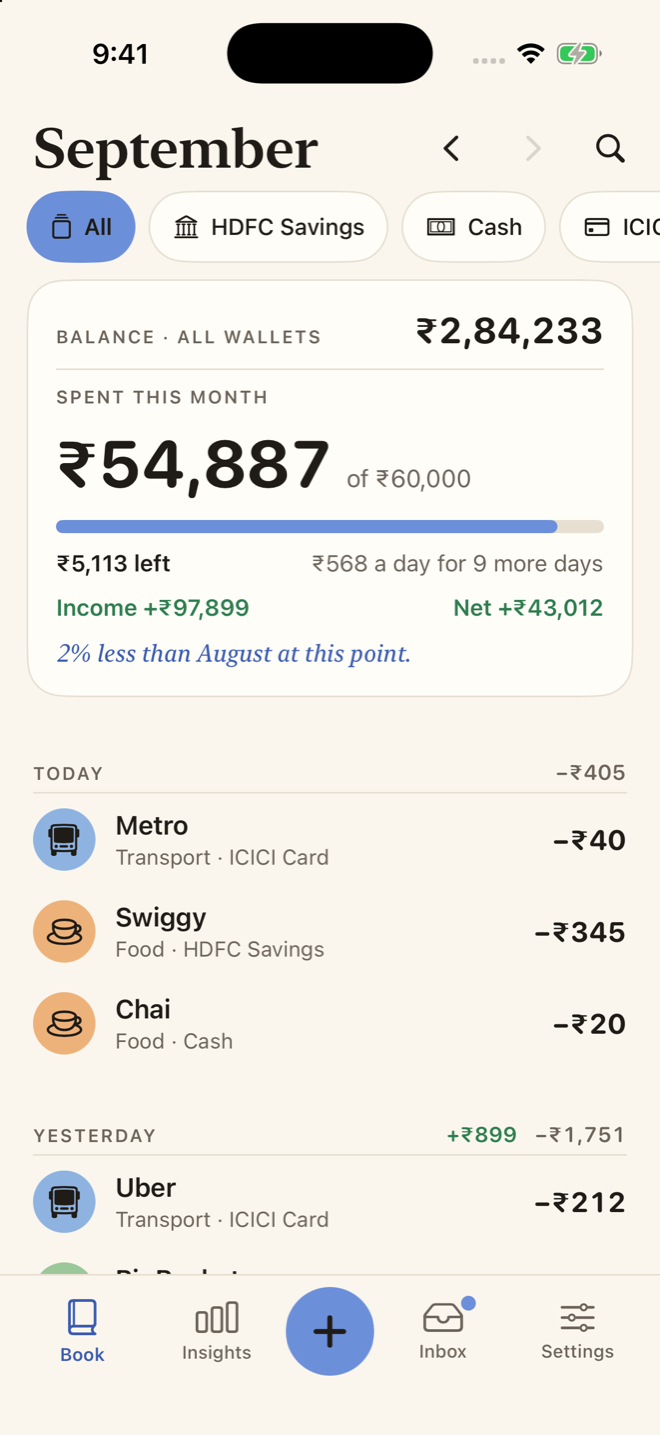
Expenses carry a minus, income a plus, in every list. A transfer moves money between your wallets and is never counted as spending, so an ATM withdrawal or a card bill doesn't distort the month.
Wallets with real balances
Cash, a bank account, a credit card, an e-wallet. Say what is in each today and every entry moves it from there. A credit card shows what you owe. If the bank disagrees, adjust to match - one visible entry, never a quiet rewrite.
Bank messages, read on your iPhone
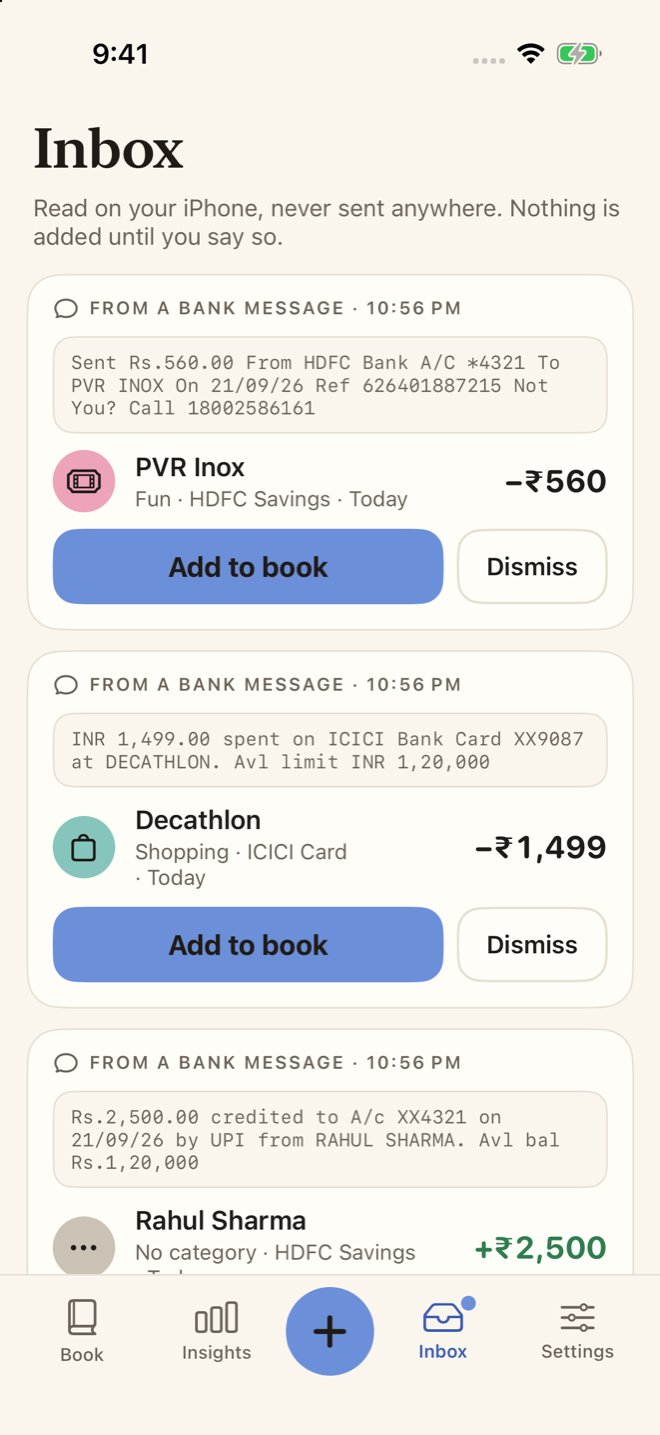
Paste a bank's payment alert, or let a Shortcut pass them along, and PennyBook reads the amount, the shop and the account on the device. It waits in the Inbox as a draft until you say so. One-time passwords are never read.
Where the month went
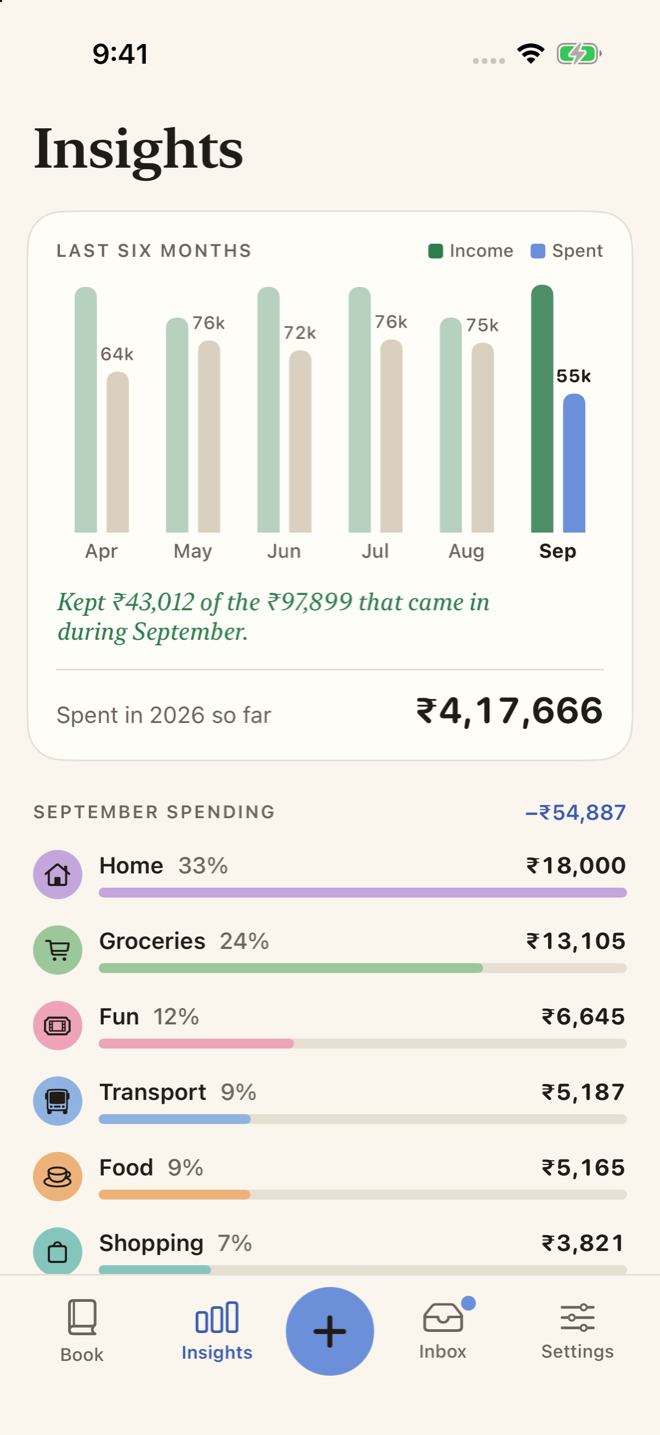
Six months of income beside spending, what you kept, and the month by category. The budget is about spending only: a salary landing never makes it look like you have more left to spend than you planned.
Rent and salary, on their day
Repeating entries add themselves - rent, subscriptions, EMIs, and salary too. Set your month to start on salary day if that is how you think. Ask Siri to “log an expense” without opening the app.
A look inside
Numbers first. Everything else stays quiet.
Private, and you can check
It couldn't share your spending if it wanted to.
No networking code at all
No account, no bank login, no analytics, no servers. The app contains no networking code, and its build fails if any is added. Read the privacy policy.
Yours to keep, yours to take
Lock the book with Face ID. Export everything as a spreadsheet whenever you like, or erase it all. Export and erase will always be free.
Pay once
Like every Papermint app: no subscription, nothing recurring, nothing to cancel. PennyBook is still being finished; the price will be here before it ships.