
Almanac
- Mac
See which app is behind it.
Your Mac right now, every app sized by what it costs, and a year of history to look back on when it was slow. It names the macOS services that get stuck, speaks up when an app runs away, and shows how much of your Claude Code and Codex limits is left.
- Every app, sized by impact
- A year of history
- Claude Code and Codex limits
- Alerts and the menu bar
Right now
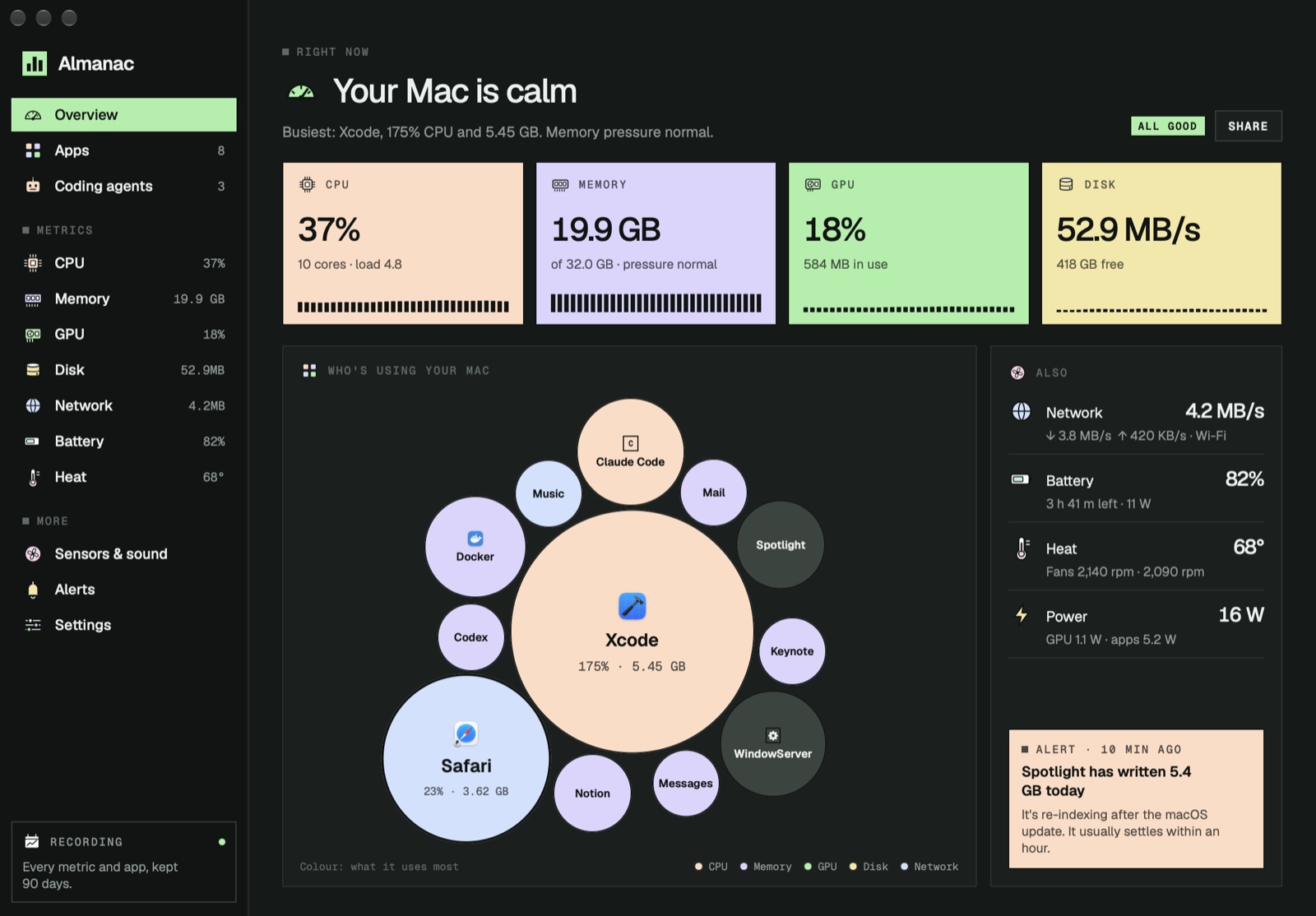
See which app is behind it
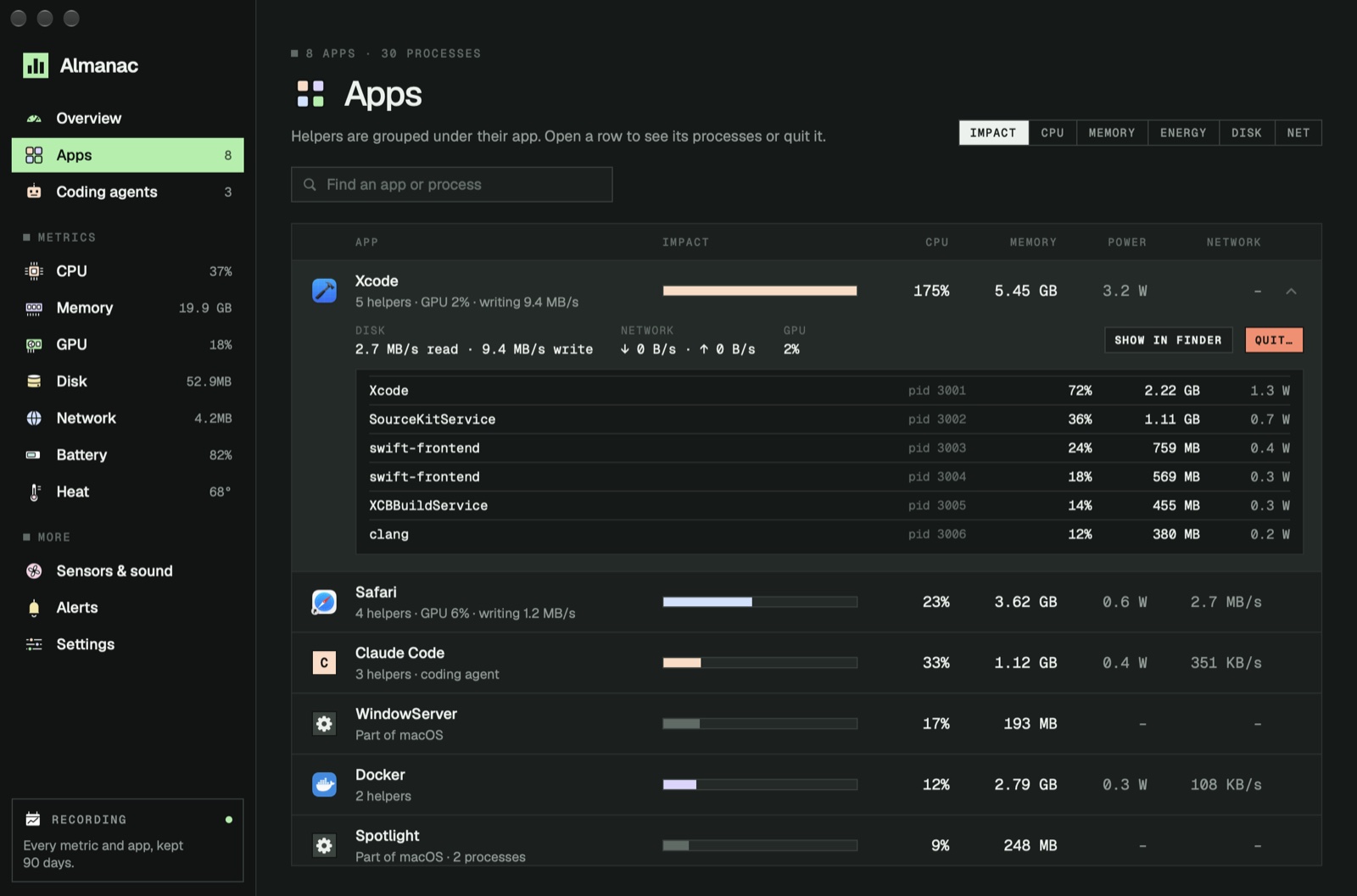
Every app with its helpers, sized by what it costs your Mac.
Apps as circles
The biggest circle is the app costing your Mac the most; its colour says what it uses most.
Helpers grouped
Every tab process under its browser, every compiler under Xcode, everything an agent starts under the agent.
macOS named, not hidden
Services like WindowServer and Spotlight show by name, so a stuck one can't hide.
Quit safely
Quit or force quit with a confirmation that lists what will close. Almanac never quits anything by itself.
History
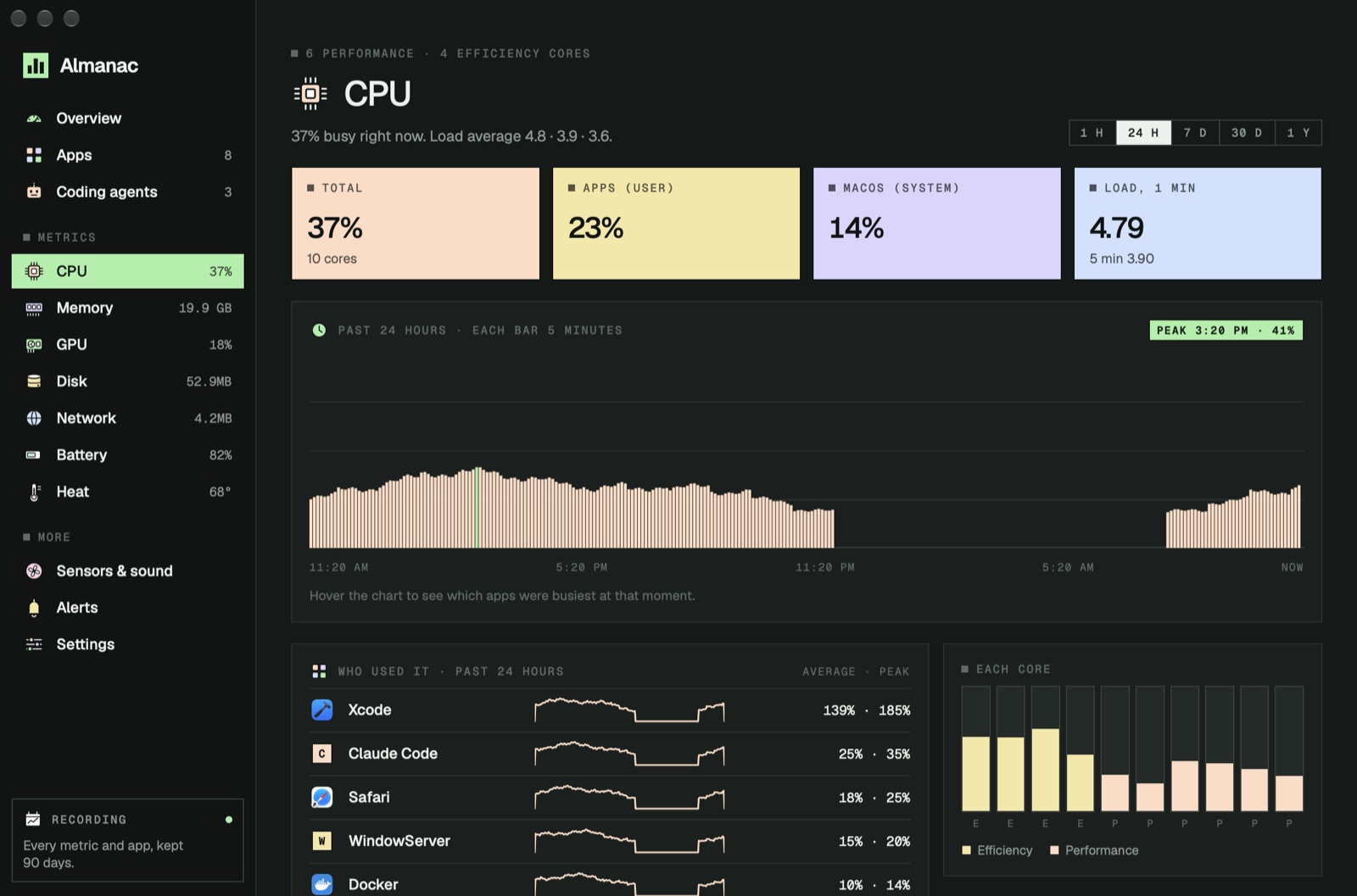
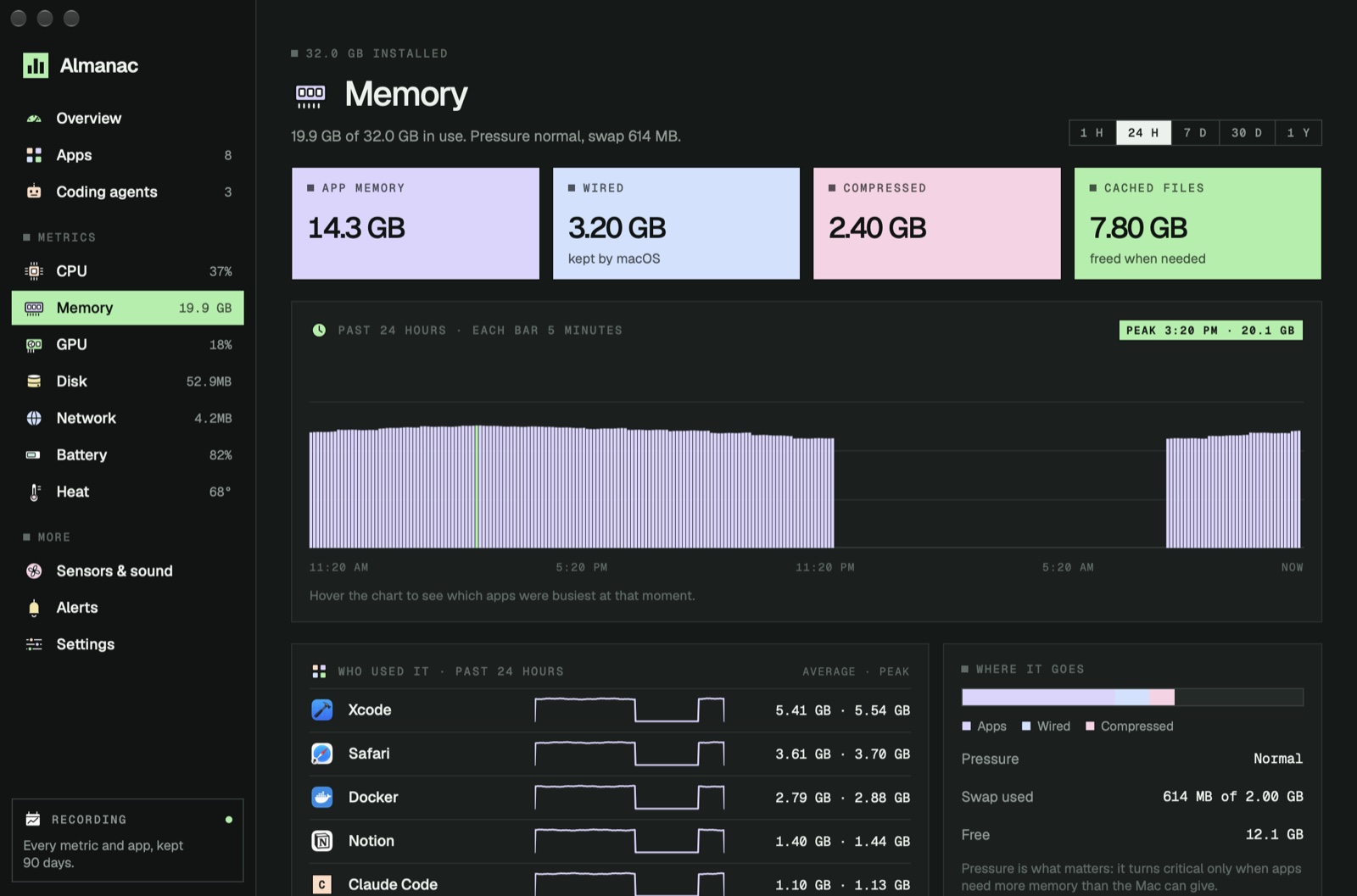
A year of what your Mac did
Minute by minute for a week, then hour by hour, for as long as you choose.
Every metric, every app
CPU, memory, GPU, disk, network, battery and heat, and the busiest apps each minute.
What happened at 3:40?
Hover the chart to see the value and which apps were busiest at that moment.
Who used it
The apps that used the most over the last hour, day, week, month or year.
Yours to keep
Kept for 30 days to a year in a file on your Mac, and erased in one click.
Coding agents
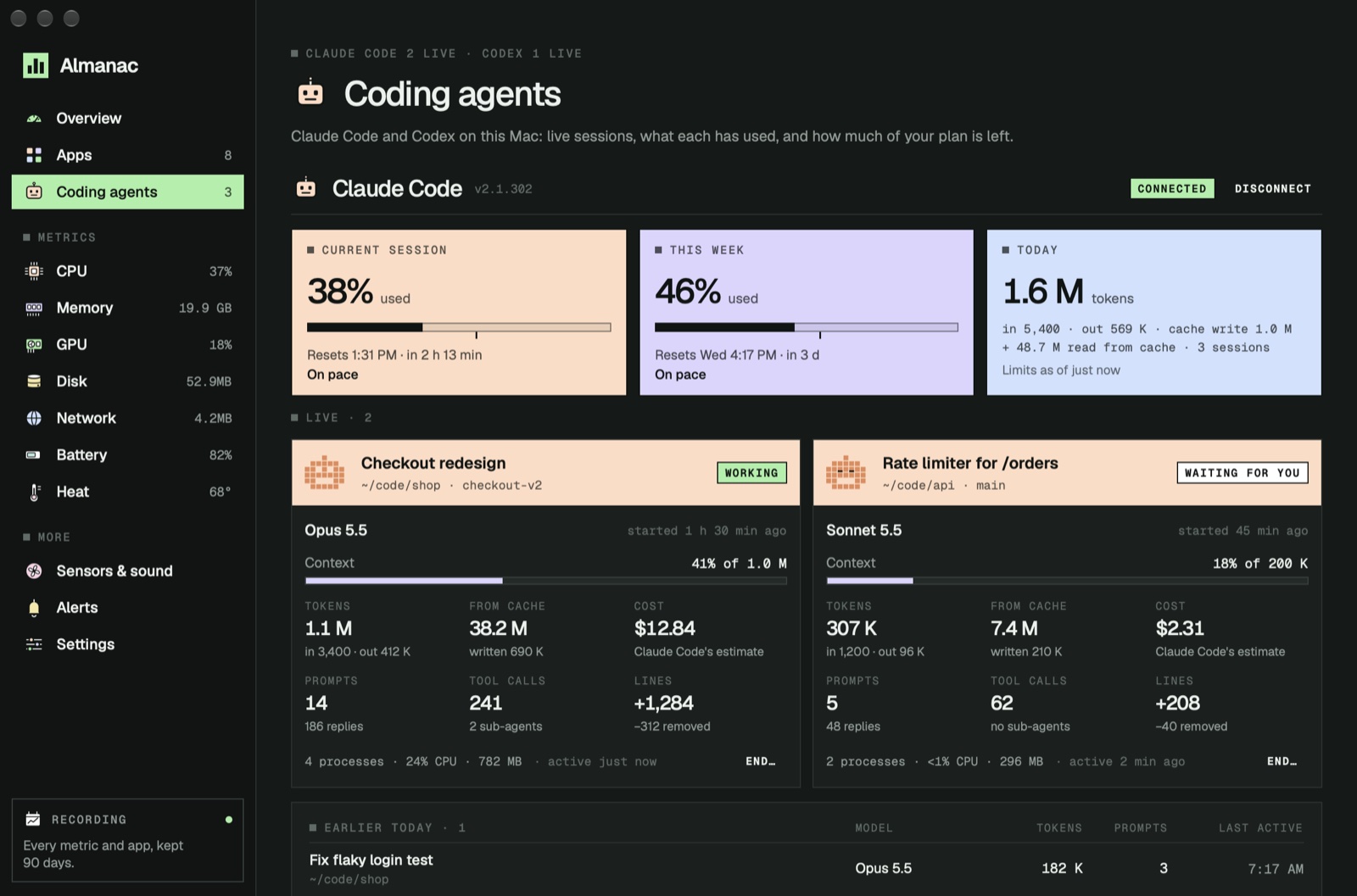
Claude Code and Codex, with your limits
Every session in detail, and how much of your plan is left.
Session and weekly limits
How much of the 5-hour session and the week is used, when each resets, and whether you'll run out first.
Every live session
Folder, branch, model, context used, tokens, cost, lines changed, prompts and tool calls.
Today at a glance
Tokens by model and by project, and the sessions you finished earlier.
A status line too
Connect once and Claude Code shows model, context, session and week under your prompt.
Alerts
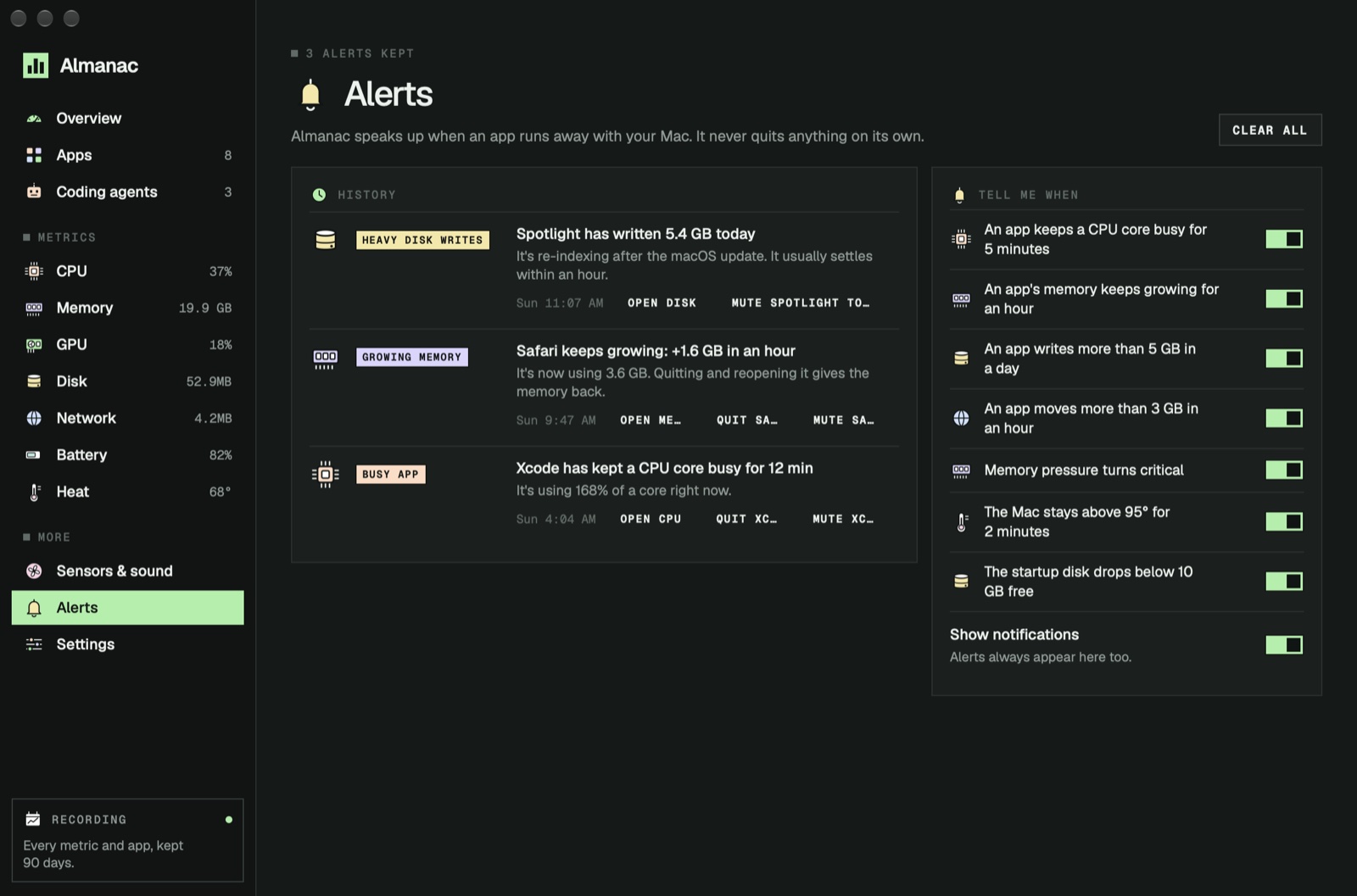
It speaks up before you notice
When an app runs away with your Mac, you hear about it once.
Runaway apps
An app that keeps a core busy, keeps growing in memory, or writes or downloads gigabytes.
A Mac under strain
Critical memory pressure, a Mac that stays hot, a startup disk running out of space.
Not nagging
Each alert fires once, then waits. Mute an app for the day in one click.
And also
And everything a Mac monitor should do
The details that make it feel like part of your Mac.
Your menu bar, your way
Pick the readings, as numbers, small graphs or both. They turn coral under strain.
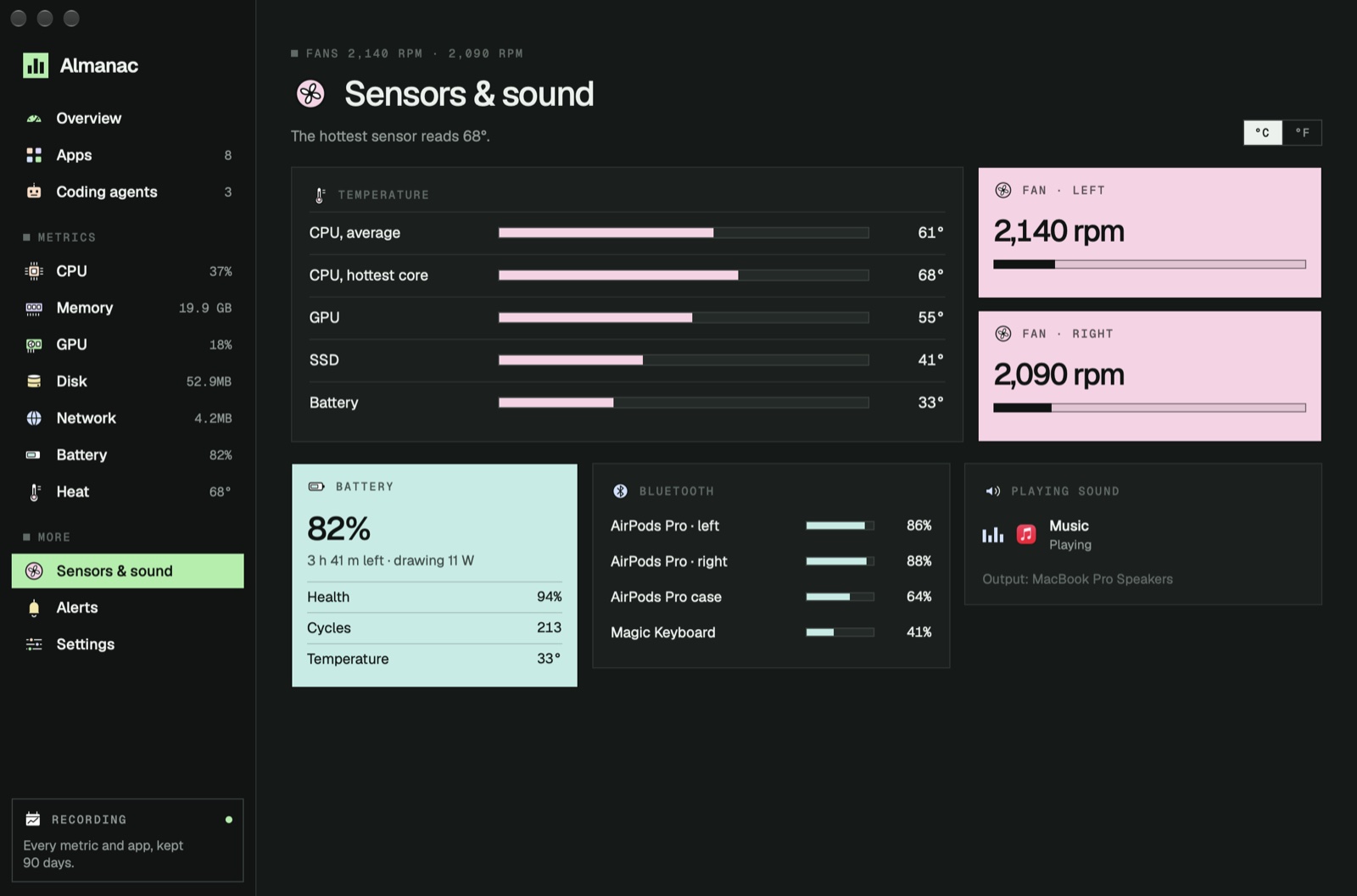
Sensors and fans
CPU, GPU, SSD and battery temperatures, fan speeds, and power in watts.
Battery health
Charge, time left, the power it's drawing, health and cycle count.
Bluetooth and sound
AirPods and keyboard batteries, and which apps are playing or using the microphone.
A card of your day
Share a 1200 × 630 picture of your Mac's day, in night, paper or transparent.
For your AI agent
An MCP server for Claude Code, Codex and Cursor, off until you turn it on.
Keeps itself up to date
Signed updates install inside the app, with your history kept.
Light on your Mac
About 1% of one core with nothing on screen. Apple silicon and Intel.
How it works
Open it. Leave it running.
No account, no setup, no admin password.
See your Mac right now
The apps costing the most are the biggest circles.
Let it keep the record
Open at login, and every minute is kept.
Look back when it's slow
Find the moment and the app behind it.
Private by design
Your Mac's record, kept on your Mac.
Read on your Mac
Every reading comes from macOS on your Mac. Nothing passes through us.
History in one file
Kept in Almanac's folder for as long as you choose, and erased in one click.
Your prompts stay private
For coding agents it counts tokens and tool calls; it never keeps what you or the agent wrote.
No analytics, no account
The only thing Almanac fetches is our update feed.
Price
Free, all of it.
Almanac
Freeevery feature
- Live readings, apps and a year of history
- Coding agents, alerts and the menu bar
- No account, no subscription
Questions
Asked before you download
How is it different from Activity Monitor?
Activity Monitor shows this moment. Almanac keeps a record for up to a year, groups helpers under their app, ranks apps by what they cost your Mac overall, names stuck macOS services, alerts you, and follows Claude Code and Codex.
Does it slow my Mac down?
About 1% of one core with nothing on screen and around 2% with its window in front. The window stops redrawing while it's hidden, and the slow readings refresh less often.
How does it know my Claude Code limits?
Claude Code shares your plan's limits with its status line. Connect once and Almanac becomes that status line, keeping your own if you had one. Disconnect restores your settings. Codex needs nothing: it writes its limits to its own files.
Why isn't it on the Mac App Store?
Apps in the Mac App Store can't see other apps' CPU, memory or energy, or read temperatures and fans. Almanac is downloaded from us instead, signed and notarized by Apple.
Can it quit apps on its own?
No. It asks every time and lists what will close, and it can't quit macOS's own services at all.
See which app is behind it.
Free for Mac, with a year of history and your coding agents. Apple silicon and Intel.
DownloadmacOS 15+ · Apple silicon & Intel Whittle
 Keepers
 Sketchy
 Lumen
Lumen PennyBook
 Porter
 Sheaf
Sheaf