
The short answer
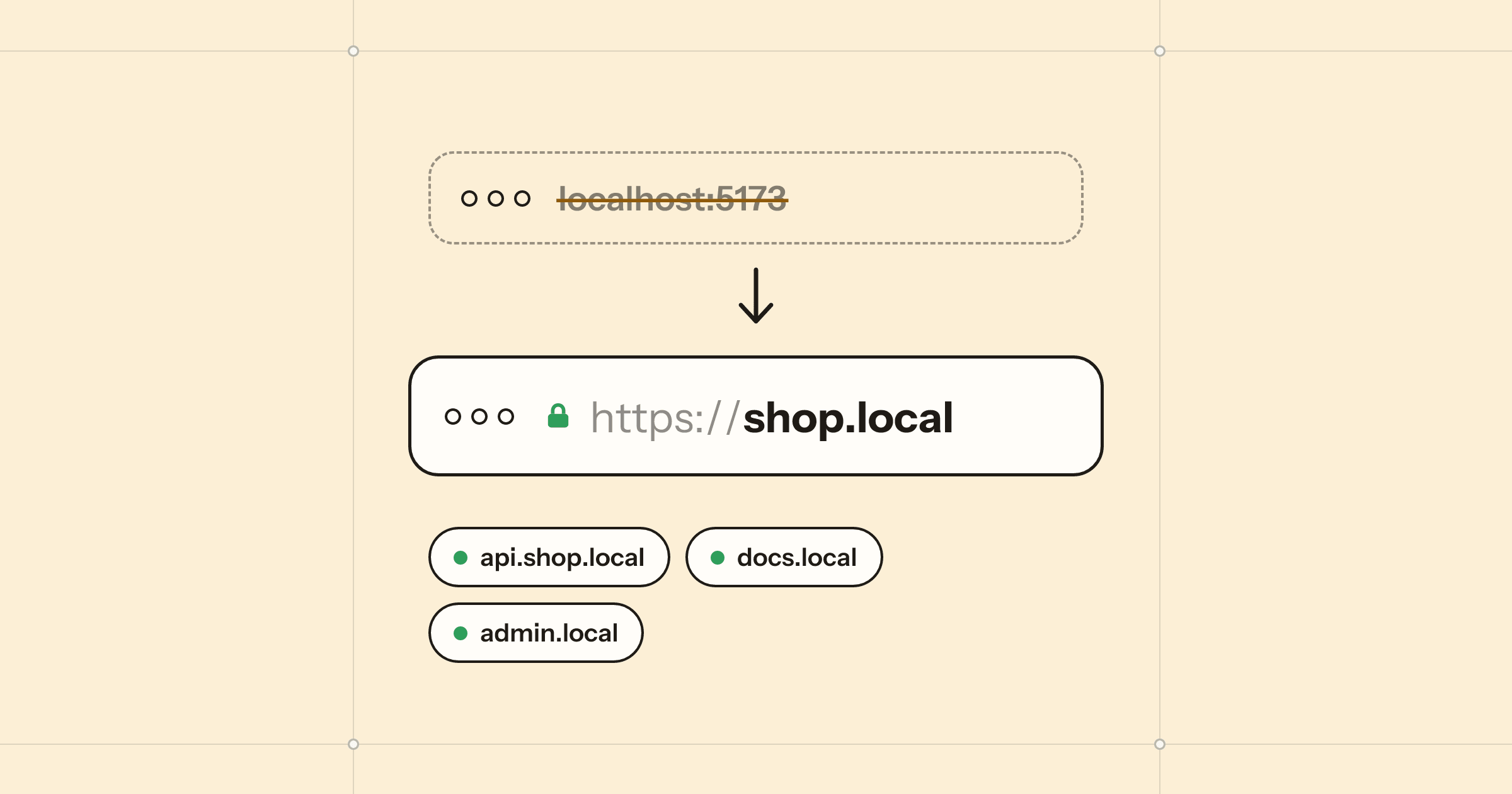
Point a name at 127.0.0.1 and put a reverse proxy on ports 80 and 443 that forwards each name to its dev server's port. Editing /etc/hosts does the first half but needs sudo, keeps the port in the URL and gives you no HTTPS. On a Mac, .local names resolve on the machine itself, so a tool like Porter (free) can answer shop.local, forward it to localhost:5173 with WebSockets intact, and serve trusted HTTPS from a certificate authority limited to .local, without an admin password for the names.
It starts innocently. The frontend is on localhost:5173, the API on localhost:3000, and the docs site on whatever port was free that morning. Then you log in to one and get logged out of another. A service worker refuses to register on the staging-like setup you made. An OAuth provider will not accept your callback URL. And you have stopped remembering which number is which.
Giving each project a name, like shop.local, fixes most of this. Below is how it works under the hood, the manual way, and the way we do it with Porter, a free Mac app we make for exactly this.
Why localhost stops being enough
- Cookies ignore ports. A cookie set by
localhost:3000is also sent tolocalhost:5173. Two apps that both use a cookie calledsessionwill overwrite each other all day. Separate host names get separate cookie jars. - Some features need a secure context. Browsers treat
http://localhostas secure as a special case, but any other name over plain http is not. Service workers, the clipboard API, camera access and Web Crypto all want https once you leave localhost. - Production behaves like a domain. Subdomains, cookie domains, CORS rules and redirect URLs are easier to get right when development looks like production.
- Numbers are not names.
shop.localis something you can remember, bookmark and say out loud to a colleague.
The /etc/hosts approach, and where it stops
The classic trick is a line in the hosts file:
sudo nano /etc/hosts

127.0.0.1   shop.test
Now shop.test resolves to your machine. But that is all it does. The browser still connects to port 80, so you either type shop.test:5173, which brings the number back, or run a reverse proxy on port 80 that maps each name to a port. You also get no HTTPS, so for that you add a tool to make certificates, configure the proxy to use them, and trust a root certificate. It is a well-trodden path and it works. It is also four moving parts, a sudo edit for every new project, and a config file you will forget the syntax of.
Which suffix: .local, .test or .dev?
- .dev is a real top-level domain, and browsers force HTTPS on all of it. Using it for local work invites confusing certificate errors. Avoid it.
- .test is reserved for testing and will never be a real domain. It is a safe choice with the hosts-file method.
- .local is reserved for multicast DNS, the system your Mac already uses to find printers and other Macs. macOS looks up .local names on the machine itself, so an app can answer them without touching system files or asking for a password. That is why Porter uses it.
Doing it with Porter
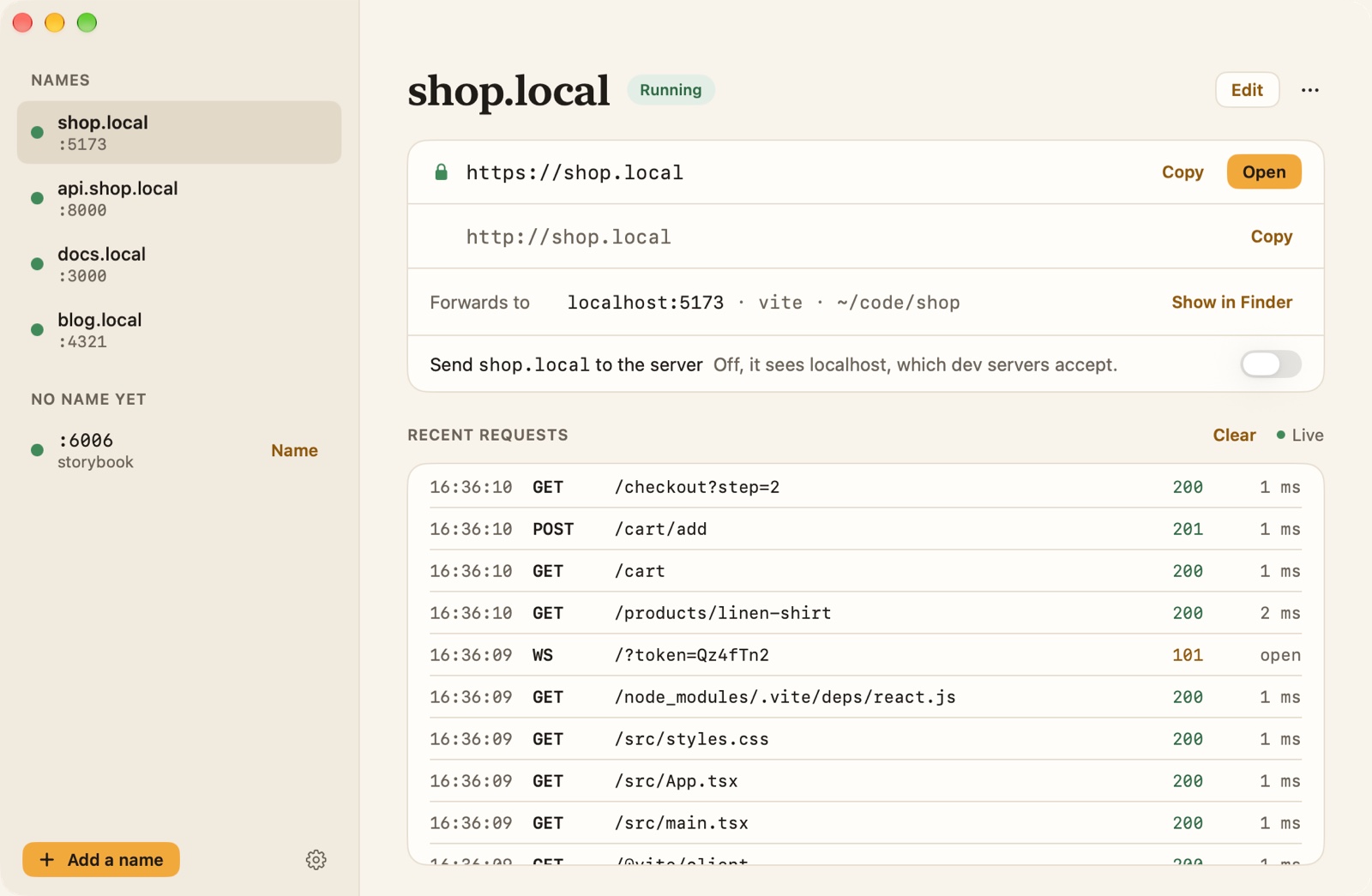
Porter is a menu bar app that does the lookup, the proxy and the certificates in one place. It also notices the dev servers you already have running.
- Install Porter (macOS 15 or later, Apple silicon or Intel) and open it. The Running on this Mac list shows your dev servers, such as Vite, Next.js, Astro or uvicorn, with the project folder behind each.
- Click Add domain next to one. Porter suggests a name from the folder, like shop.local. Keep it or type your own; subdomains such as api.shop.local work too.
- Open
shop.localin any browser. No port: Porter answers on 80 and 443 and forwards to the server’s port, WebSockets included, so hot reload keeps working.
Getting a real padlock
In Porter’s Settings, click Turn on next to HTTPS. macOS asks for your password or Touch ID once, to trust Porter’s certificate. From then on every local domain opens over https:// with a padlock, and new domains are added to the certificate as you create them.
It is worth knowing what you are trusting. Porter creates its own certificate authority on your Mac, and it can only vouch for .local names, so it cannot be used to impersonate a real website. Its key never leaves the Mac, and turning HTTPS off removes the certificate from your keychain and deletes it.
Things that trip people up
- “Invalid Host header.” Some dev servers only accept their own host name. Porter sends requests as
localhost:5173by default to avoid this, with the real name inX-Forwarded-Host. If your app needs to seeshop.local, turn on Send shop.local to the server for that domain, and allow the name in your framework’s settings. - Redirects back to localhost. When a server redirects to
localhost:5173, Porter rewrites it to the same path onshop.local, so logins do not bounce you off the domain. - Another app on port 80. Porter listens on IPv4 and IPv6 separately; if one is taken it uses the other, and if both are, it moves to 8080 and 8443 and says so.
- Testing on a phone. Local domains work on your Mac only. For a phone, a client or a webhook from Stripe or GitHub, Porter opens a temporary public link through a Cloudflare tunnel instead.
Porter is free, with no account. It also shows every request in full, with replay and copy as cURL, and it is an MCP server, so coding agents such as Claude Code, Codex and Cursor can add domains and read requests for you. The help pages cover every setting.
Questions
Can my phone open my .local dev domain?
Not with Porter. Its local domains work only on the Mac running it, and nothing is announced to the network. To show a site to another device or person, open a temporary tunnel instead, which gives a public https link.
Do I need to change my dev server's config?
Usually not. By default Porter sends requests to your server as localhost:<port>, which dev servers accept, with the original name in X-Forwarded-Host. If your app needs to see shop.local itself, there is a per-domain setting for that.
Does hot reload still work?
Yes. WebSockets pass straight through, so Vite, Next.js and other dev servers reload as usual over http or https.
Is installing a local certificate authority safe?
Porter's certificate authority is created on your Mac, can only vouch for .local names, and its key never leaves the Mac. Turning HTTPS off removes it from your keychain and deletes it.
Is Porter free?
Yes. Porter is free, with no account and no subscription. It needs macOS 15 or later and runs on Apple silicon and Intel.
 Almanac
 Whittle
 PennyBook