The short answer
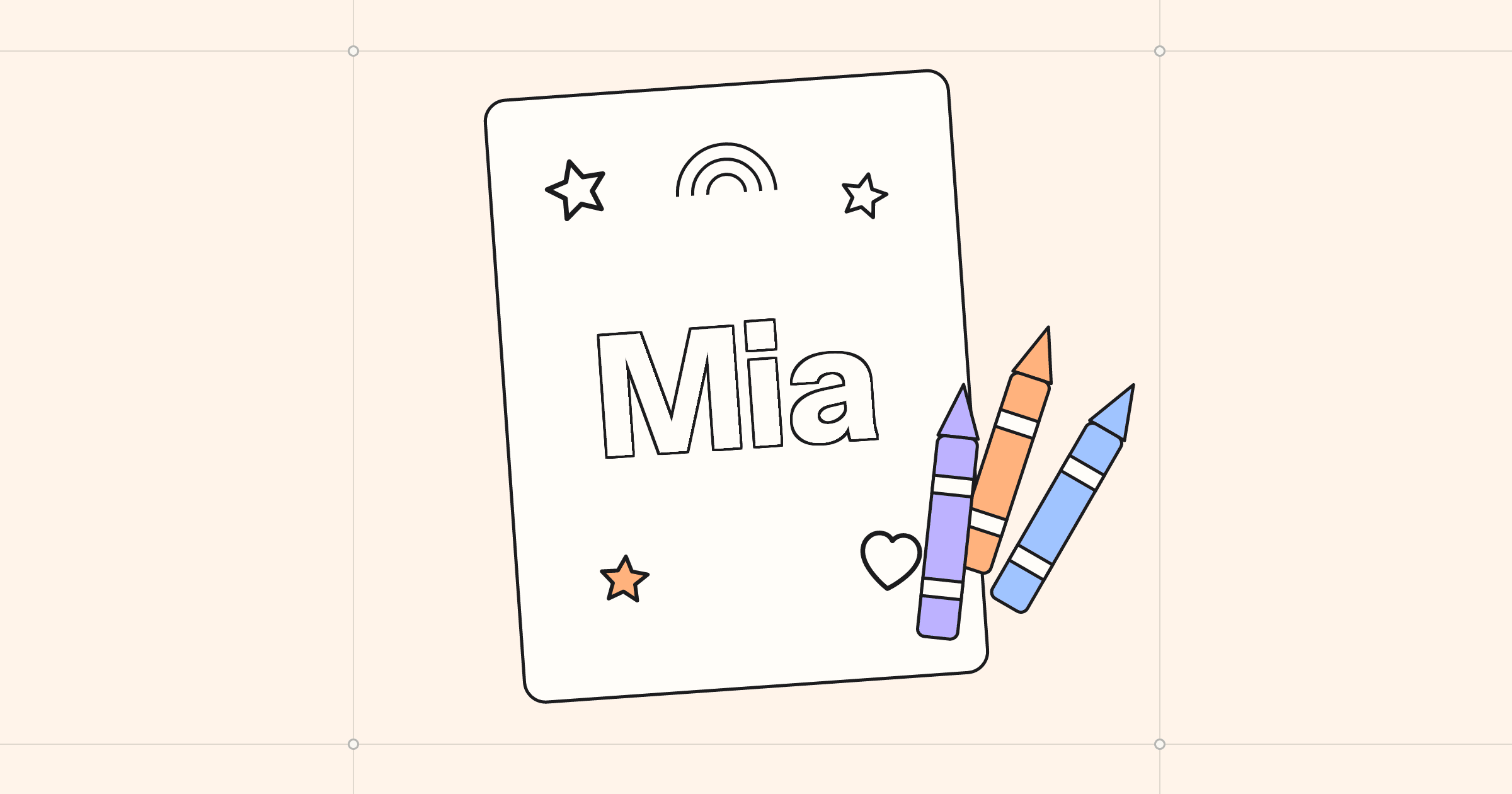
By hand: write the name lightly in pencil, draw a rounded outline around each letter, ink the outline, erase the pencil and add a few doodles around it. On an iPhone or iPad: open Sketchy, go to Studio › Name Pages, type the name, pick a letter style and a theme, and print it on Letter or A4. Name Pages are drawn on the device, so the name never leaves it.
Give a four-year-old a coloring page of a dinosaur and you get a few minutes of scribbling. Give them a page with their own name on it, in big round letters, and something changes. They slow down. They tell you which letter is theirs. They want it on the fridge, and then they want one for their cousin.
That is why so many parents and teachers go looking for name coloring pages. The trouble is that a generic printable cannot have your child’s name on it. You have to make it. Here are two ways, one with a pencil and one with the phone in your pocket. We make Sketchy, the app in the second one.
Why a name works so well
A name is the first word most children learn to recognise, often long before they can read anything else. Coloring it in is a quiet bit of letter practice: they trace the shape of each letter with a crayon, again and again, while thinking about which color the M should be. For older children, patterns inside the letters turn it into a careful, absorbing job, the kind that buys you a whole cup of tea.
Drawing one by hand
You do not need to be able to draw. Bubble letters are forgiving, and a wobbly one looks intentional.
- Write the name lightly in pencil, in capitals, large enough to fill most of the width of the paper. Leave a finger’s width between letters.
- Draw an outline around each letter, about a finger’s width outside your pencil line, rounding every corner. Let neighbouring letters touch or overlap slightly; it looks friendlier than a neat gap.
- Go over the outline in black marker and erase the pencil inside.
- Add a few doodles around the name: stars, hearts, a rainbow, whatever they love this month. Keep them simple and with closed shapes, so they are easy to fill.
- Photocopy it before anyone colors it. The first one will be gone in minutes, and there will be requests.
Making one on an iPhone or iPad
If you want something that looks printed rather than drawn, or you need twelve of them for a party, Sketchy has a page maker for exactly this. It lives in the Studio tab, and it draws on the device itself, so it is quick and works offline.
- Open Sketchy and tap Studio, then Name Pages.
- Type the name.
- Pick a letter style (Bubble, Chunky, Playful or Bold) and a theme, from Space and Animals to Christmas, Halloween and Easter.
- Tap New layout until the doodles land where you like them, or pick one from the strip of little pages underneath.
- Print it, or tap Paint It to color it on the screen.
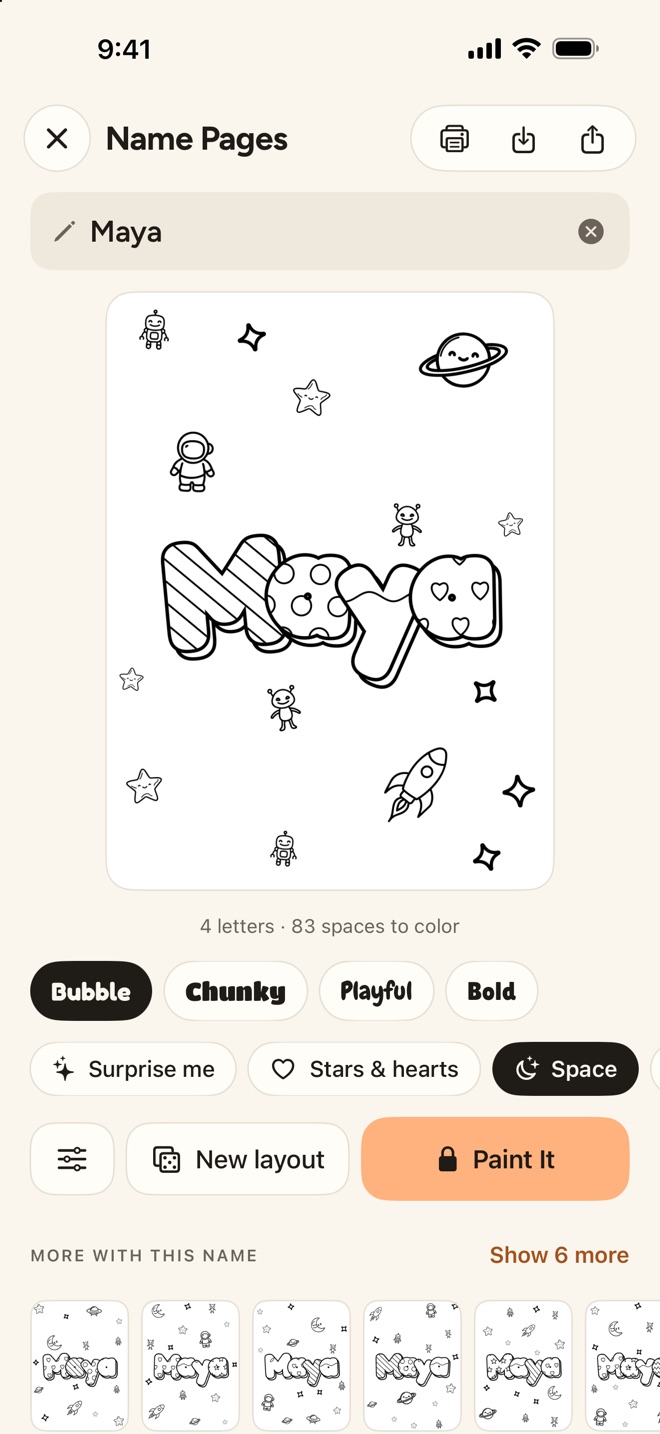
Options is where it gets fun. You can add a line on a ribbon under the name, like “is 6 today!”, put stripes, dots or hearts inside the letters, switch to all capitals, make the letters bounce, give them a 3D edge, choose how many doodles there are and add a border.
One detail matters to some parents: Name Pages never send the name anywhere. Sketchy’s AI pages, the ones you make by describing an idea or picking a photo, are drawn by an image service. The Studio is different: mandalas, names, letters and mazes are all made on the iPhone or iPad.
Printing it well
- Use plain printer paper for crayons and colored pencils. Thicker paper is only worth it for markers or paint, which soak through thin sheets.
- Print in grayscale. A coloring page is black lines, and color mode can use the color cartridges to make black. Sketchy prints plain pages in grayscale on its own, on Letter or A4, through AirPrint.
- Check the margins on the first copy. A name that runs off the edge of the paper is the most common disappointment.
Ideas that go beyond one page
- Party placemats. A page for every guest with their name, printed and laid on the table, keeps the first twenty minutes of a birthday party calm.
- Classroom doors and cubbies. Teachers make a page for every child at the start of the year, and the colored names become labels.
- A sibling’s name. Coloring the baby’s name for the nursery wall is a good job for a big brother or sister who is feeling left out.
- Letter practice next. When the name is mastered, Sketchy’s ABC & 123 makes a page for every letter and number, with a dotted tracing style.
Sketchy is free to download, and anyone can play with every studio. Printing, painting and saving Studio pages come with Sketchy Premium, $4.99 once. If you would rather turn a family photo into a page, see how to turn a photo into a coloring page.
Questions
Can I make a coloring page with a name and an age, for a birthday?
Yes. In Sketchy's Name Pages, Options adds a line on a ribbon under the name, such as "is 6 today!", along with patterns inside the letters, a 3D edge, doodles and a border.
Does the name I type get sent anywhere?
No. Name Pages are drawn on the iPhone or iPad. A name typed there never leaves the device. (Sketchy's AI pages, made from a description or a photo, are drawn by an image service; Studio pages are not.)
Is it free?
Anyone can make and preview Name Pages. Painting, printing, saving and sharing Studio pages come with Sketchy Premium, $4.99 once, which also unlocks every premium page and storybook. There is no subscription.
What paper size should I use?
Sketchy prints on Letter or A4, or picks automatically. Plain pages print in grayscale to save ink. Studio pages print extra sharp, so thin lines stay crisp.
What age is a name coloring page good for?
From about three, when children start to recognise the letters of their own name, up to early school age. For younger children, use a bold letter style with big spaces; for older ones, add patterns inside the letters.
 Almanac
 Whittle
 PennyBook