Whittle app icon

Whittle

  • iPhone
  • iPad
  • Apple Watch

Speak. Whittle writes.

Talk through an idea, a plan, a list. The words appear as you say them, and every word is kept. With Apple Intelligence, the note gets a title, tags and a tidy version.

  • A live transcript as you talk
  • Runs entirely on your iPhone
  • No account, no servers
Lifetime · pay once$9.99foreverFirst 25 notes free. No subscription.
Support & FAQ →
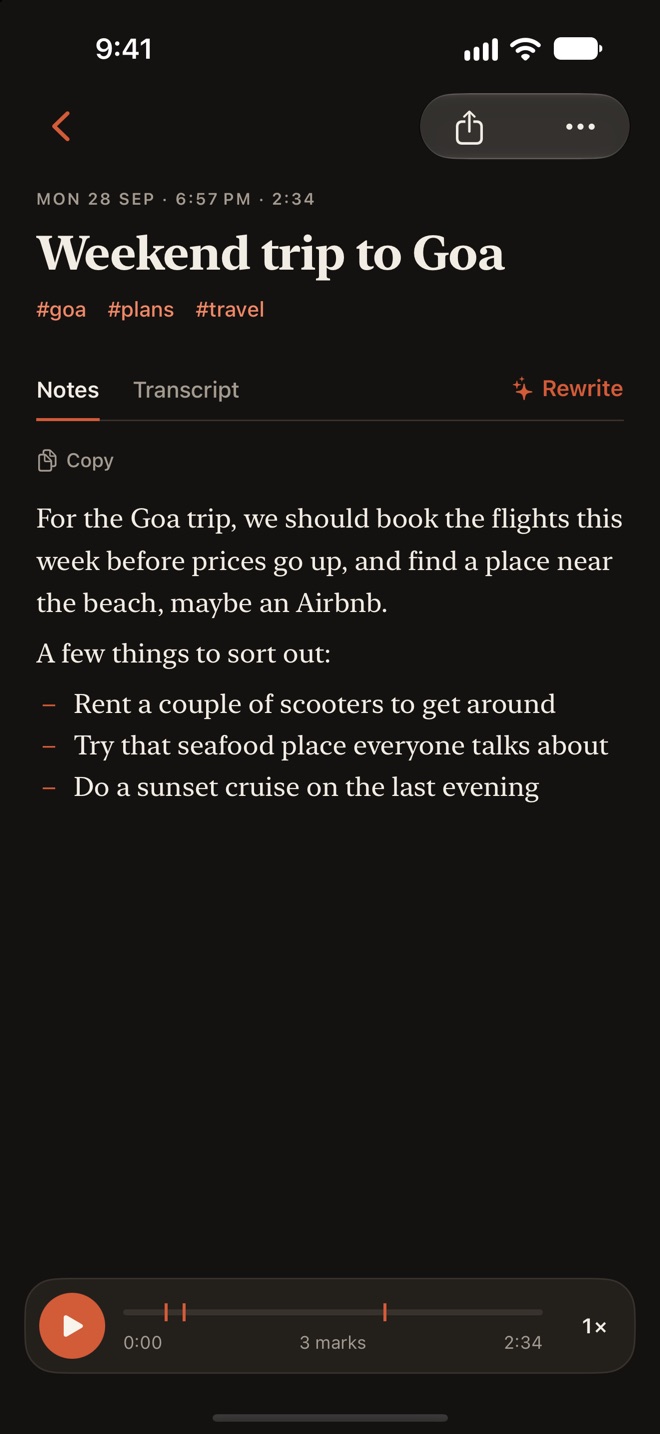
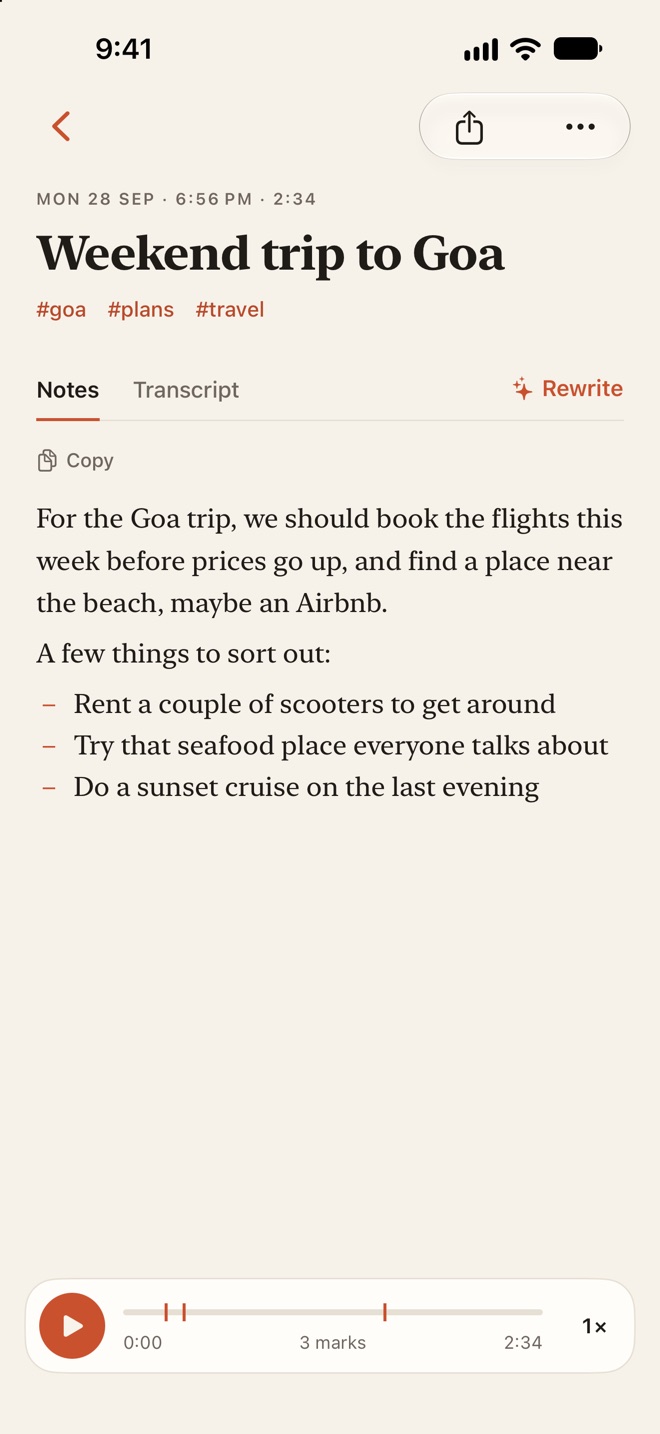
A Whittle note titled Weekend trip to Goa, with the tags goa, plans and travel, open on Notes next to Transcript and Rewrite: a tidy paragraph and a short list, and a player at the bottom with three marks.

How it works

Tap record and talk. Stop, and the note is written.

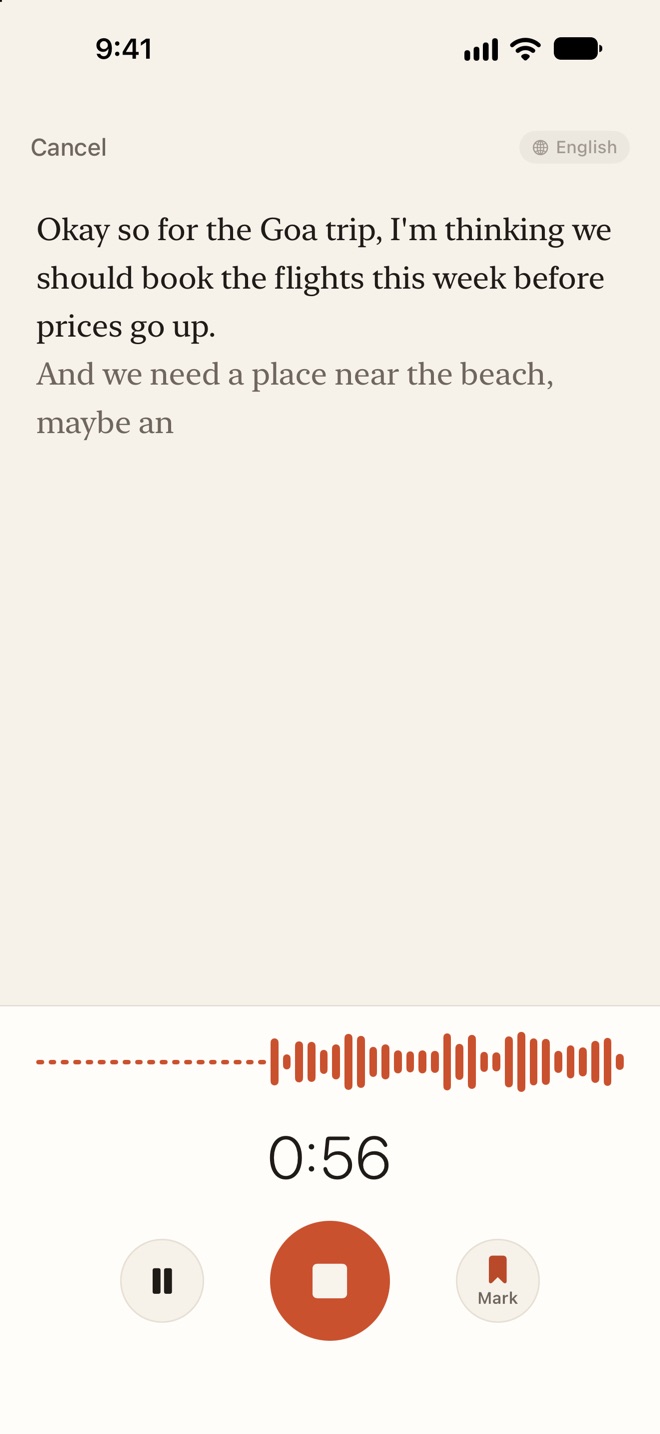
  1. Whittle recording a note about a Goa trip: the spoken words appear on the page as they are said, above an ember waveform, a 0:56 timer, and Pause, Stop and Mark buttons.

    Tap record

    Talk through an idea, a plan or a list. The words appear on the page as you say them. Tap Mark to mark a moment, and Pause whenever you need to.

  2. A note titled Weekend trip to Goa with the tags goa, plans and travel, open on Notes next to Transcript and Rewrite: a tidy paragraph about flights and a place near the beach, a short list of things to sort out, and a player at the bottom with three marks.

    Tap Stop and save

    Every word is kept in Transcript. With Apple Intelligence, the note also gets a title, tags and a tidy version in Notes.

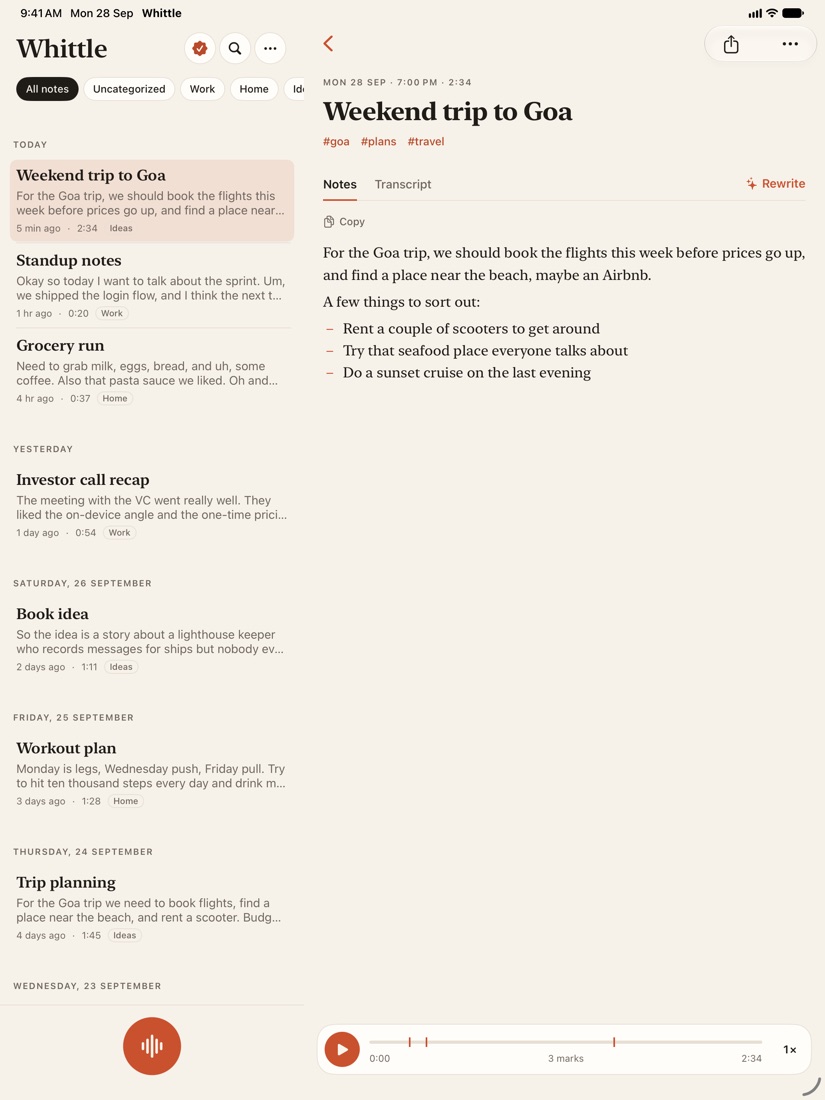
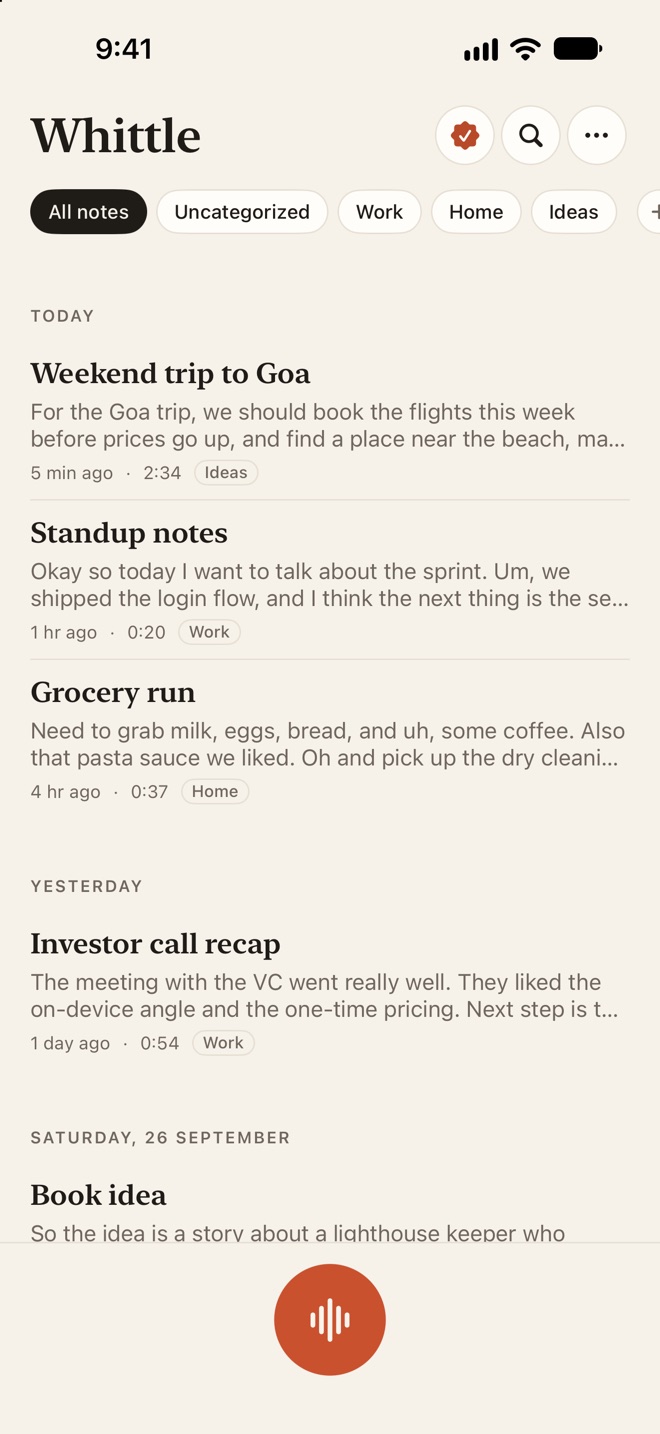
  3. The Whittle home screen: a notebook strip with All notes, Uncategorized, Work, Home and Ideas, then notes grouped by day, each with a title, a first line, its length and its notebook, and a record button at the bottom.

    Find it later

    File notes into notebooks, tag them, and search every word you said.

What it does best

Talk in. Notes out.

A live transcript that keeps up

A fast transcriber puts your words on the screen as you speak, and an accurate one writes the saved note. Both run on your iPhone. A phone call or Siri pauses the recording, and switching headphones keeps it going.

  • Live as you talk
  • On your iPhone
  • Marks while recording
Whittle recording a note about a Goa trip: the spoken words appear on the page as they are said, above an ember waveform, a 0:56 timer, and Pause, Stop and Mark buttons.

Notes and Transcript

Each note has Notes and the exact Transcript. Tap any sentence to hear it, and tap a word to fix it. Add names and jargon to Words Whittle should know. Keep talking adds more to the end of a note.

  • Tap a sentence to hear it
  • Tap a word to fix it
  • Keep talking
A note titled Weekend trip to Goa with the tags goa, plans and travel, open on Notes next to Transcript and Rewrite: a tidy paragraph about flights and a place near the beach, a short list of things to sort out, and a player at the bottom with three marks.

Rewrite a note

With Apple Intelligence, Whittle tidies the notes, writes a title and suggests tags. Rewrite turns a note into an email, a message, a journal entry, meeting minutes, a blog post, bullet points or your own style.

  • Title and tags
  • Email, message, minutes
  • Your own style
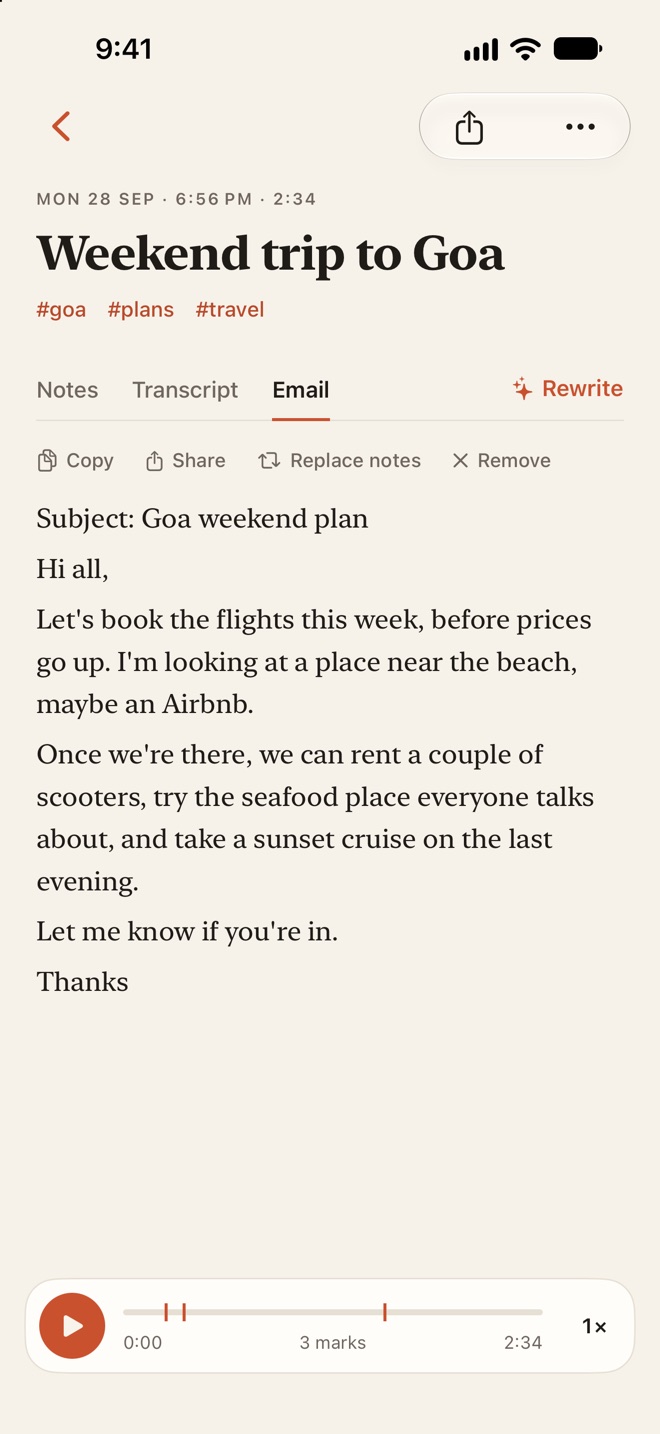
The same note rewritten as an email, in a third tab named Email next to Notes and Transcript, with Copy, Share, Replace notes and Remove above it.

Search, or ask your notes

Search finds every word you said. With Apple Intelligence, Ask your notes answers a question from your notes and shows the notes it used. Apple Intelligence is optional; everything else works without it.

  • Search every word
  • Answers from your notes
  • On your iPhone
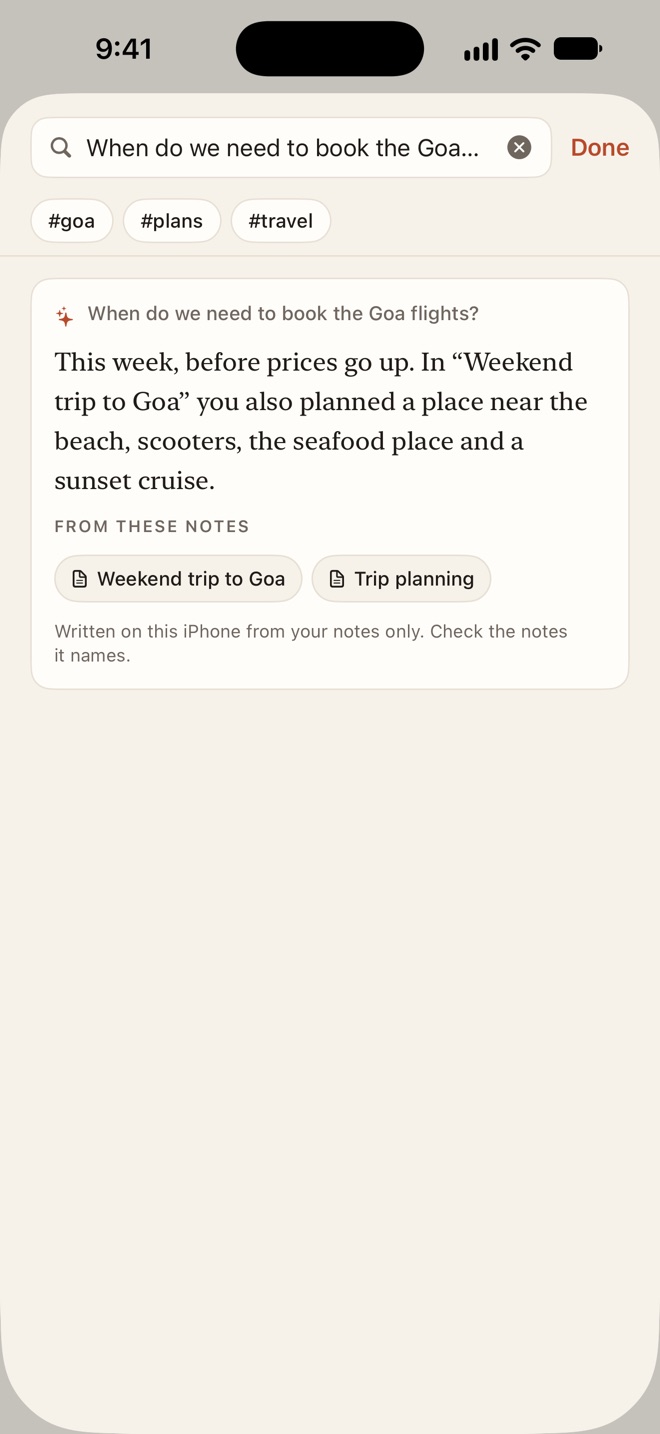
Ask your notes: the question When do we need to book the Goa flights? answered as This week, before prices go up, with the two notes it came from listed underneath.

And also

The small things, done properly.

  • Record from anywhere

    Home Screen and Lock Screen widgets, Control Center, the Action button, Siri, or a long press on the app icon.

  • Apple Watch

    Record on your wrist, or from the watch face complication. The recording is sent to your iPhone and transcribed there.

  • Import audio

    Import audio files, or use Save to Whittle in the share sheet from Voice Memos, Files or WhatsApp.

  • Translate

    Translate a note on your iPhone with Apple Translation, then go back to the original.

  • Widgets, Spotlight and Siri

    A Recent notes widget, a Live Activity while you record, notes in Spotlight, and Siri for Open note and Ask Whittle.

  • Playback

    Play at 1× to 2×, skip 15 seconds, jump to a mark, and use the Lock Screen controls.

  • Export

    Export as text, Markdown, PDF or audio, or keep a folder of Markdown files up to date. Obsidian works.

  • Face ID lock

    Turn on Lock with Face ID in Settings to keep your notes behind Face ID.

A look inside

iPhone and iPad, light and dark.

Price

Twenty-five notes free. Then $9.99, once.

Free$0
  • Every feature for your first 25 notes
  • Counted for life, no trial clock
  • Your 25 notes stay yours to read, edit and share
Whittle Pro$9.99once
  • Removes the 25-note cap forever
  • Nothing else is held back
  • Comes with you to a new device
  • Shared with your family through Family Sharing
DownloadFree on the App StoreNo subscription. Shown in your local currency.

Private by design

Your voice stays on your iPhone.

  • Everything happens on your device

    Recording, transcription, Apple Intelligence, translation and search all run on your iPhone or iPad.

  • No account

    There is nothing to sign up for. Open the app and tap record.

  • Nothing collected

    No analytics, no ads, no tracking and no third-party code. There are no Papermint servers.

  • Your own iCloud

    If you turn on iCloud sync, note text syncs through your private iCloud. Recordings sync only if you turn on Sync recordings with iCloud.

Read the Whittle privacy policy

Questions

Asked before you download.

Do I need an account?

No. There is no sign-up and no Papermint server. If you use iCloud, your notes sync through your own private iCloud.

What is free and what do I pay for?

Every feature is free for your first 25 notes, counted for life. Whittle Pro is a one-time $9.99 that removes the cap forever, with no subscription and nothing else held back.

Does my voice leave my phone?

No. Audio and text stay on your device. Recordings go to your own iCloud only if you turn on Sync recordings with iCloud.

Do I need Apple Intelligence?

No. Recording, the live transcript, search, notebooks, translation and sync work on any iPhone or iPad with iOS 26 or iPadOS 26. Tidy notes, titles, tags, Rewrite and Ask your notes need Apple Intelligence, on an iPhone 15 Pro or later.

Does it work with Apple Watch?

Yes. Record on the watch or from its complication. The recording is sent to your iPhone and transcribed there.

All Whittle answers in the help centre

Speak. Whittle writes.

25 notes free, then $9.99 once. For iPhone, iPad and Apple Watch.

DownloadFree on the App Store

More from Papermint

Other apps, same promise.