Porter app icon

Porter

  • Mac

Give every dev server a real name.

Open shop.local instead of localhost:5173, with HTTPS your browser trusts. Porter finds the servers already running on your Mac, names them from their project folders, and shows every request as it happens. No admin password, no config files.

  • shop.local over http and https
  • Finds your running dev servers
  • Every request, live
For developers · freeFreeEvery feature. No account, no subscription.
Porter's window: four .local names, shop.local selected with its addresses and a live list of requests

How it works

Start your server. Porter names it.

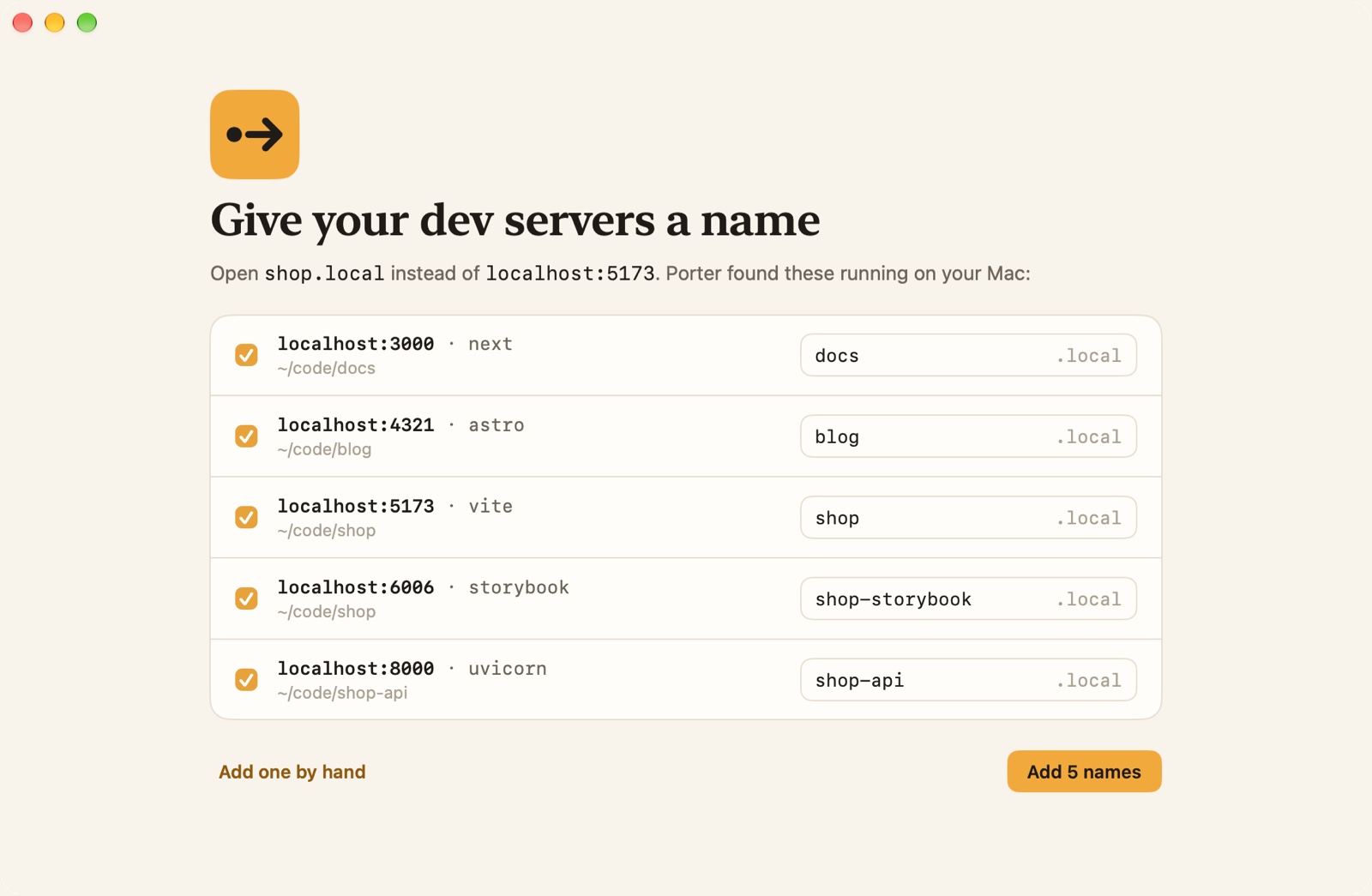
  1. Porter's first screen listing five dev servers it found running, each with a suggested .local name

    Run your dev server as usual

    Vite, Next.js, Astro, Django, uvicorn, anything that listens on a port. Porter sees it, with the tool and the project folder it runs in.

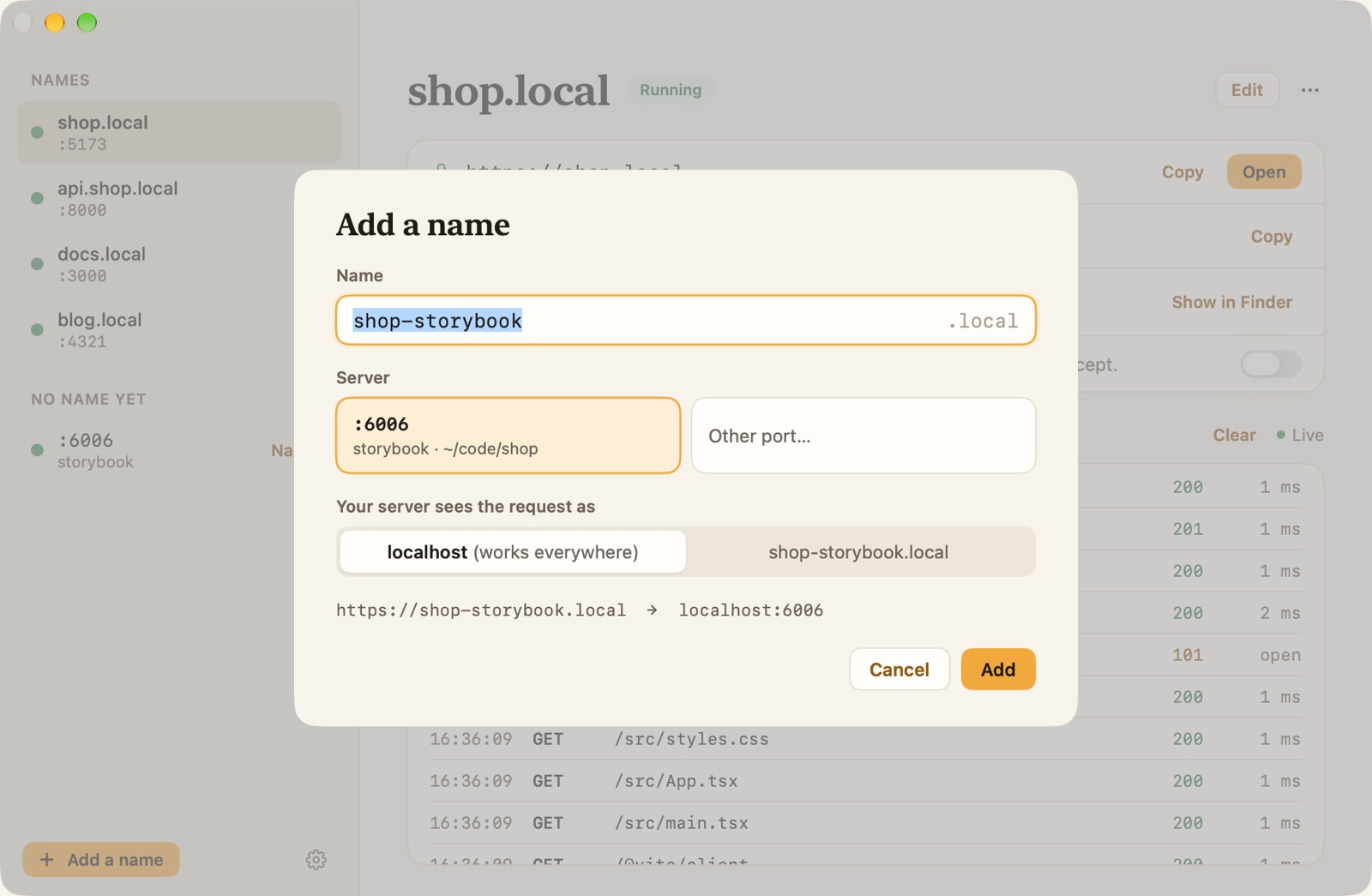
  2. Adding a name in Porter: the name field, the running servers to choose from, and a preview of the address

    Give it a name

    Porter suggests one from the project folder. Keep it or type your own, like shop or api.shop, and pick the server from the list.

  3. Porter's window with shop.local selected: its addresses, where it forwards, and recent requests

    Open it by name

    Type shop.local in any browser, over http or https. It opens your server, hot reload and all.

What it does best

Local names that behave like real ones.

HTTPS your browser trusts

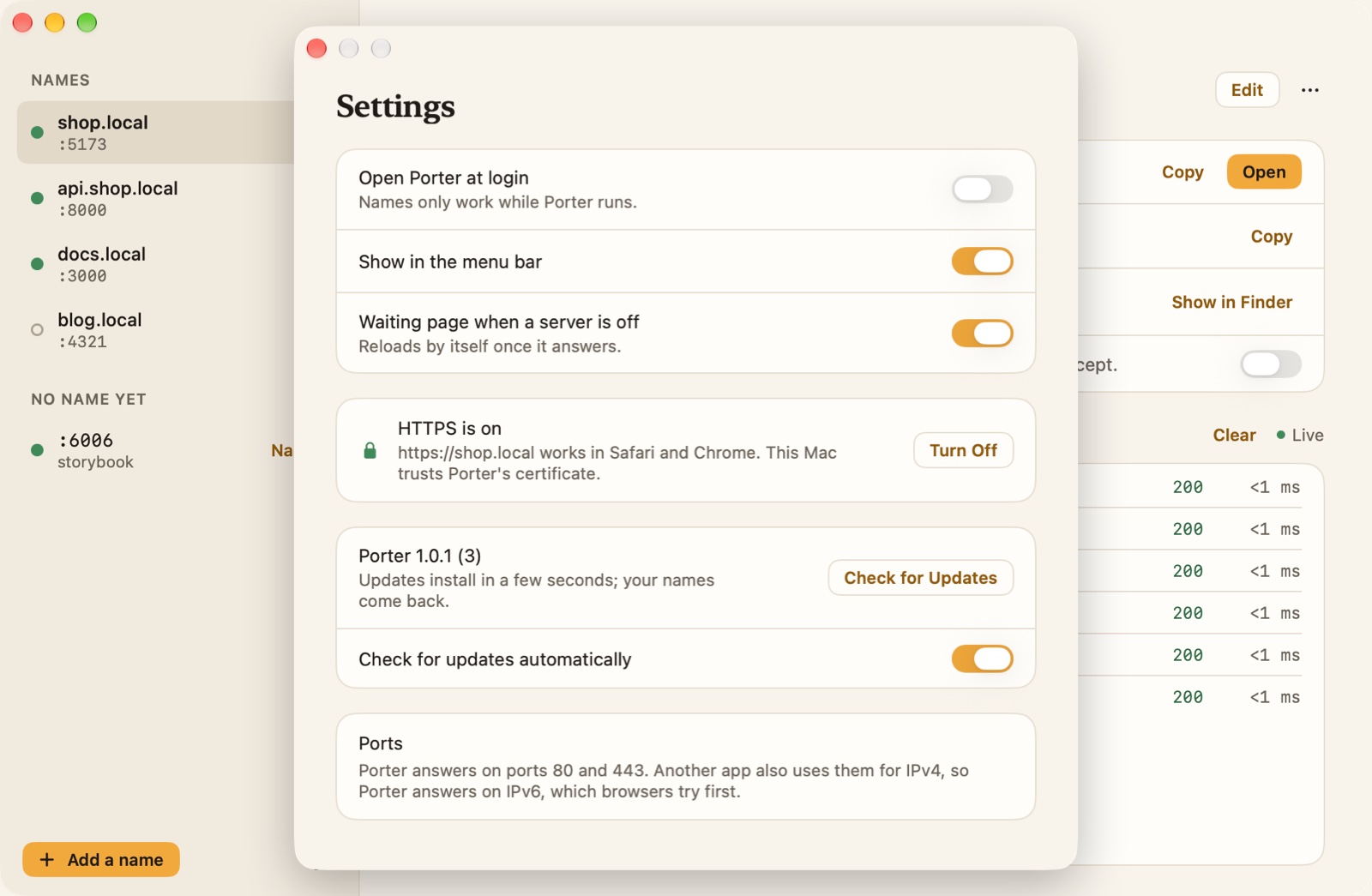
Turn on HTTPS once and macOS asks for your password one time. From then on https://shop.local opens with a padlock in Safari and Chrome, for every name you add, and new names are covered the moment you add them. Porter's certificate can only vouch for .local names, so it can't be used for anything else.

  • One password prompt
  • Only .local names
  • Safari and Chrome
Porter's Settings with HTTPS on and trusted by the Mac, update options and the ports in use

Every request, as it happens

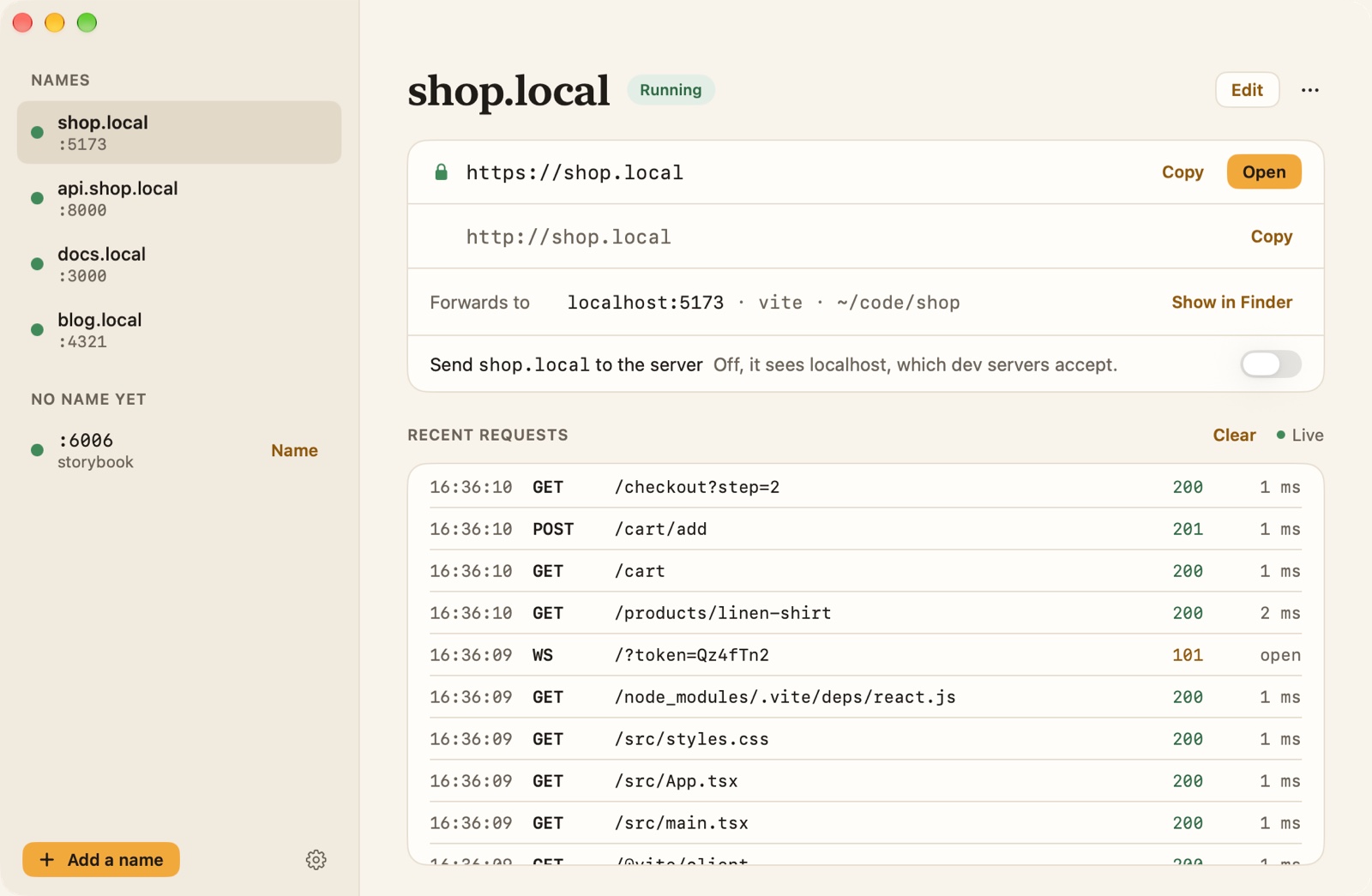
Each name has its own page: its addresses, the tool and folder behind it, and a live list of requests with method, path, status and time. When a page won't load, you can see straight away whether the request reached your server and what it answered.

  • Method and path
  • Status and time
  • WebSockets
Recent requests for shop.local in Porter: page loads, a POST to the cart, and a WebSocket for hot reload

A stopped server says so

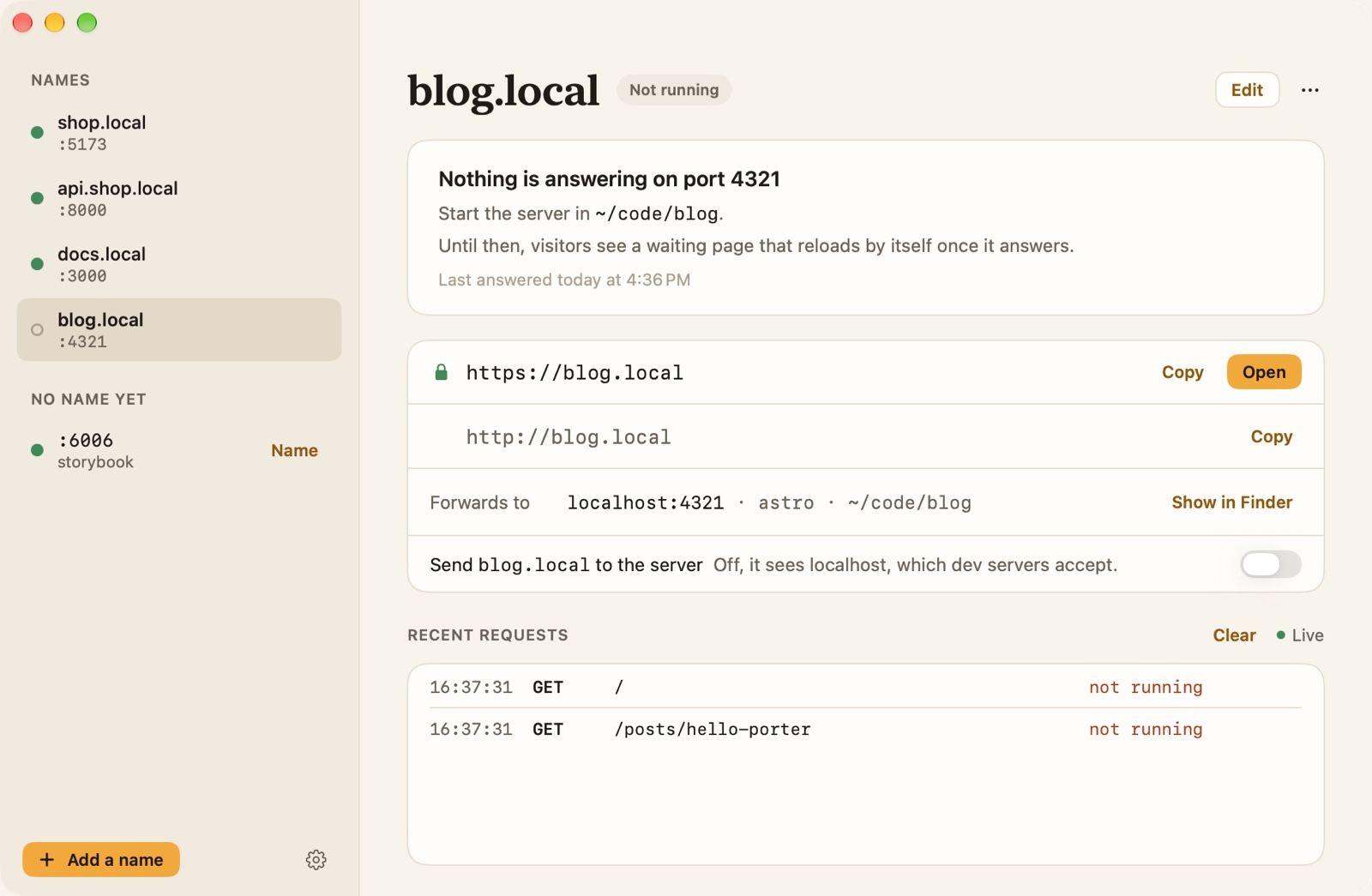
When nothing answers on a name's port, the browser shows a calm waiting page that reloads by itself the moment your server is back. Porter tells you which folder to start it in and when it last answered.

  • Waiting page
  • Reloads itself
  • Last answered
blog.local in Porter while its server is stopped: nothing answering on port 4321, start it in ~/code/blog

One click from the menu bar

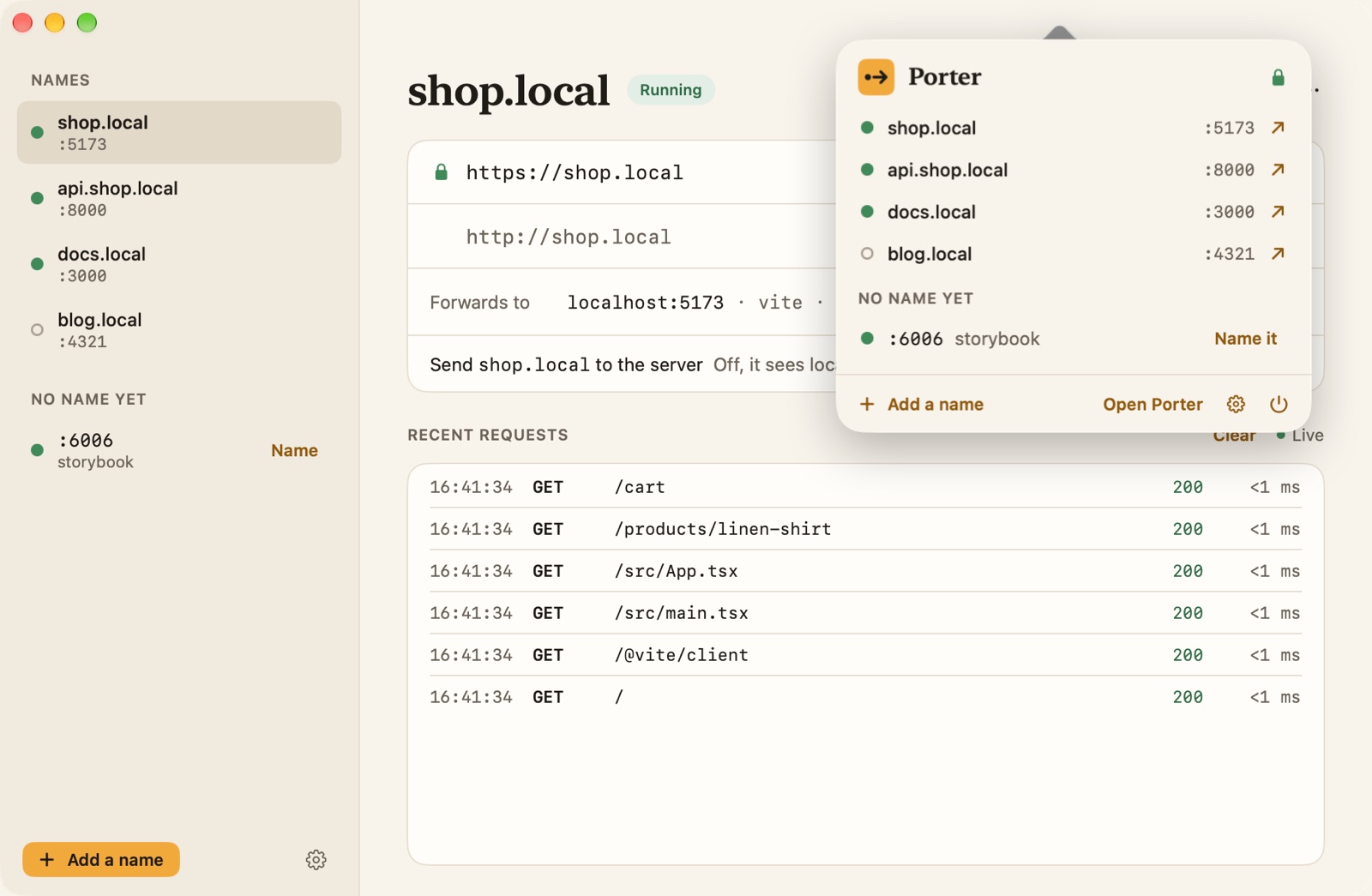
Porter lives in the menu bar. Every name is one click away, servers without a name can be named from there, and Porter opens at login so your names are always ready.

  • Every name
  • Name new servers
  • Opens at login
Porter's menu bar panel over its window: four names with their ports and one server waiting for a name

And also

And the details you'd expect.

  • No admin password

    Names are published for this Mac only and Porter needs no sudo. Nothing to edit in /etc/hosts.

  • Works with your framework

    Your server sees localhost by default, which Vite, Next.js, Django and Rails accept. One switch sends the .local name instead.

  • Hot reload keeps working

    WebSockets pass straight through, over http and https.

  • Redirects stay on the name

    A redirect to localhost:5173 comes back as shop.local, so you never fall off your name.

  • The project behind each name

    See the tool and folder serving a name, and open it in Finder in one click.

  • This Mac only

    Names aren't announced to your network, and Porter only answers requests from your own Mac.

  • Keeps itself up to date

    Porter checks once a day and installs signed updates in seconds. Your names come back on their own.

  • Apple silicon and Intel

    One universal app for macOS 15 and later, notarized by Apple.

Price

Free to use, all of it.

PorterFree
  • Every feature, including HTTPS and the request list
  • As many names as you like
  • No account, no ads and no subscription
  • Updates included
DownloadmacOS 15+ · Apple silicon & IntelA .dmg notarized by Apple. macOS 15 or later, Apple silicon and Intel.

Private by design

It all stays on your Mac.

  • A proxy on your Mac

    Requests go from your browser to your own server, through Porter on your Mac. Nothing passes through us.

  • No account

    No sign-up, no analytics, no ads and no tracking. We collect nothing.

  • A certificate only for .local

    Porter's certificate authority is made on your Mac and can only vouch for .local names. Turning HTTPS off removes it.

  • One thing goes online

    A daily look at our update feed, which you can turn off in Settings. Nothing about you is sent.

Read the Porter privacy policy

Questions

Asked before you download.

Why .local names?

macOS already looks up .local names on the Mac itself, so Porter can answer them without changing system files or asking for your password. Names like .test would need a DNS resolver installed with admin rights.

Is it safe to trust Porter's certificate?

The certificate authority is created on your Mac, its key never leaves it, and it is limited to .local names, so it cannot vouch for real websites. Turning HTTPS off removes it from your keychain.

Does it work with my framework?

Yes, with anything that listens on a port. By default your server sees the request as localhost, which dev servers like Vite, Next.js, Django and Rails accept without setup. If your app needs to see its .local name, switch that on for the name.

Can my phone open shop.local?

No. The names exist only on the Mac running Porter, and Porter only answers requests from that Mac. That keeps your work-in-progress off the network.

Which Macs does it run on?

macOS 15 Sequoia or later, on Apple silicon and Intel. Porter is free, and it uses ports 80 and 443 so your addresses need no port number.

All Porter answers in the help centre

Give every dev server a real name.

Free for Mac. Apple silicon and Intel.

DownloadmacOS 15+ · Apple silicon & Intel

More from Papermint

Other apps, same promise.