Sheaf app icon

Sheaf

  • Mac
  • Coming soon

Every PDF tool you reach for, in one calm app.

Compress, merge, convert, sign, redact and edit PDFs on your Mac. Put your files on the desk once and use them in any of 21 tools. Every result is a new file, and nothing is uploaded.

  • PDF to Word and Excel
  • Edit the page's own text
  • Redact so it's truly gone
  • All on your Mac, no account
Lifetime · pay once$14.99onceEvery tool free for 3 days. Then pay once, yours forever.
Coming soonto the Mac App Store
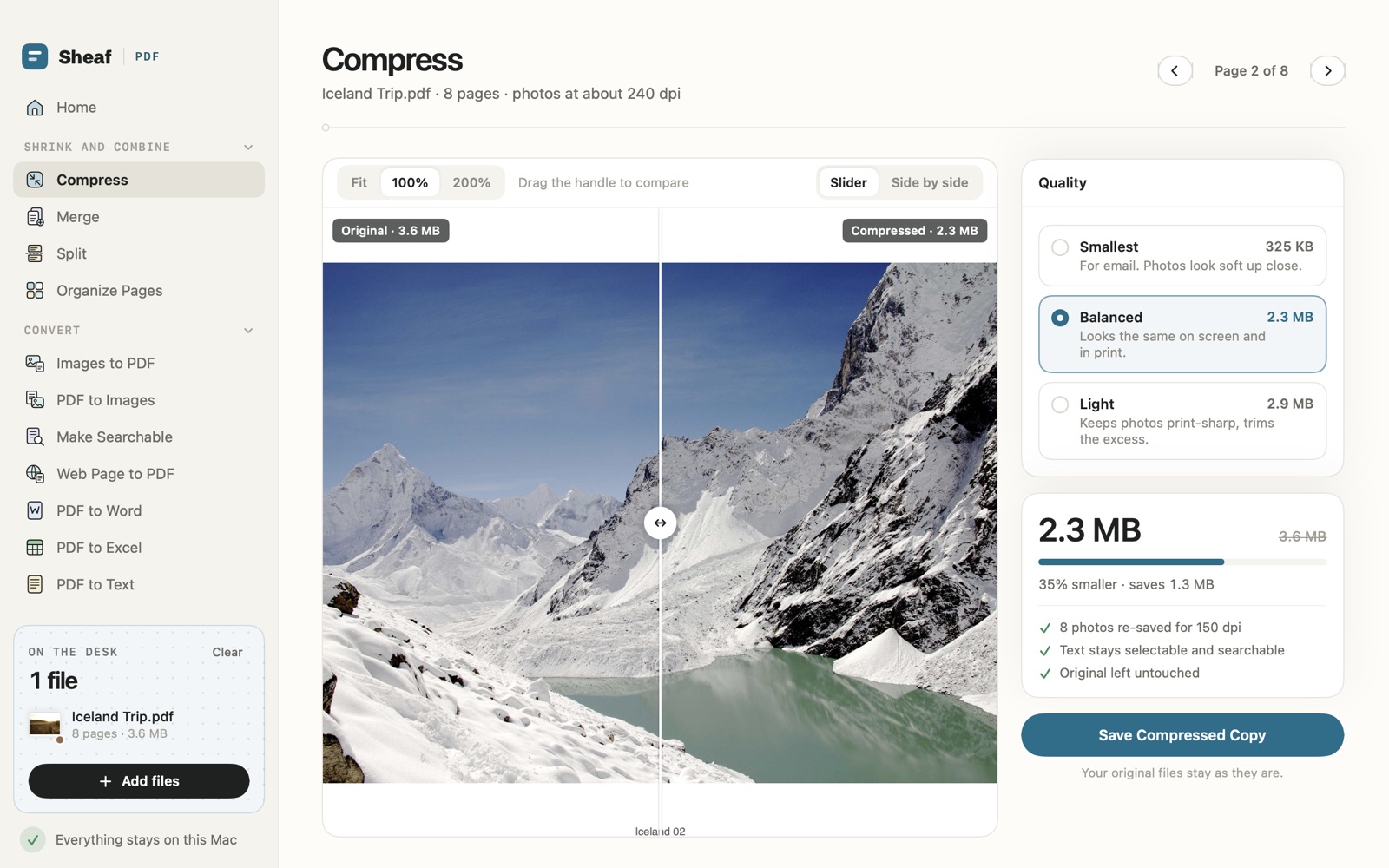
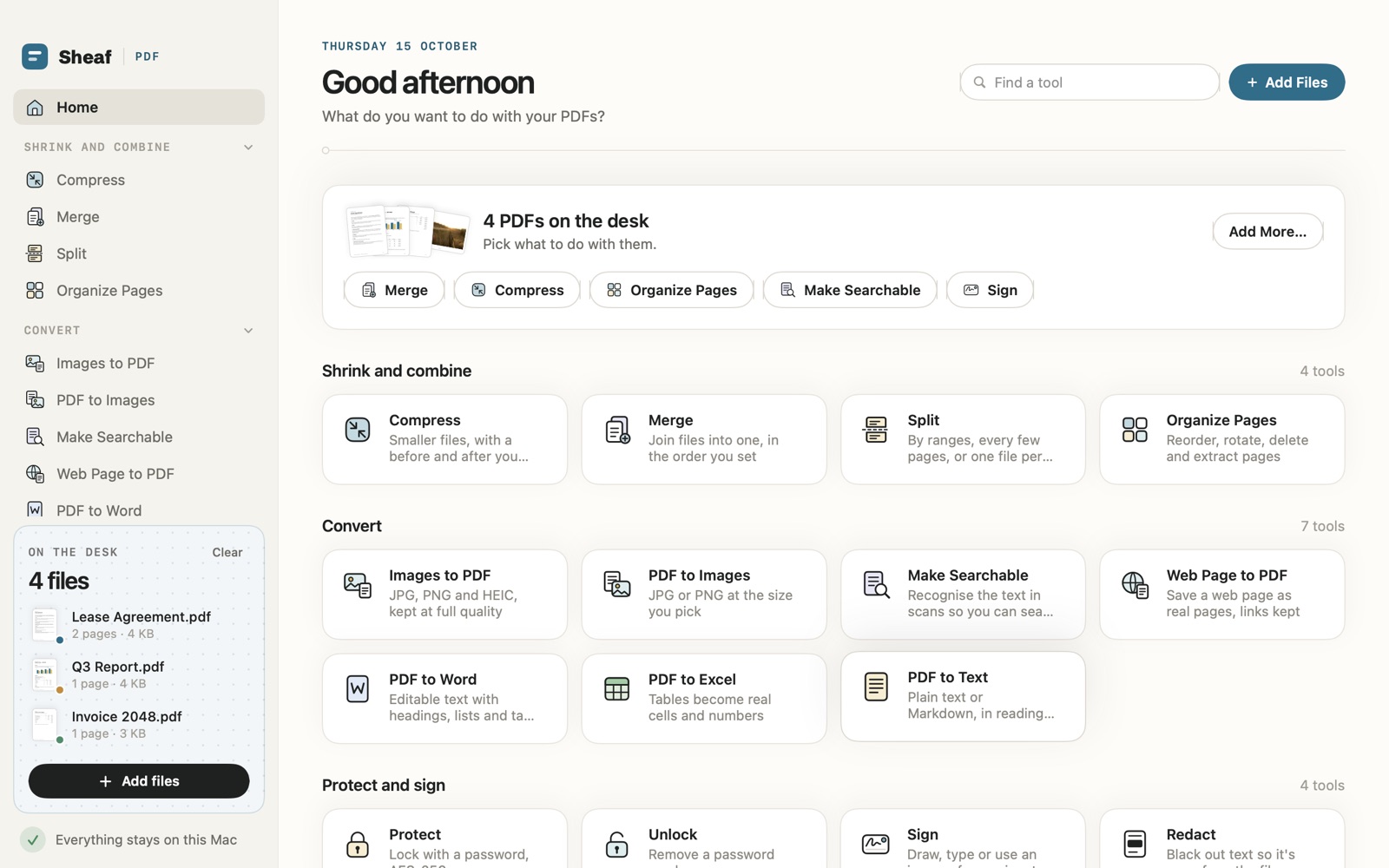
Sheaf's Home: four PDFs on the desk and every tool in its group, from Compress and Merge to PDF to Word and RedactCompress in Sheaf: the original and the compressed page side by side under a slider, 3.6 MB down to 2.3 MB

How it works

Put it on the desk. Pick a tool.

  1. Sheaf's Home: four PDFs on the desk, with every tool below in its group

    Put your files on the desk

    Drop PDFs and images anywhere on the window, or click Add Files. They wait on the desk, ready for any tool, so you add them once.

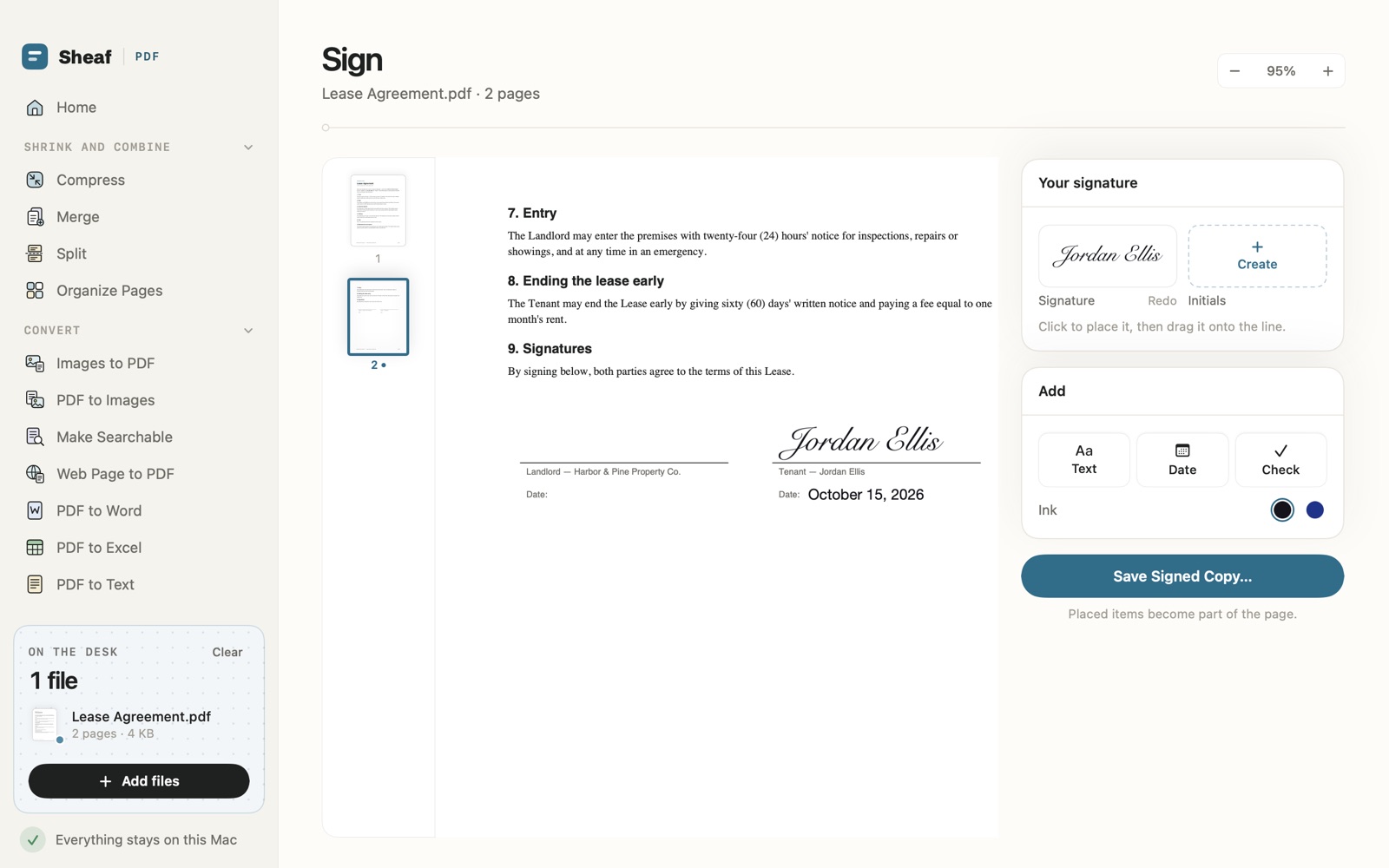
  2. Sign in Sheaf: a typed signature and today's date placed on the signature line of a lease

    Pick a tool

    21 tools in four groups: shrink and combine, convert, protect and sign, edit and check. Each one works on the files already on the desk.

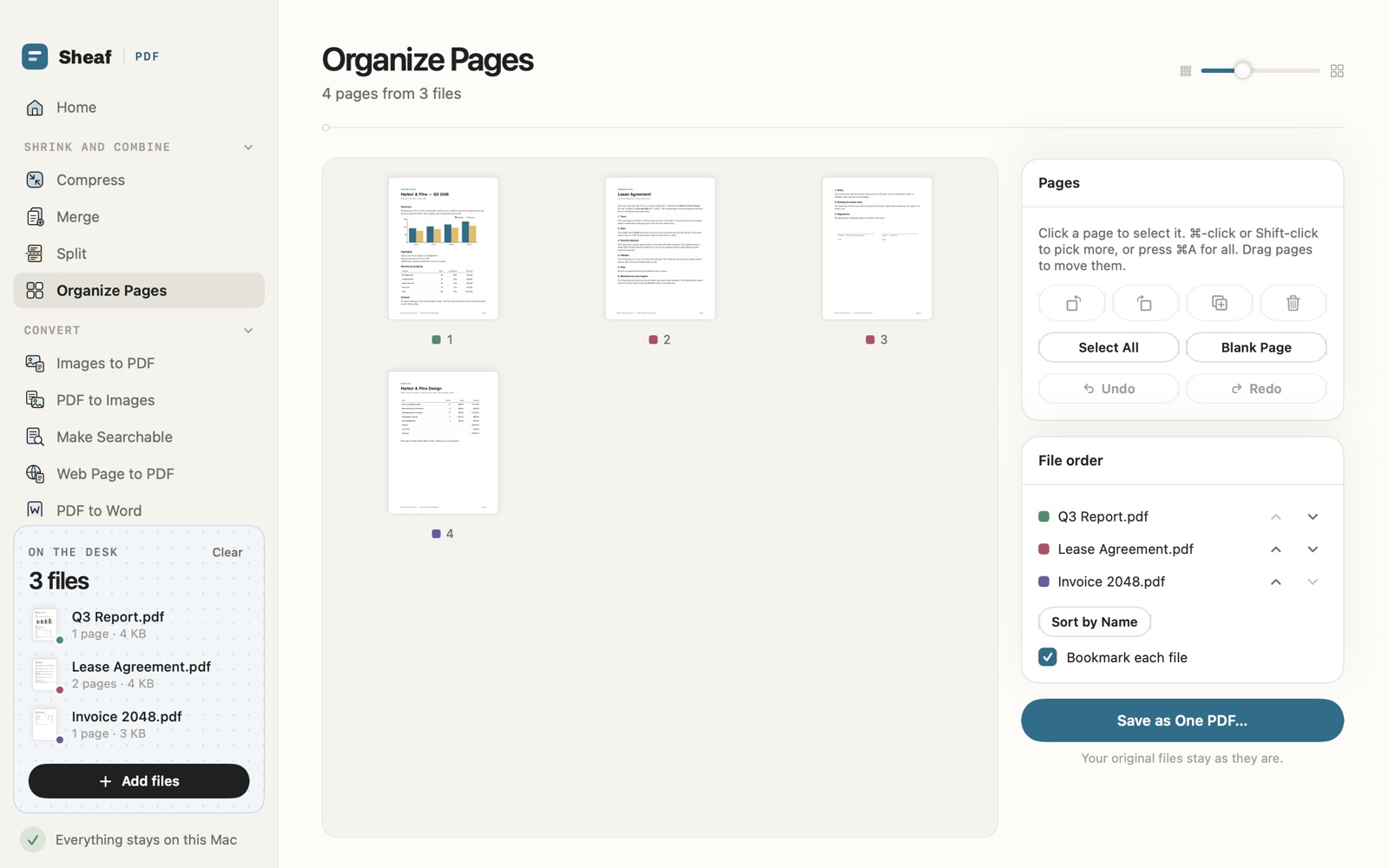
  3. Organize Pages in Sheaf: pages from three files in one grid, with Save as One PDF and a note that the originals stay as they are

    Save a new file

    Every result is saved as a new file, where you choose. The file you started with stays exactly as it was.

What it does best

The everyday PDF jobs, done on your Mac.

Smaller files you can check

Pick Smallest, Balanced or Light and Sheaf shows the new size before you save. Drag the slider across a page to compare the original and the compressed copy at full size, so you can see what changed. Text stays selectable and searchable.

  • Before and after
  • Size up front
  • Text stays text
Compress in Sheaf: a photo page split by a slider between the original at 3.6 MB and the compressed copy at 2.3 MB

PDF to Word, Excel and text

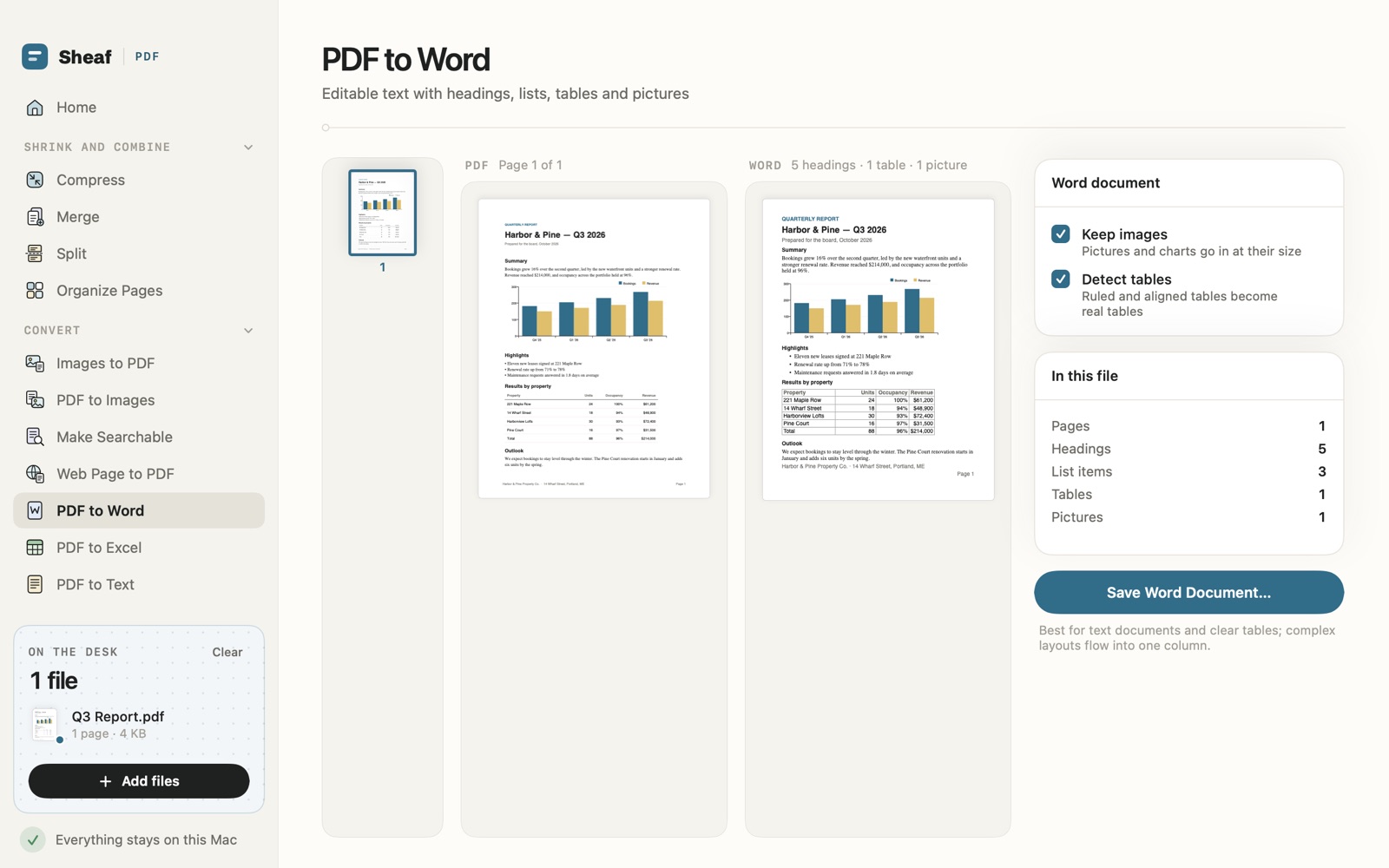
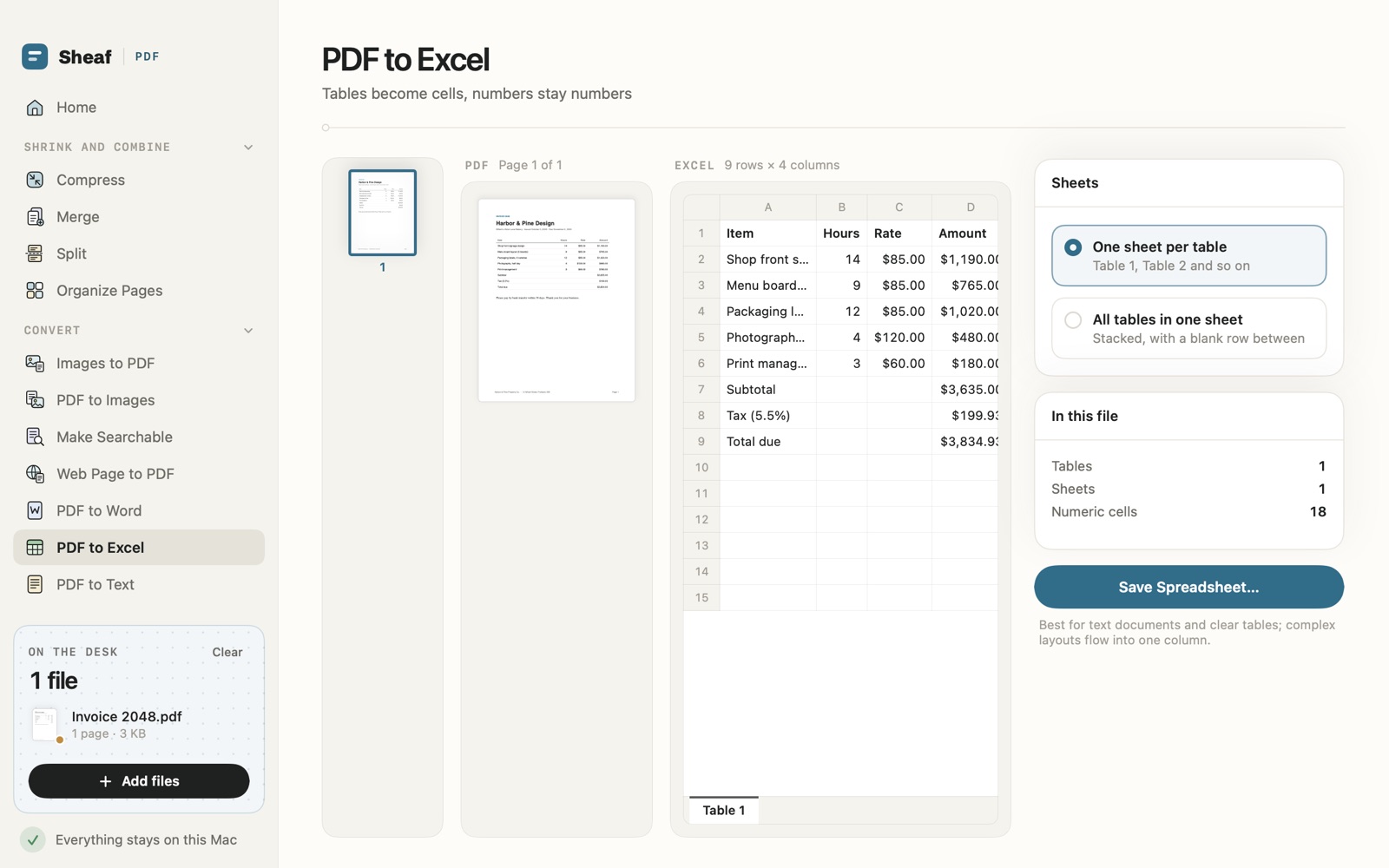
Word documents keep headings, lists, tables and pictures as real, editable text. Tables go to Excel as cells, with numbers you can add up. Or take plain text or Markdown in reading order. Best for text documents and clear tables; a complex layout flows into one column.

  • Editable Word
  • Real cells
  • Text or Markdown
PDF to Word in Sheaf: a quarterly report beside its Word version, with its headings, table and bar chart carried across

Edit the page itself

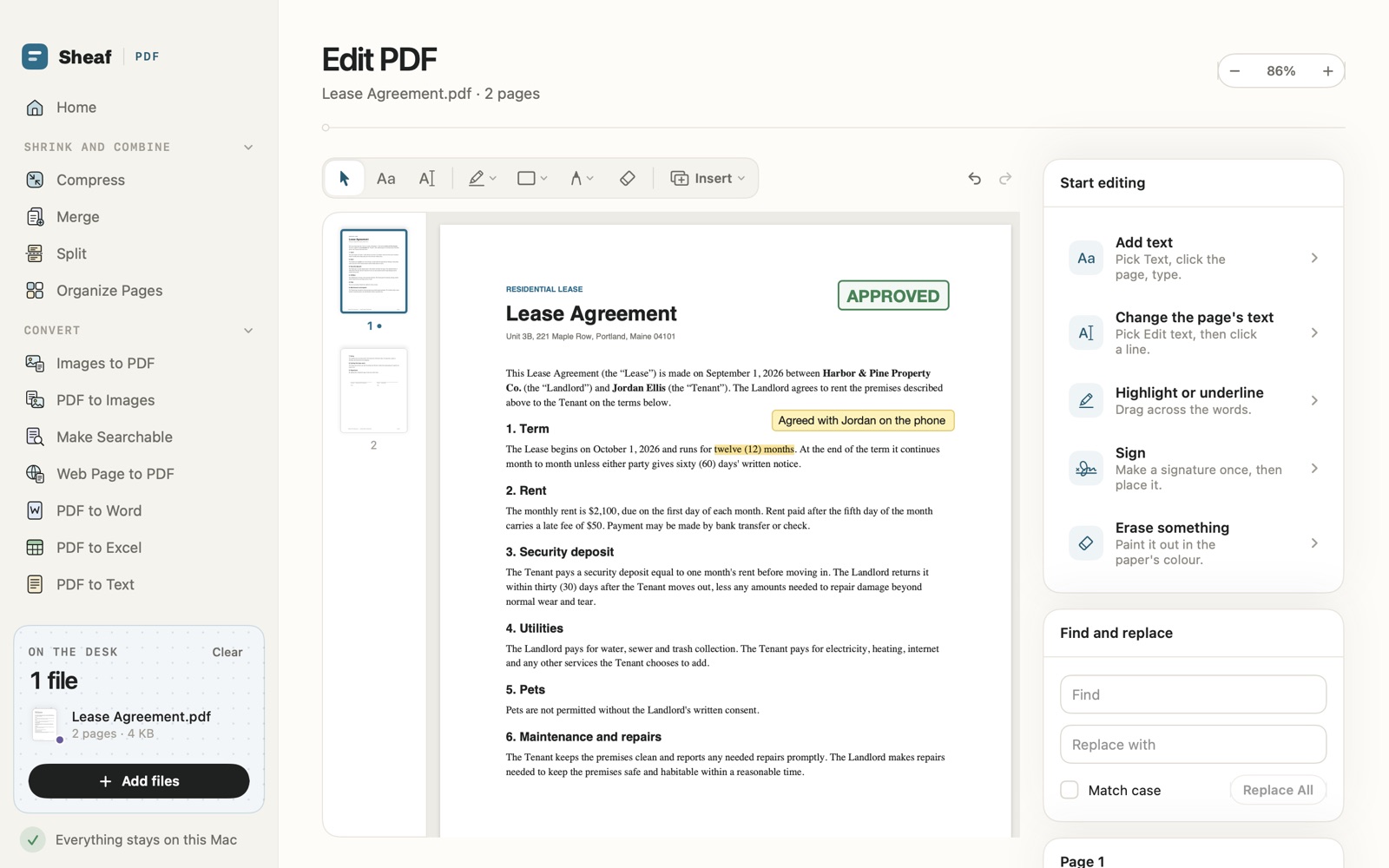
Change the words already on the page, or find and replace them across the file. Add text, pictures, shapes, drawings, highlights, stamps and notes. Undo and redo as you go.

  • Change existing text
  • Find and replace
  • Stamps and notes
Edit PDF in Sheaf: a lease with a highlight, a note and an Approved stamp, and the editing tools beside it

Redact for real

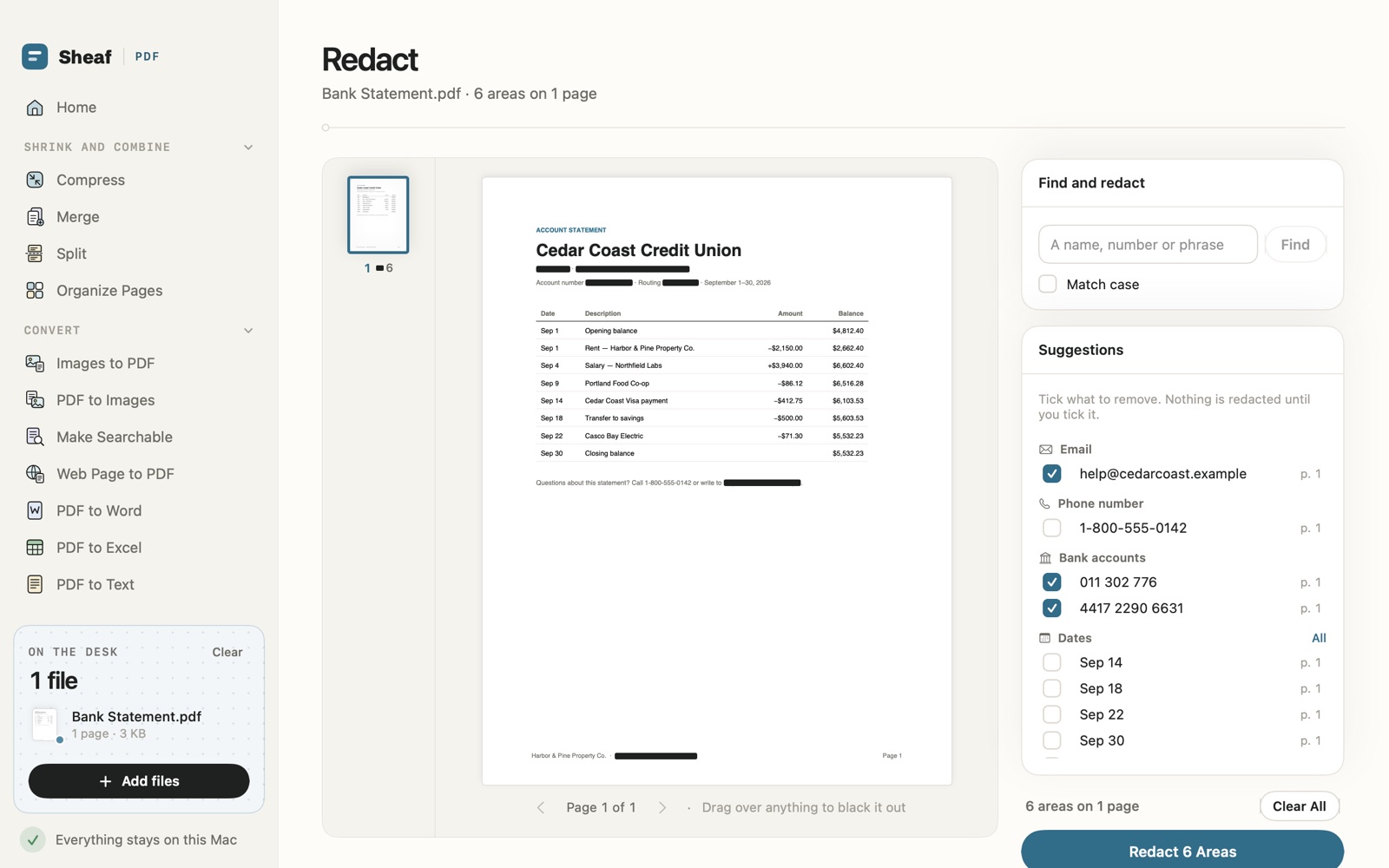
Black out text so it is gone from the file, not just covered. Sheaf suggests what to remove: emails, phone numbers, account numbers, names, dates and addresses. Tick what should go, or search for a word, or drag over anything.

  • Truly removed
  • Suggestions
  • Find and redact
Redact in Sheaf: a bank statement with an email and two account numbers ticked for removal

And also

And the rest of the toolbox.

  • Merge and split

    Join files in the order you set, or split by ranges, every few pages, or one file per page.

  • Protect and unlock

    Lock a PDF with a password (AES-256), or remove a password you know.

  • Make Searchable

    Recognise the text in scans with Apple's Vision, on your Mac, so you can search and copy it.

  • Images in and out

    JPG, PNG and HEIC to PDF at full quality, or pages to JPG or PNG at the size you pick.

  • Web Page to PDF

    Save a web page as real pages, with its links kept.

  • Page numbers and crop

    Number pages in the style and place you pick, and trim margins on one page or all of them.

  • Repair

    Rescue a damaged PDF that won't open.

  • From Finder

    In Finder's Services menu: Open, Compress, Merge, Make Searchable or Convert Images to PDF with Sheaf.

A look inside

A look inside.

Price

Try every tool for 3 days. Then pay once.

Free trial3 days
  • All 21 tools, with saving
  • Nothing is charged, and the trial never renews
  • After it ends, every tool still opens to try
Sheaf$14.99once
  • Save from every tool, for good
  • All future updates included
  • No subscription and no account
  • Restore on any Mac with your Apple Account
Coming soonto the Mac App StoreNo subscription. Shown in your local currency. Coming soon to the Mac App Store.

Private by design

Your files stay on your Mac.

  • Done on your Mac

    Compressing, converting, reading scans and redacting all happen on your Mac. Your files are never uploaded.

  • No account

    No sign-up, no analytics, no ads and no tracking. We collect nothing.

  • Originals untouched

    Every result is saved as a new file. The file you started with stays as it is.

  • Kept only here

    Saved signatures and recent files stay in Sheaf's own storage, and you can delete them. Passwords you type to open a file are forgotten when Sheaf quits.

Read the Sheaf privacy policy

Questions

Asked before you download.

How does the free trial work?

Every tool works, saving included, for 3 days. Nothing is charged and the trial never turns into a payment. After that, Sheaf is $14.99 once to keep saving, with no subscription; every tool still opens so you can try it.

Are my files uploaded anywhere?

No. Every tool runs on your Mac, and text in scans is read with Apple's Vision framework on the device. Sheaf goes online only to load a page you ask Web Page to PDF to save, and for the App Store to handle the trial and purchase.

Will a Word or Excel file look like the PDF?

For text documents and clear tables, closely: headings, lists, tables and pictures come across as real, editable content. Charts drawn in the PDF come across as pictures, and a complex layout flows into one column.

Does Redact really remove the text?

Yes. The text under each black box is taken out of the file, not just covered over, so it can't be copied, searched or uncovered later.

When can I get it?

Sheaf is coming soon to the Mac App Store. It needs macOS 14 or later.

All Sheaf answers in the help centre

Every PDF tool you reach for, in one calm app.

Free for 3 days, then $14.99 once. For Mac, coming soon.

Coming soonto the Mac App Store

More from Papermint

Other apps, same promise.