
Winnow
- Mac
Clear your Mac. Keep a way back.
See where your disk went, then clear what comes back by itself: caches, logs, build data and old installers. Every row says what it is, and everything goes to the Trash first, so one click puts it back.
- Where the space went, in one bar
- Only safe things ticked
- Restore for 7 days
- Uninstall with leftovers
- System Data explained
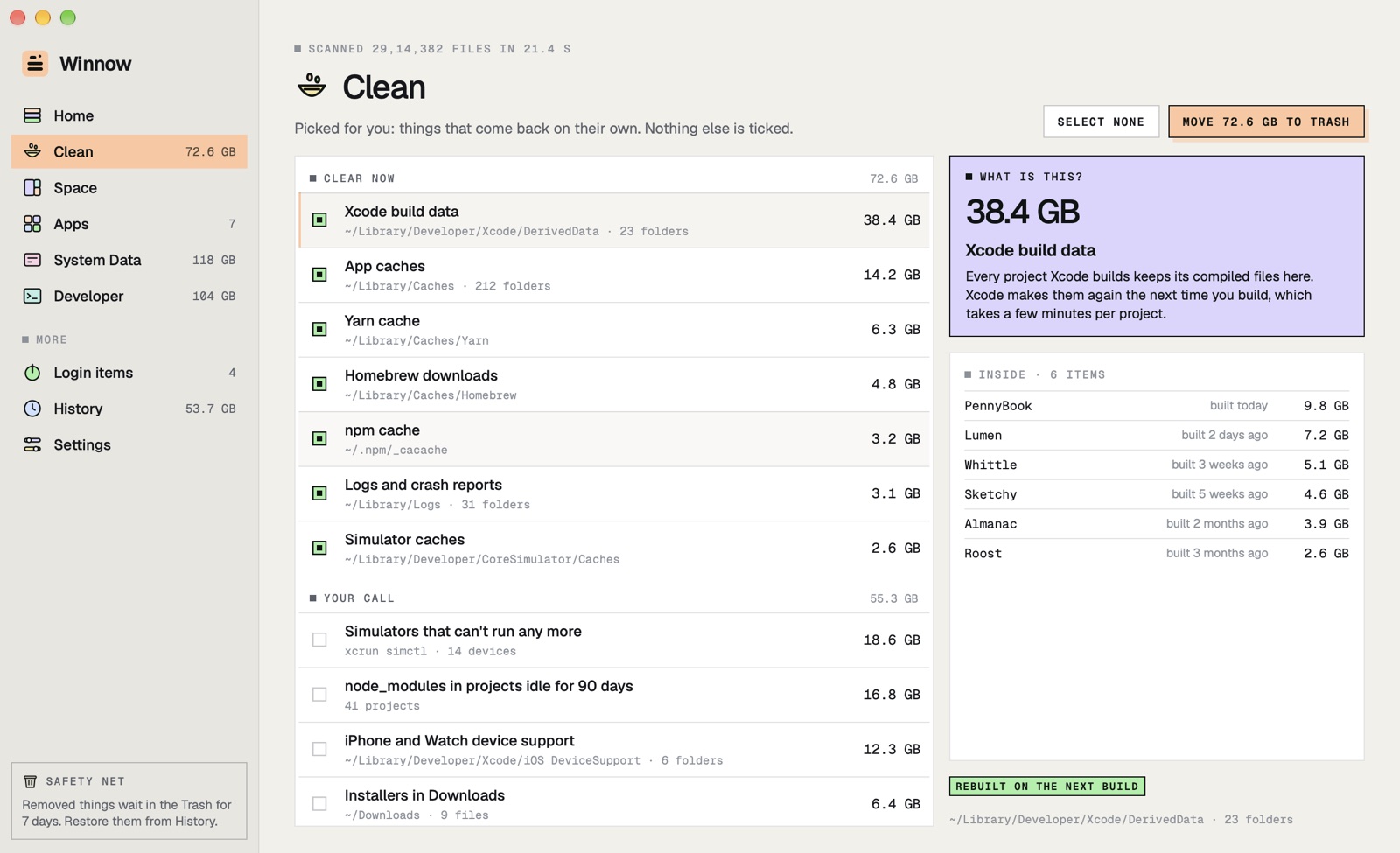
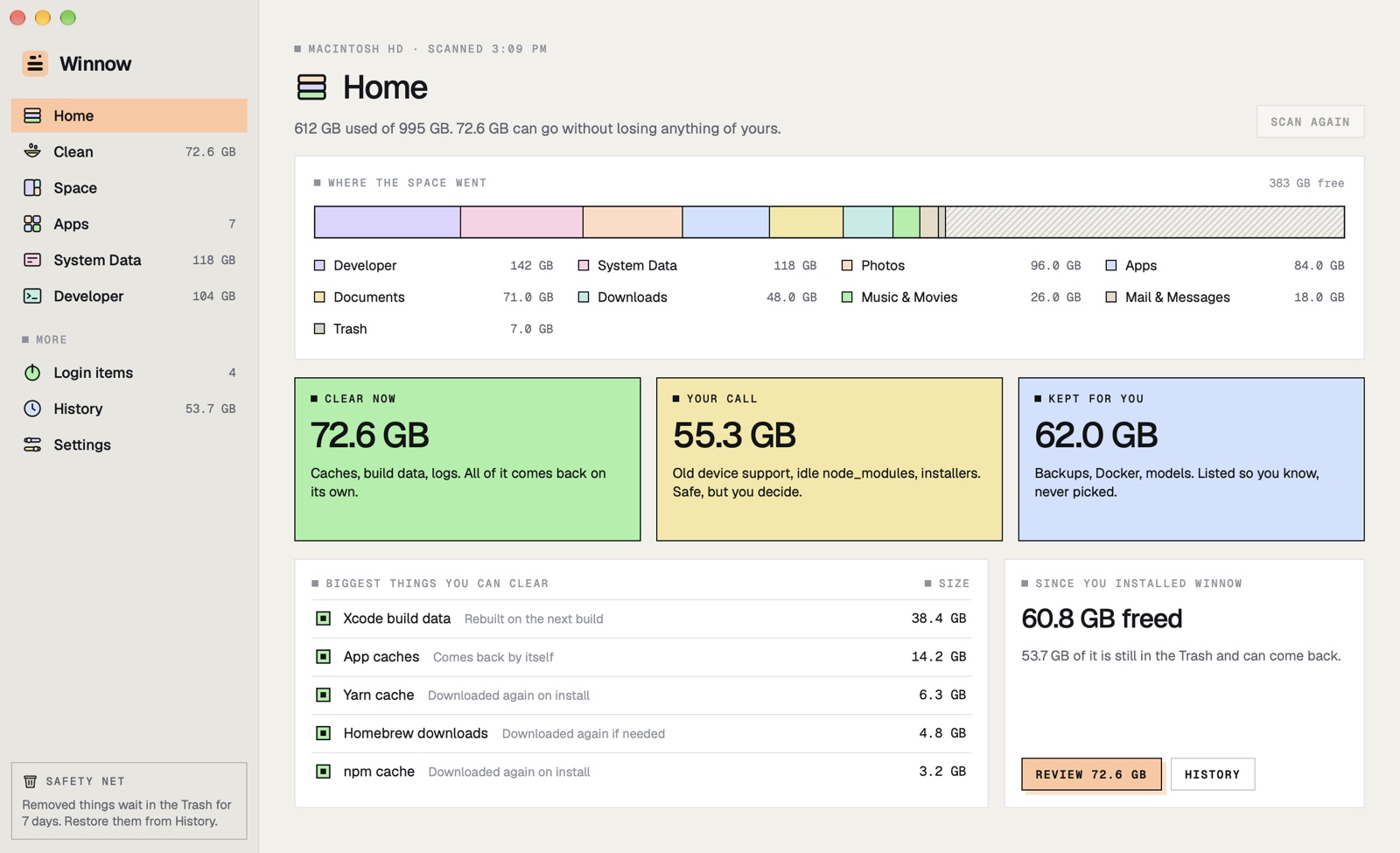
Where the space went
Your whole disk, in one bar
The same categories as Storage settings, measured from the files themselves, and what you can do about each.
One layered bar
Developer, Photos, Apps, Documents, System Data and free space, all to scale.
Three groups
Clear now, Your call and Kept for you. Only things that come back by themselves are ticked.
Fast and honest
Millions of files in under a minute, measured by real space on disk, with copies and links counted once.
A glance from the menu bar
Free space and what you can clear, without opening the window.
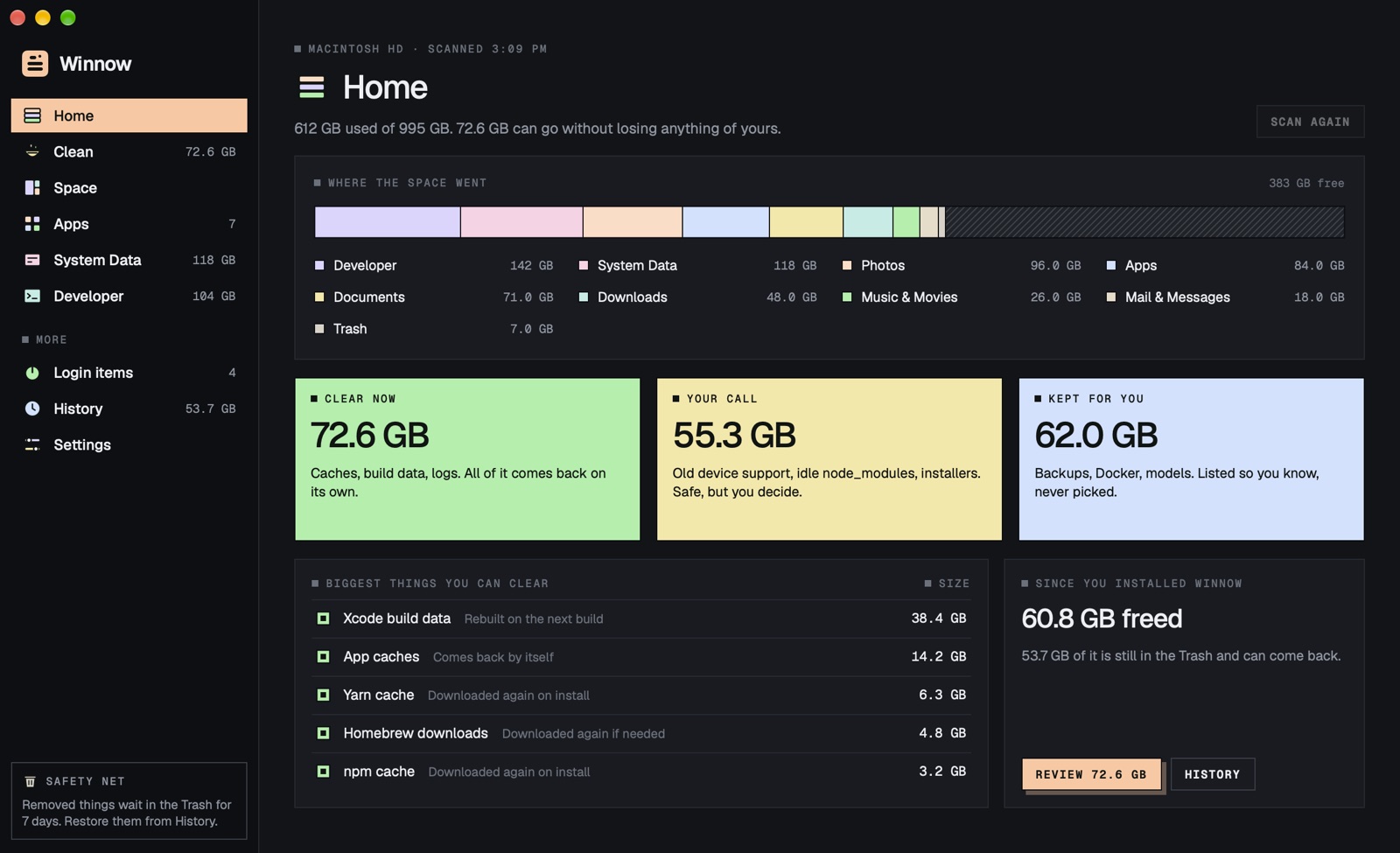
Clean
Every row says what it is
What it is, whether it comes back by itself, and what you lose if it goes. No scary red numbers.
Plain words
"Xcode makes them again the next time you build" instead of a path and a size.
What's inside
Build data by project and last build, caches by app, node_modules by when the project last changed.
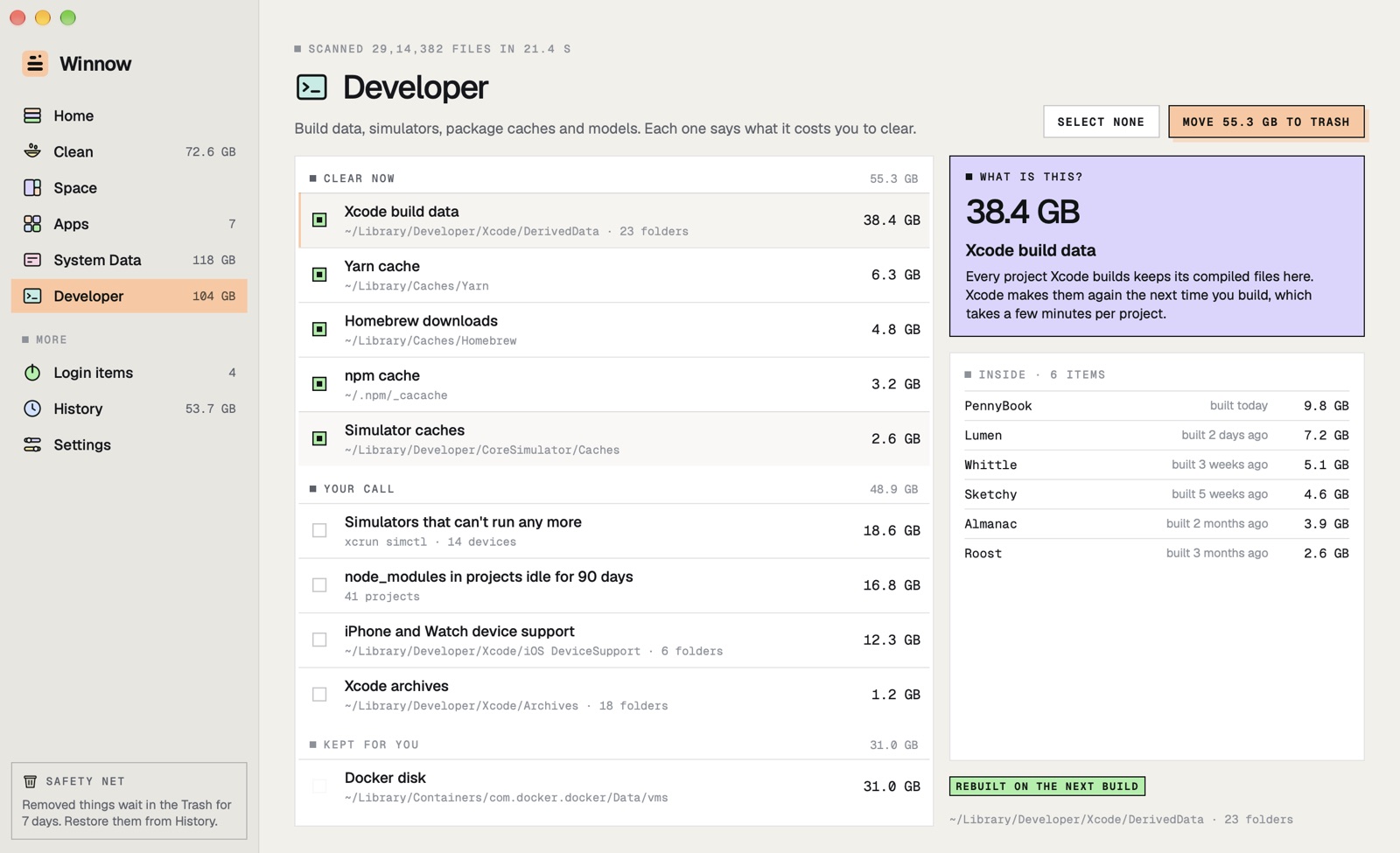
Developer junk, done properly
Xcode, simulators, device support, npm, Yarn, pnpm, Homebrew, Gradle, Cargo and Hugging Face.
Never touched
Your documents, iCloud Drive, Photos, Mail and Messages, and macOS's own caches.
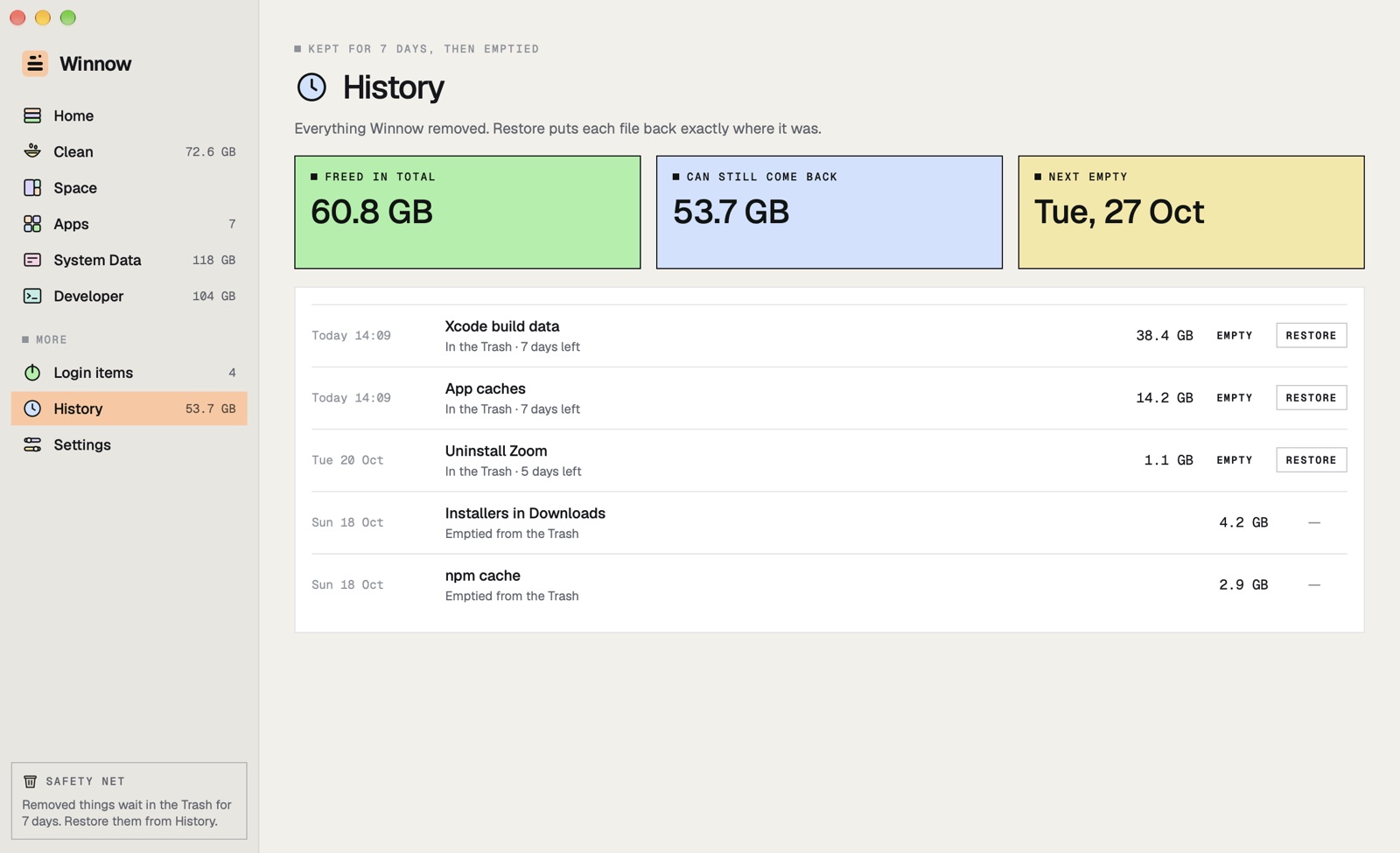
A way back
Everything goes to the Trash first
Winnow remembers where each file lived. Restore puts it back exactly there, for 7 days.
One-click Restore
Put a whole clean-up back, even after a restart.
Emptied for you, only its own
After 7 days Winnow empties the items it moved, and never touches anything else in your Trash.
Your choice
Keep things 1, 7 or 30 days, or free the space at once when you need it now.
Apps and System Data
Uninstall cleanly, and see the grey bar
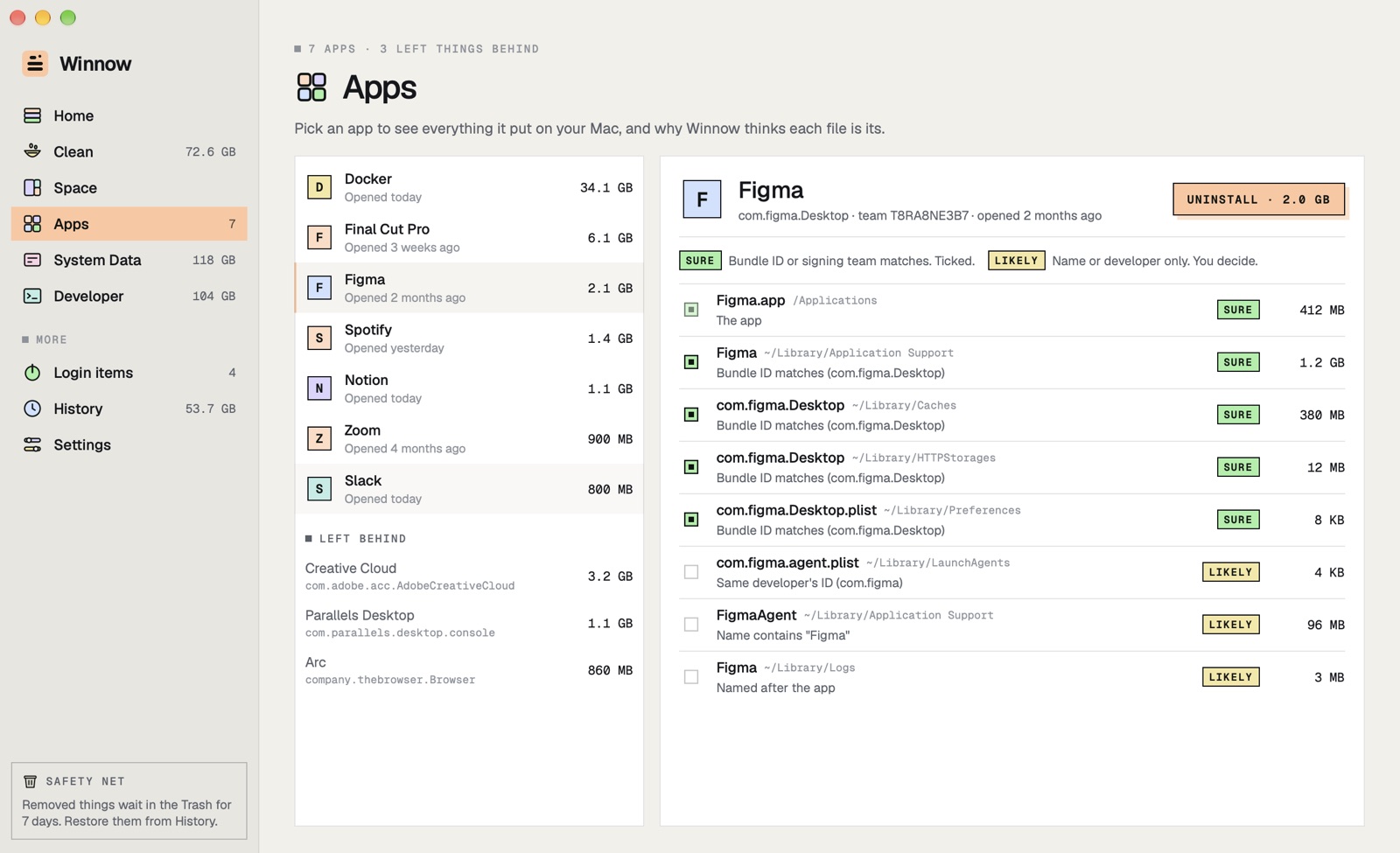
Every file an app left, with why Winnow thinks it's that app's, and System Data broken into parts.
Sure or Likely
Sure when the bundle ID or signing team matches. Likely when only the name does, and never ticked for you.
Left behind
Settings and caches of apps you already deleted, found and listed.
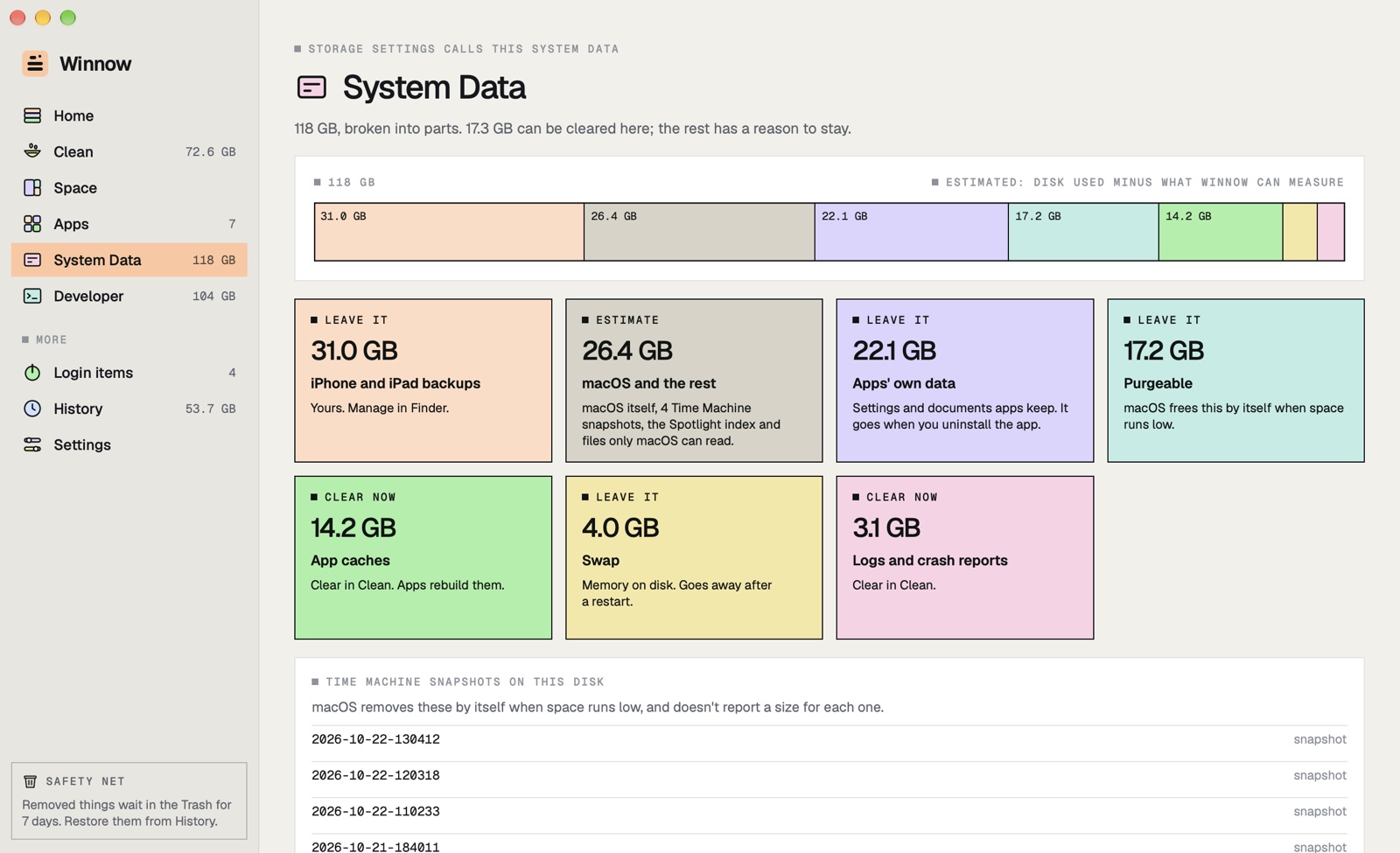
System Data, explained
Backups, apps' own data, purgeable space, swap, caches and logs, each with what to do.
Space
Click through any folder by size, one column per level, and send anything to the Trash.
And also
And the details
The small things that make it calm to use.
Full Disk Access, when you want it
Everything works without it; with it, Mail, Messages, Safari and the Trash get measured too.
The menu bar
Free space, the strata bar and Review, from one small panel.
Each tool's own command
Old simulators go through Xcode's simctl, so Xcode's own lists stay right.
Login items
Helpers that start with your Mac, and who made them.
Apple silicon and Intel
macOS 15 or later, signed and notarized by Apple.
No snake oil
No RAM freeing, no "speed up your Mac", no virus scan, no nagging.
How it works
Open it once.
It reads first, and changes nothing until you choose.
Let it look
Winnow measures your disk in about a minute. It only reads.
Review what's ticked
Only things that come back by themselves are picked for you.
Change your mind
Everything waits in the Trash, with Restore, for 7 days.
Private by design
Your files, only on your Mac.
Works on your Mac
Winnow measures and moves files on your Mac. Nothing about them passes through us.
History in one file
What was removed and where it lived is a small file in Winnow's folder, used for Restore.
No analytics, no account
It fetches only our update feed, and checks your licence with us.
Your permission, your call
Full Disk Access is optional, and you can turn it off in System Settings at any time.
Price
Try everything for 7 days. Then pay once.
Free trial
7days
- Every feature, nothing held back
- Scanning, Space and Restore stay free after
- No account
Winnow
$9.99once
- One Mac, every future update
- $19.99 for up to three Macs
- No subscription
Questions
Asked before you download
Is it safe to delete caches on a Mac?
Caches are copies apps keep to be faster, and apps rebuild them when they need them, so clearing them is safe; the first launch afterwards can be a little slower. Winnow leaves macOS's own caches alone and moves everything to the Trash first, so you can restore it.
What is System Data, and can I shrink it?
System Data is everything Storage settings doesn't put in another category: app caches and logs, apps' own data, iPhone backups, Time Machine snapshots, purgeable space, swap and macOS itself. Winnow splits it into those parts as far as the files it can read allow, says which you can clear here, and is plain that the rest is an estimate, because macOS doesn't publish its number.
Will uninstalling remove the wrong files?
Winnow marks each leftover Sure only when its bundle ID or signing team matches the app, and Likely when only the name does; Likely files are never ticked for you. Each file is given to the app it matches best, so an app called Notion doesn't take Notion Calendar's files. And everything goes to the Trash first.
Does it free RAM or speed up my Mac?
No. macOS manages memory well by itself, and apps that "free RAM" mostly make the Mac slower for a moment. Winnow frees disk space, and says exactly what it removes.
What does it cost?
Every feature is free for 7 days. Then it's $9.99 once for one Mac, or $19.99 for up to three, with every future update and no subscription. After the trial, scanning, Space and Restore keep working; only removing needs a licence. Your keys and Macs are at console.papermint.studio.
Why isn't it on the Mac App Store?
Apps in the Mac App Store live in a sandbox that can't see other apps' caches and leftovers, so a cleaner there can only do part of the job. Winnow is downloaded from us instead, signed and notarized by Apple.
Clear your Mac. Keep a way back.
Free for 7 days, then $9.99 once. Apple silicon and Intel, macOS 15 or later.
DownloadmacOS 15+ · Apple silicon & IntelMore from Papermint
Other apps, same promise.
 WhittleVoice notes that write themselves
 KeepersA photo cleaner you swipe
 SketchyColoring pages for kids
 LumenA photo viewer for the Mac
 PennyBookA private expense tracker
 Porter.local names for dev servers
 AlmanacSee which app is behind it
 RoostWindows back where they belong
 SheafEvery PDF tool, on your Mac