Tacet
- Mac
Copy freely. Your keys stay quiet.
A clipboard history for your Mac that knows an API key, a token or a password when you copy one. It hushes it from other clipboard apps, wipes it after a minute and keeps it out of your shell history.
- ⌃⌥V in any app
- 300+ kinds of keys
- Wiped after 60 s
- Out of shell history
- No way online
The first minute
Copy a key. Tacet keeps it quiet.
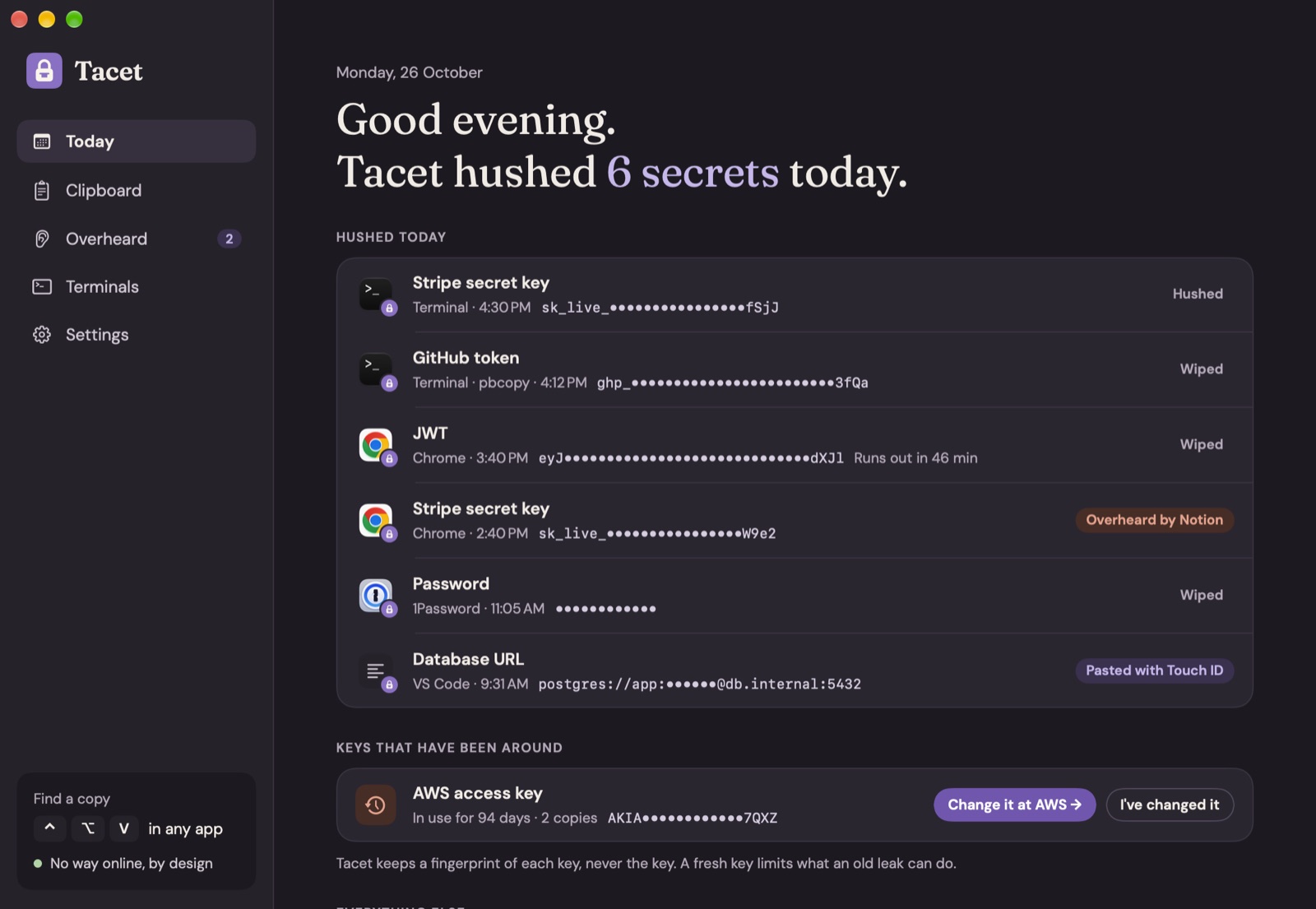
What happens to an API key from the moment you copy it.
- 0 s
You copy a key
In Terminal, a browser, an editor, anywhere. Tacet sees it's a Stripe secret key and keeps it in your history, dotted out.
- 0 s
It's hushed
The copy is marked with the nspasteboard.org flag, so Raycast, Alfred, Paste, Maccy and Copy 'Em leave it out of their history.
- 12 s
You paste it
Where you meant to. If that's Slack, Mail or ChatGPT, Tacet asks first.
- 60 s
It's wiped
Gone from the clipboard, but only if it's still there. Anything you copied since is left alone. 30 s, 2 min or never, if you like.
A note in the corner
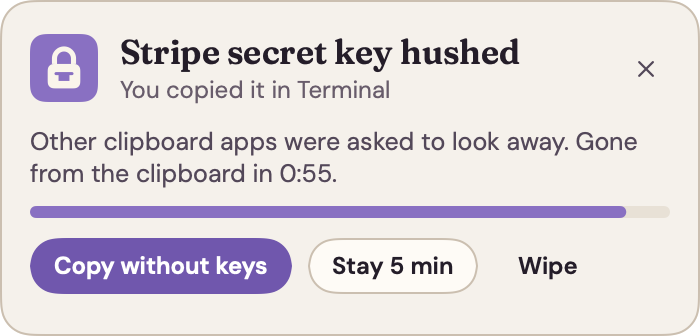
When something is hushed, a small card shows what it was, where you copied it and the countdown. Keep it a little longer, wipe it now, or copy it without the keys.
Clipboard
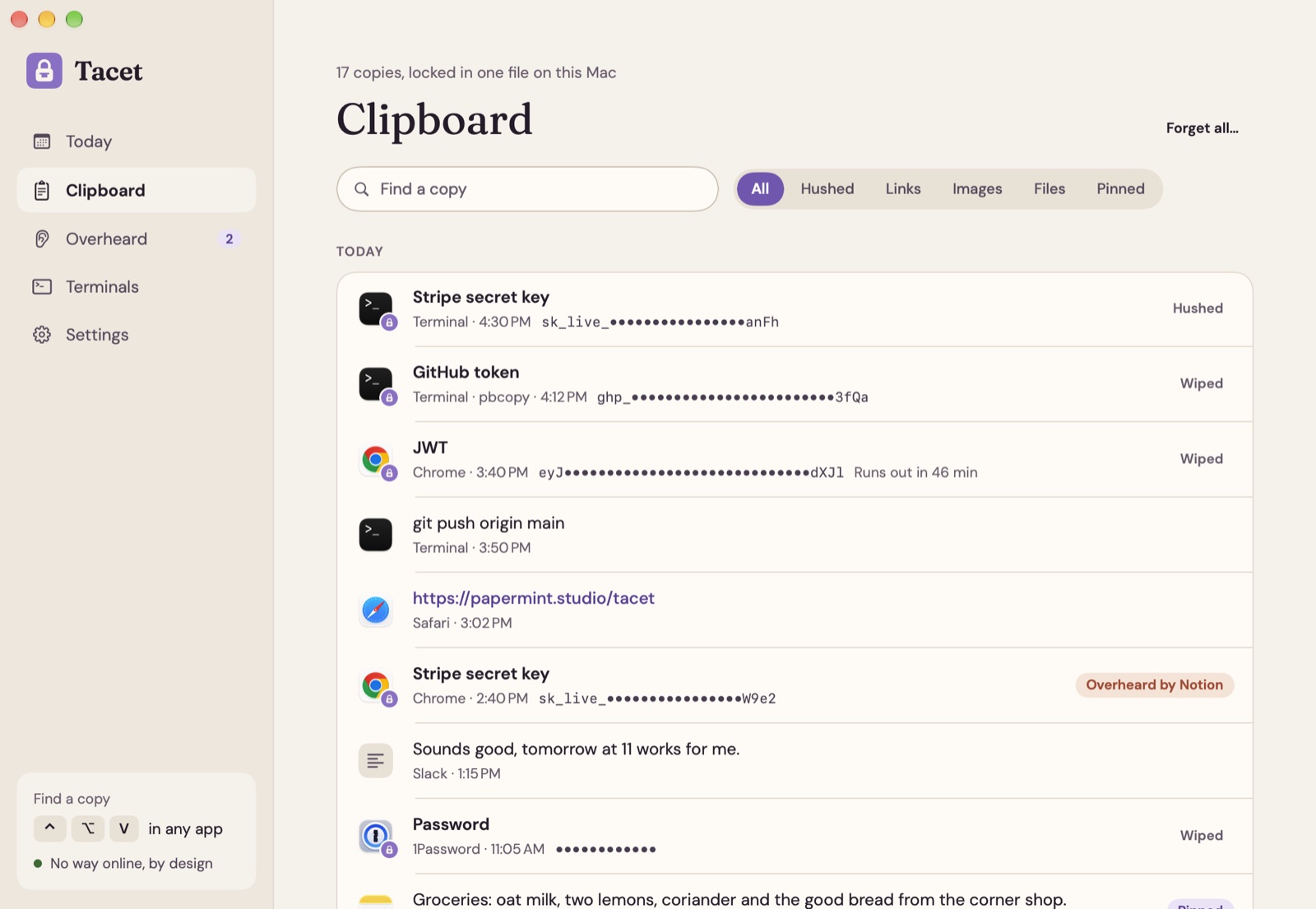
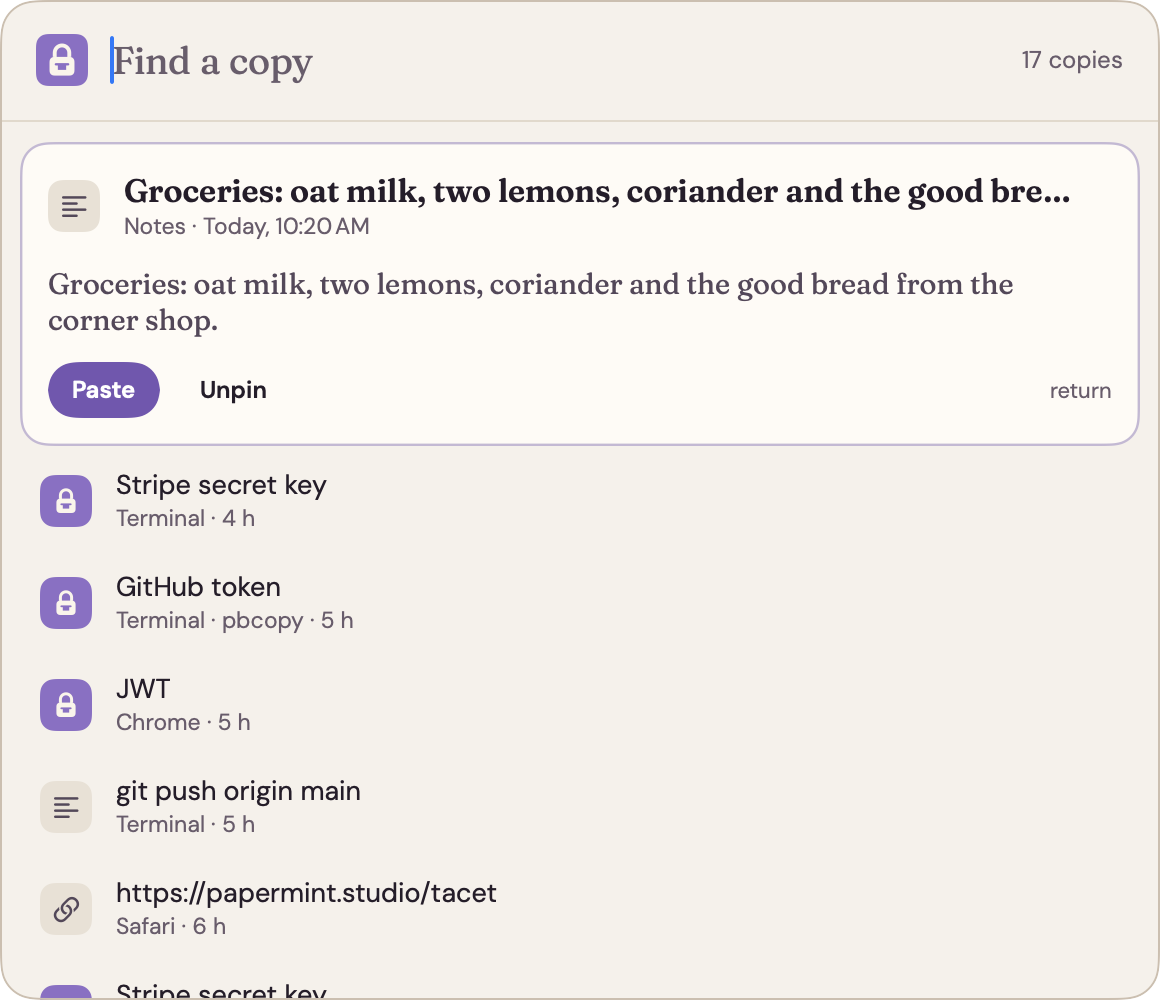
Every copy, one shortcut away.
⌃⌥Vin any app
Type a few letters and press return: the copy lands in the app you were in. Text, links, images and files, with pins for the ones you keep using. Keys show only by name until you ask.
Change the shortcut in Settings. Pasting for you needs Accessibility; without it, picking a copy just copies it.
What it knows
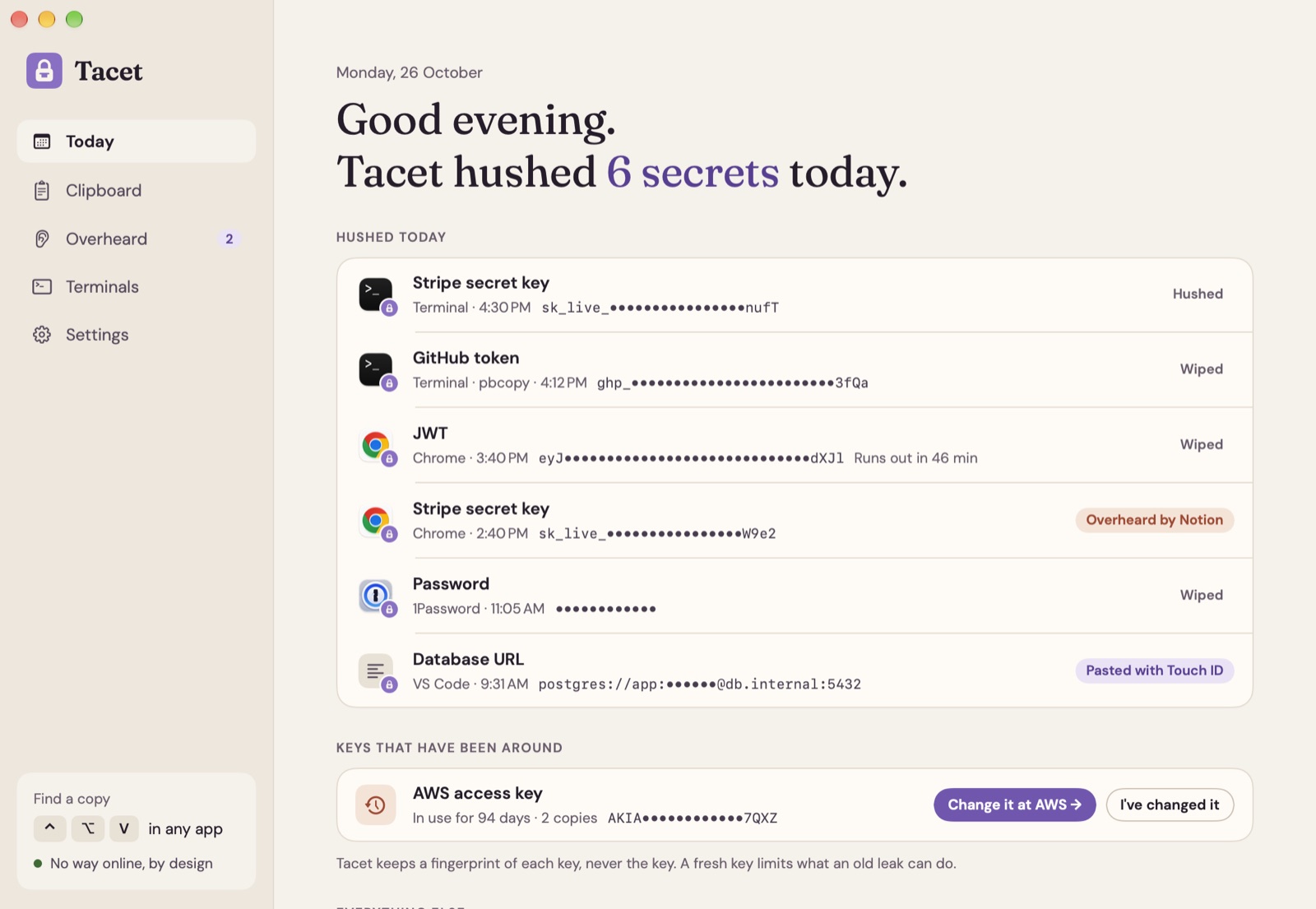
A key, when it sees one.
Anything copied from a password manager counts too.
300+
kinds of keys and tokens: 327 patterns from gitleaks and Nosey Parker, plus Tacet's own checks for private keys, JWTs, database URLs with passwords, Authorization headers, .env lines and random-looking tokens.
- Stripe secret key
sk_live_••••••••M3oN - GitHub token
ghp_••••••••••3fQa - AWS access key
AKIA••••••••7QXZ - JWT
eyJ••••••••••dXJlRuns out in 46 min - Database URL
postgres://app:••••••@db.internal:5432 - Private key
-----BEGIN OPENSSH PRIVATE KEY-----ed25519 - Authorization header
Authorization: Bearer •••••••• - .env line
OPENAI_API_KEY=•••••••• - Password
••••••••••••Copied from 1Password
Peek with your finger
Hushed copies stay dotted out in your history. A peek, or pasting one again, needs Touch ID or your Mac password.
Token peek
A JWT shows its issuer, audience, scopes and time left, read on your Mac. A private key shows its type and size.
Overheard
Know who was listening.
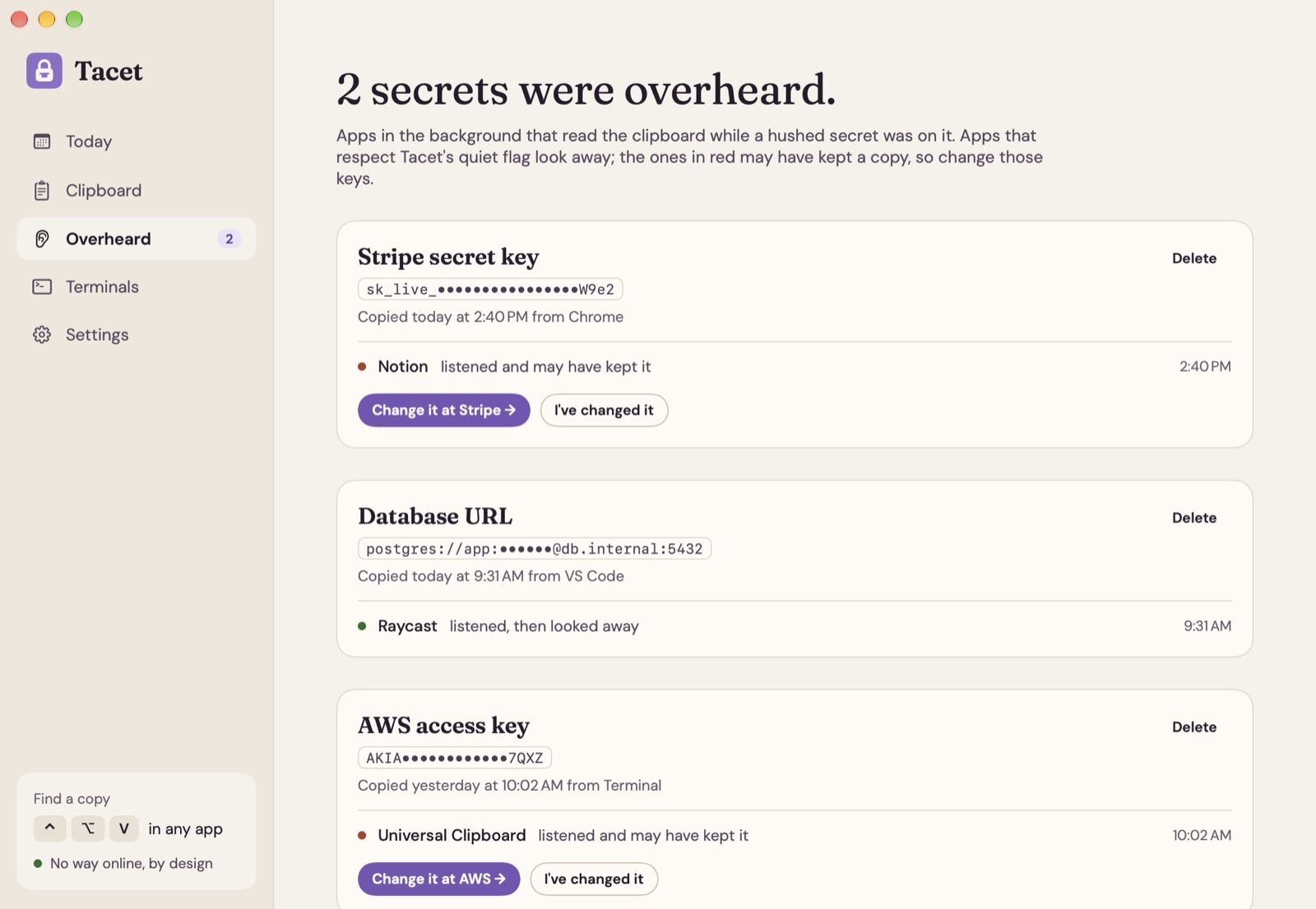
Apps in the background can read the clipboard too. Tacet reads macOS's own clipboard log, on your Mac, and tells you which ones read a secret while it was there.
- Looked away
- Read it, saw the hushed flag and left it out.
- May have kept it
- Read it and doesn't look for the flag. Time for a fresh key.
Change it at Stripe → opens the page where that key is made again. Tacet knows where for 45 services:
- GitHub
- GitLab
- Stripe
- OpenAI
- Anthropic
- AWS
- Slack
- Vercel
- Netlify
- Cloudflare
- Hugging Face
- Google Cloud
- Twilio
- SendGrid
- Discord
- DigitalOcean
- Heroku
- Sentry
- Linear
- Notion
- Datadog
- PyPI
- Docker Hub
- Mailgun
- Shopify
- Figma
- Doppler
- Groq
- Perplexity
- Cohere
- Telegram
- RubyGems
- Postman
- Fly.io
- Atlassian
- Dropbox
- Mapbox
- Airtable
- Square
- New Relic
- Snyk
- Pulumi
- Grafana
Old keys. Tacet keeps a salted fingerprint of each key, never the key, and points out the ones still in use after 30, 90 or 180 days.
Before it goes somewhere
A pause before the paste.
Small guards for the moments keys usually slip out.
Paste your Stripe secret key into Slack?
Everyone in that conversation would see it, and it stays in the chat's history.
Ask before pasting
⌘V with a hushed key into Slack, Discord, Messages, Mail, ChatGPT, Claude or any app you add asks first. It watches ⌘V only.
You copied
curl https://api.stripe.com/v1/charges -u sk_live_51Hx…M3oN:Copy without keys gives
curl https://api.stripe.com/v1/charges -u <STRIPE_SECRET_KEY>:Copy without the keys
A log, config or command with a key inside, ready to share in an issue or a chat, with each key swapped for a placeholder.
- This Mac onlyHushed keys aren't handed to your iPhone or iPad over Universal Clipboard. Everything else still travels.
- Paste onceWipe a key right after its first paste, for every key or one at a time.
- Out of sightTacet's windows don't show up in calls, screen shares or recordings.
Terminals
Your shell remembers too much.
Every command goes into a plain text history file, tokens and all. Tacet keeps new ones out and sweeps out the old ones.
~ % export STRIPE_KEY=sk_live_51Hx…M3oN
~ % git push origin main
~ % history
  1  git push origin main
~ %
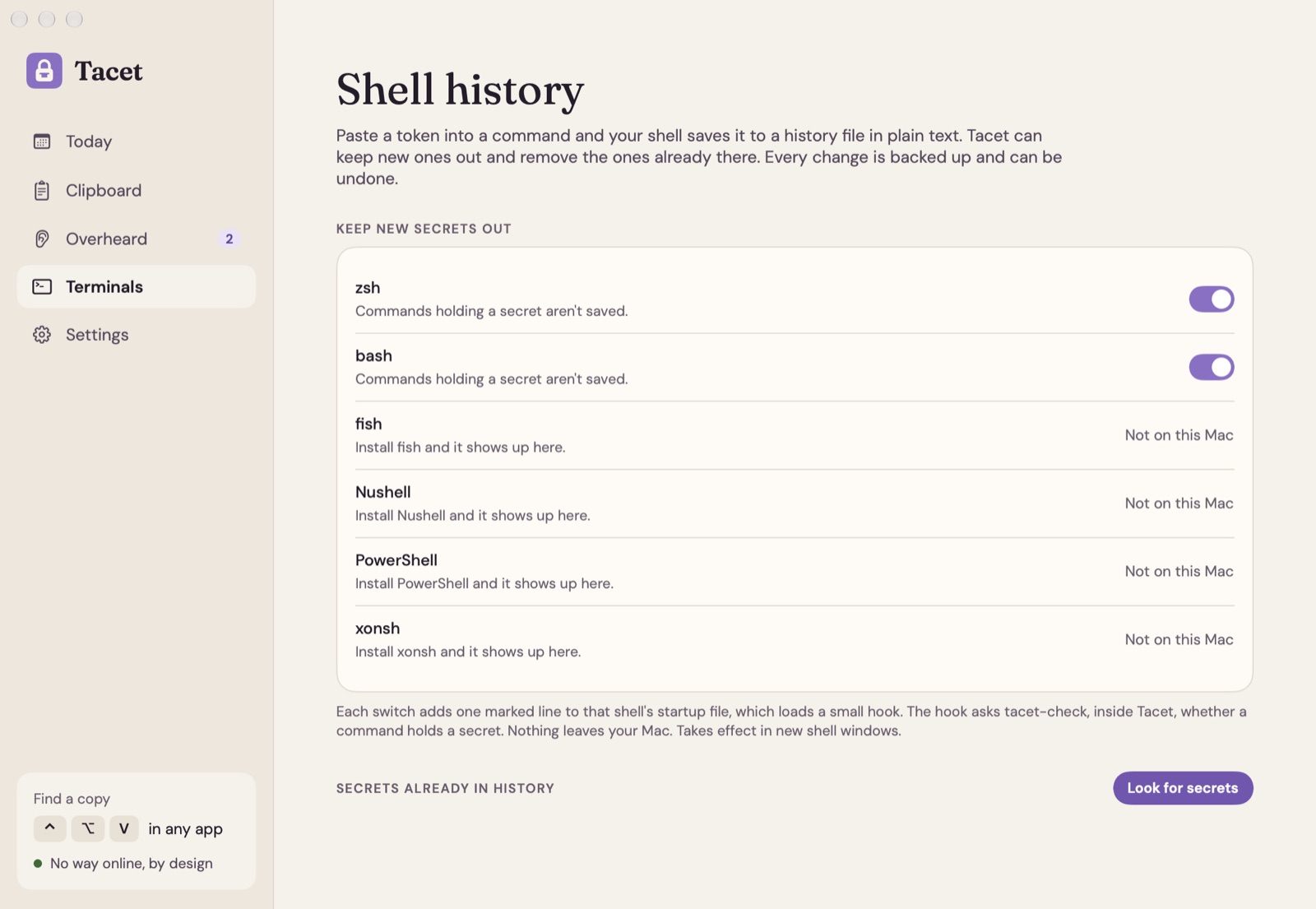
Keep new keys out
- zsh
- bash
- fish
- Nushell
- PowerShell
- xonsh
Each switch adds one marked line to that shell's startup file, with your OK. Switch it off and the line goes. The check runs on your Mac.
Sweep out the old ones
A scan reads 27 kinds of history files: the shells, and tools such as Python, IPython, Node, irb, psql, MySQL, SQLite, redis-cli and mongosh. Pick what goes; each file is backed up first, and Undo puts it back.
Six shells, one page
Shells you haven't installed wait quietly until you do.
No way online
What you copy stays here.
Tacet's own process can't open a network connection. This is everything that can:
- Knock on the door. Settings has a button that tries to go online from Tacet itself, so you can watch macOS refuse.
- One sealed file. Your history is locked with AES-256, and its key sits in your login Keychain.
- The clipboard log is read on your Mac for Overheard, and never sent anywhere.
- No analytics, no account. Read the Tacet privacy policy →
Price
Pay once. Copy for years.
Every future update included. Try everything free for 7 days first.
- 1 Mac$9.99once
- 3 Macs$19.99once
After the trial your history and the picker still work; hushing secrets needs a licence. Licences live at console.papermint.studio. macOS 14 Sonoma or later, Apple silicon and Intel. Notarized by Apple. Bought from Papermint through Dodo Payments; prices may vary by country.
Questions
Asked before you download
- Does anything I copy leave my Mac?
- No. Tacet's own process can't open a network connection at all. A separate helper that never sees the clipboard checks your licence, and Sparkle checks for updates.
- Which apps respect a hushed key?
- Clipboard apps that follow the nspasteboard.org convention, such as Raycast, Alfred, Paste, Maccy and Copy 'Em, leave it out of their history. Overheard shows any app that read it anyway.
- Why does it want Accessibility?
- To paste the copy you pick into the app you were in, and to ask before ⌘V puts a key into Slack or Mail. Without it, picking a copy just copies it.
- Does it work with my shell?
- Hooks are ready for zsh, bash, fish, Nushell, PowerShell and xonsh, each added only with your OK. The scan reads 27 kinds of history files, from zsh to psql and Python.
- What does it cost?
- Free for 7 days, then $9.99 once for one Mac or $19.99 for up to three, with every future update. After the trial your history and the picker still work; hushing secrets needs a licence.
- Why isn't it on the Mac App Store?
- Tacet reads macOS's clipboard log, pastes for you and adds hooks to your shell, which apps in the Mac App Store can't do. It's downloaded from us instead, signed and notarized by Apple.
Copy freely. Your keys stay quiet.
Free for 7 days, then $9.99 once. macOS 14 or later, Apple silicon and Intel.
DownloadmacOS 14+ · Apple silicon & IntelMore from Papermint
Other apps, same promise.
 WhittleVoice notes that write themselves
 KeepersA photo cleaner you swipe
 SketchyColoring pages for kids
 LumenA photo viewer for the Mac
 PennyBookA private expense tracker
 Porter.local names for dev servers
 AlmanacSee which app is behind it
 RoostWindows back where they belong
 WinnowClear your Mac, keep a way back
 WrenTalk, and it types
 SheafEvery PDF tool, on your Mac
 UnfurlA journal that fills itself in