
The short answer
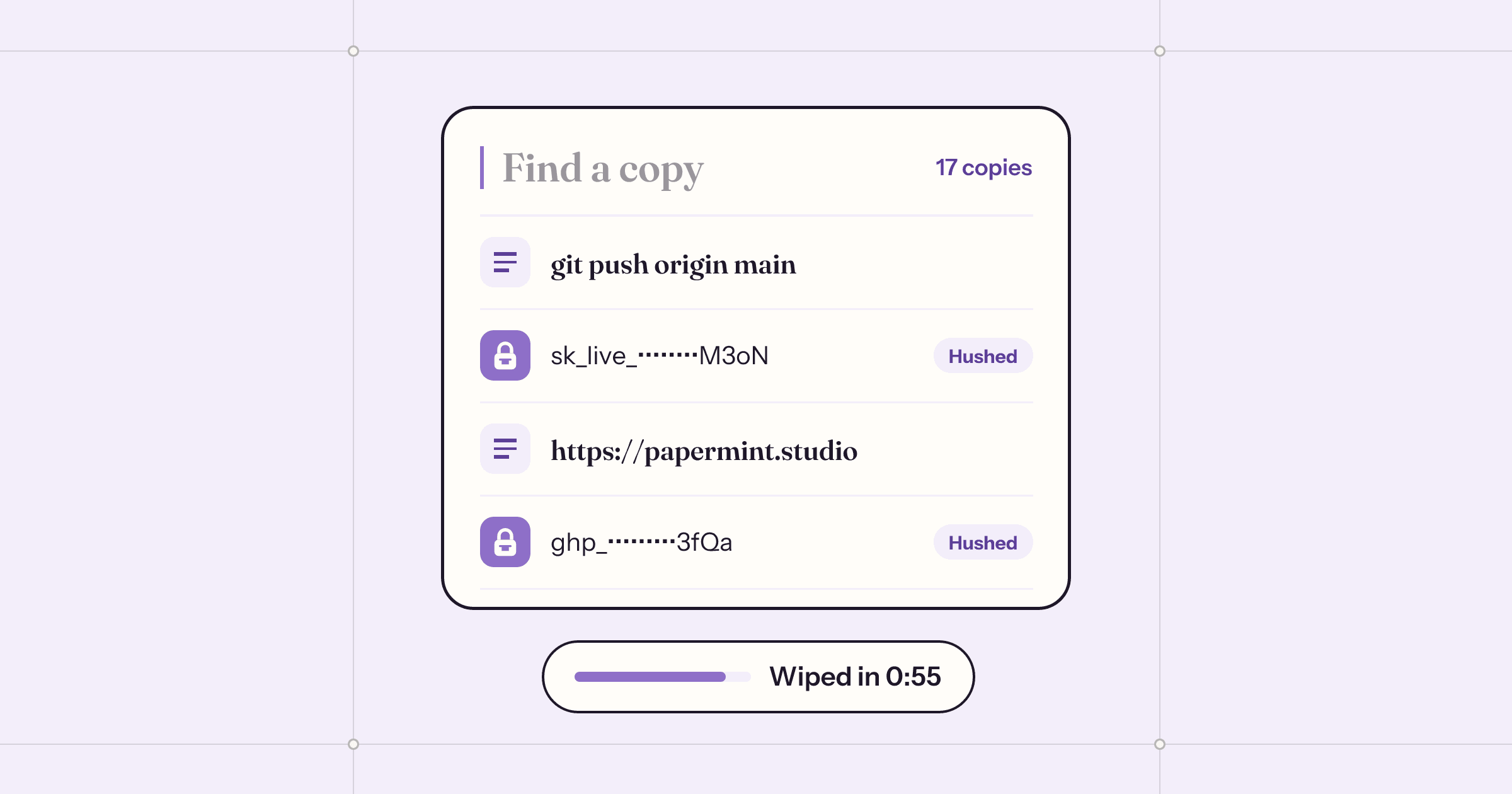
In zsh, run setopt HIST_IGNORE_SPACE (in bash, HISTCONTROL=ignorespace) and start any command that holds a key with a space, so it isn't saved; read keys with read -s instead of typing them inline; and clear the clipboard after pasting with pbcopy < /dev/null. To catch keys automatically, a clipboard app such as Tacet ($9.99 once) recognises keys as you copy them, hides them from other clipboard apps, wipes them after a minute and keeps them out of shell history.
An API key is meant to go from a dashboard into one config file. In practice it goes through the clipboard, often through a terminal, and every stop can keep a copy. None of these slips is dramatic on its own, but each one is a plain text copy of a key sitting somewhere you weren’t thinking about.
Below is where keys end up on a Mac, and the free settings that close most of the gaps. At the end is Tacet, the clipboard app we made to do it for you.
Where a copied key ends up
- Your clipboard manager. Raycast, Alfred, Paste, Maccy and others keep a history of what you copy, often for months. Password managers mark what they copy so these apps skip it, but a key copied from a web dashboard or a terminal carries no such mark.
- Your shell history. Paste a key into
export,curl -Hor adocker login, and zsh writes the whole line to~/.zsh_history. bash, fish and most REPLs (Python, Node, psql, redis-cli) keep their own files too. - Your other devices. Universal Clipboard hands what you copy to a nearby iPhone or iPad signed in to the same Apple Account.
- Apps reading the clipboard. Any app running in the background can read the clipboard while the key sits there.
- The chat window. The most common leak of all is a key pasted into Slack or a support ticket by accident, along with the log it was in.
Keep keys out of shell history
Both zsh (the Mac’s default shell) and bash can skip commands that start with a space. Turn it on once:
- For zsh, add
setopt HIST_IGNORE_SPACEto~/.zshrc. For bash, addHISTCONTROL=ignorespaceto~/.bashrc. - Open a new terminal window.
- Type a space before any command that holds a key. It runs as usual but isn’t written to the history file.
Better still, keep the key off the command line altogether. Read it without echoing it, then use the variable:
read -rs STRIPE_KEY        # paste, press return; nothing is shown
export STRIPE_KEY
curl https://api.stripe.com/v1/charges -u "$STRIPE_KEY:"
The history then holds $STRIPE_KEY, not the key. For keys you use every day, a secrets manager or a .env file that your tools load (and git ignores) is safer than pasting at all.
Remove a key that’s already in history
- Find it.
grep -n "sk_live" ~/.zsh_history(or~/.bash_history) shows the lines and their numbers. - zsh and bash: close every terminal window first, since an open shell writes its history back when it exits. Then open the file in a text editor, delete the lines, and save.
- fish:
history delete --contains sk_livelets you pick the entries to remove. - Don’t forget the others. Terminal also keeps per-window history in
~/.zsh_sessions, and REPLs keep~/.python_history,~/.node_repl_history,~/.psql_historyand more.
Keep keys off the clipboard for long
- Clear it after pasting.
pbcopy < /dev/nullempties the clipboard. Copying anything else does the same. - Let your password manager clear it. Most password managers can clear the clipboard a short while after you copy from them. Check that it’s on.
- Tell your clipboard manager to ignore apps. Most can skip copies made in chosen apps. That works for a password manager, less well for a browser or a terminal, where you copy everything else too.
- Turn off Handoff in System Settings › General › AirDrop & Handoff if you never use Universal Clipboard. It turns off the rest of Handoff as well.
Doing it automatically with Tacet
Tacet is a clipboard history for the Mac that we made for exactly this. Press ⌃⌥V in any app to find something you copied, and it lands in the app you were in. The difference is what happens when you copy a key.
Tacet recognises more than 300 kinds of API keys and tokens (327 patterns from gitleaks and Nosey Parker, plus private keys, JWTs, database URLs with passwords, Authorization headers and .env lines). When it sees one, it hushes it: the copy is marked with the nspasteboard.org flag, so Raycast, Alfred, Paste, Maccy and Copy ’Em skip it, and it is wiped from the clipboard after 60 seconds if it’s still there. Hushed keys aren’t handed to your iPhone over Universal Clipboard, and pressing ⌘V with one into Slack, Mail or ChatGPT asks first.
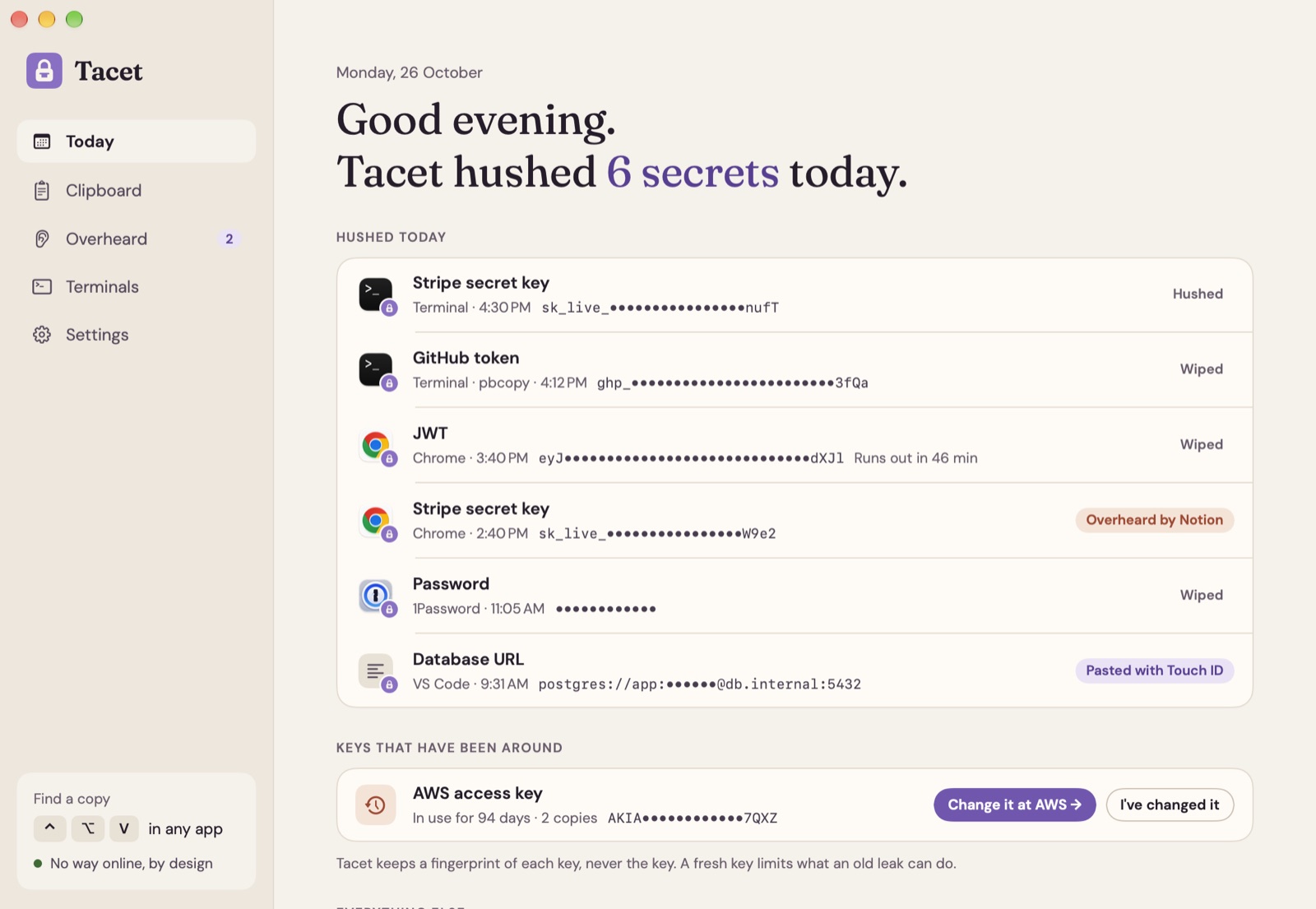
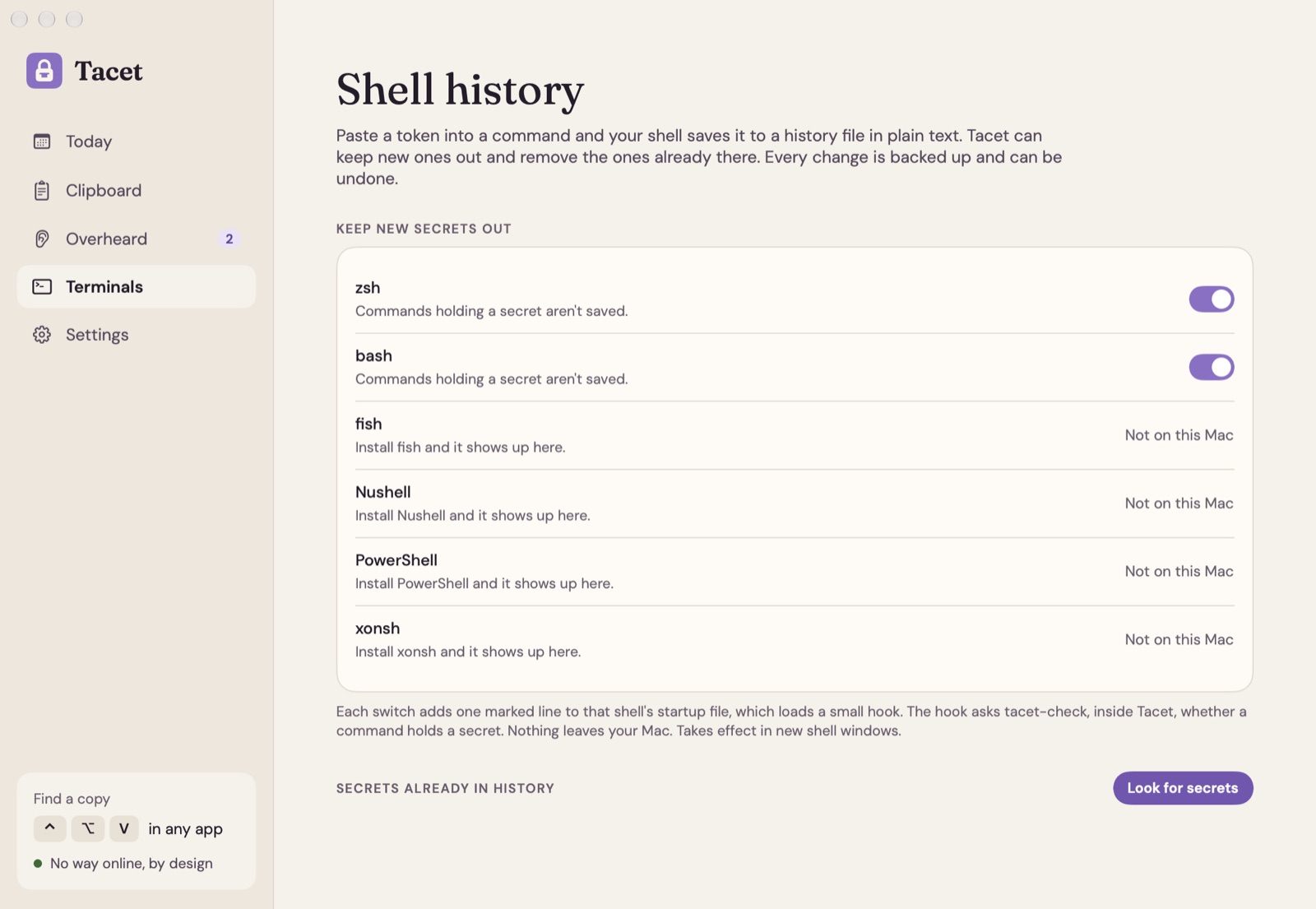
For terminals, Tacet adds a small hook to zsh, bash, fish, Nushell, PowerShell or xonsh (each only with your OK), so a command holding a key isn’t saved, space or no space. A scan finds keys already sitting in 27 kinds of history files and removes the ones you pick, with a backup first and Undo.
Overheard shows which background apps read a key while it was on the clipboard, from macOS’s own clipboard log, with a button that opens the page to change that key at its service. Tacet’s own process has no way online: a kernel sandbox stops it from opening any network connection.
Tacet is free for 7 days, then $9.99 once for one Mac or $19.99 for three, with every future update. It needs macOS 14 or later, on Apple silicon or Intel.
If a key has already leaked
- Make a new key first, then revoke the old one at the service. Deleting it from history doesn’t help if another app already has a copy.
- Check what it could do. Most dashboards show recent use of a key. Look before you assume nothing happened.
- Use narrower keys next time. Restricted keys, short-lived tokens and per-project keys limit what one leak can do.
Questions
Does zsh save commands with passwords in them?
Yes. zsh saves every command to ~/.zsh_history in plain text unless you tell it otherwise. With setopt HIST_IGNORE_SPACE, commands that start with a space are left out.
How do I clear the clipboard on a Mac from Terminal?
Run pbcopy < /dev/null. It replaces whatever is on the clipboard with nothing. Clipboard managers that already saved a copy keep theirs, though.
Do clipboard managers save my passwords?
Many save everything you copy. Most respect a marker defined at nspasteboard.org that password managers add to what they copy, and skip those items. A key you copy from Terminal or a browser has no marker, so it is usually saved.
What does Tacet do with the keys it finds?
It keeps them dotted out in its own sealed history, marks the clipboard copy so other clipboard apps skip it, wipes it after 60 seconds if it's still there, and keeps commands with keys out of shell history. Tacet's own process can't go online.
What does Tacet cost?
It's free for 7 days, then $9.99 once for one Mac or $19.99 for up to three, with every future update. It needs macOS 14 or later, on Apple silicon or Intel.
 Wren
Wren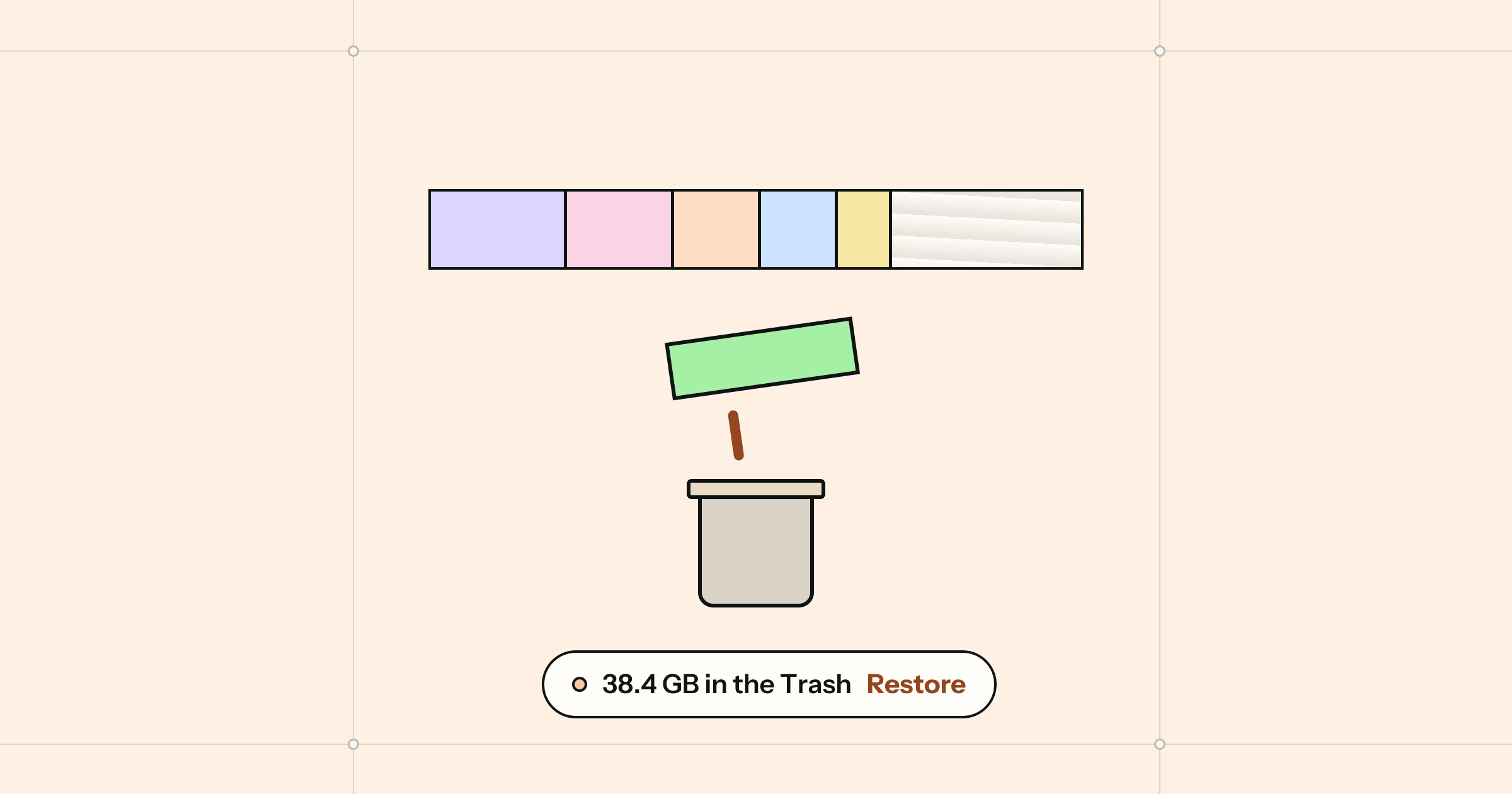
 Winnow
 Roost
Roost