
Unfurl
- iPhone
- iPad
- Coming soon
A daily journal that fills itself in.
Write a line or say it. Each day also shows what your iPhone already knows: your steps, your sleep, time in daylight, the photos you took and where you were meant to be. It all stays on your device.
- A line takes seconds
- Steps, sleep, photos and plans
- A page for everyone you mention
- No account, nothing collected
Your day
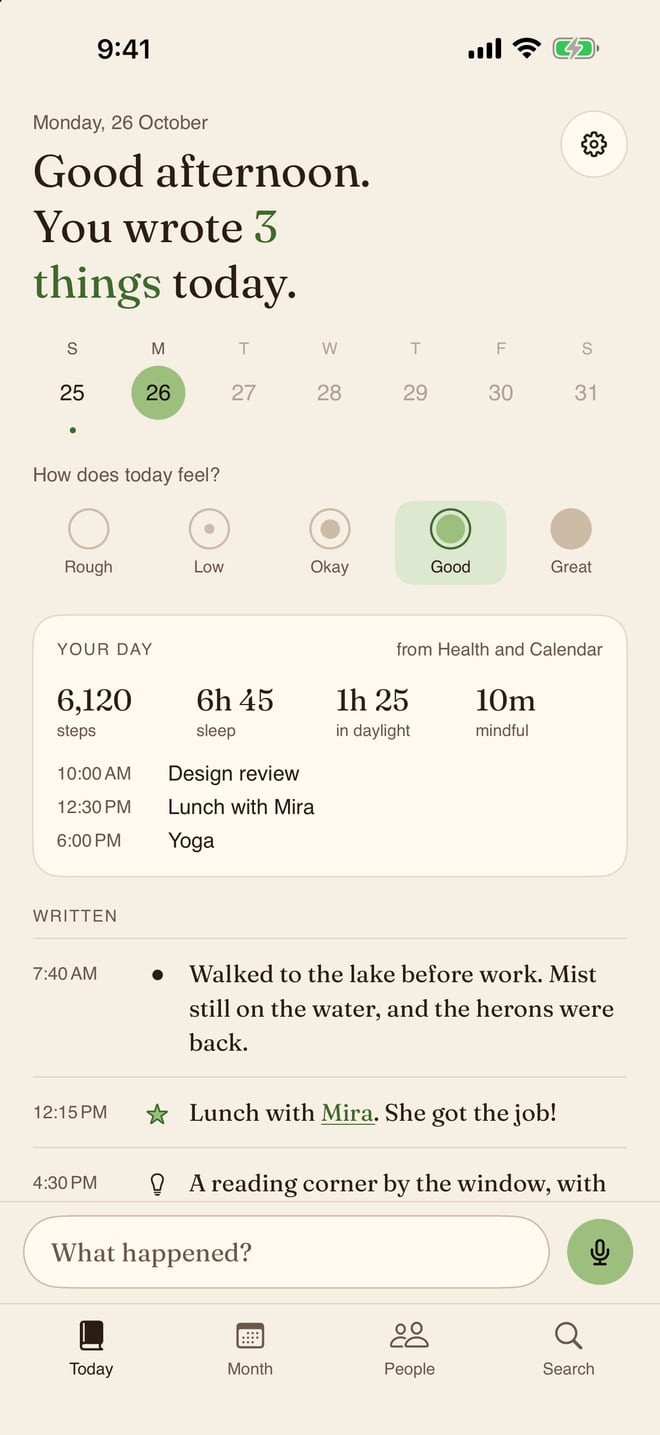
The page starts itself
Each day already holds what your iPhone knows. You add the part only you know.
Steps and sleep
From Apple Health, with mindful minutes too.
Time in daylight
How long you were out in the light, from your Apple Watch.
The day's photos
Everything you took that day, in a strip you can open.
Your events
Where you were meant to be, from your calendar.
Weather and places
The day's weather and the towns you were in, from Apple Weather and your photos.
Moments from your day
Apple's journaling suggestions: a workout, a place, a song, turned into words to finish.
Writing
A line is enough
Type it or say it. Most days it takes a few seconds.
One line at a time
Write what happened and send it. Add more later if you like.
Say it
Dictation runs on your iPhone, so your words stay there.
Four kinds of line
A note, a highlight, an idea or a number, each with its own mark.
How the day felt
Pick a mood from five, Rough to Great.
Photos in a line
Add a photo from that day, or any from your library.
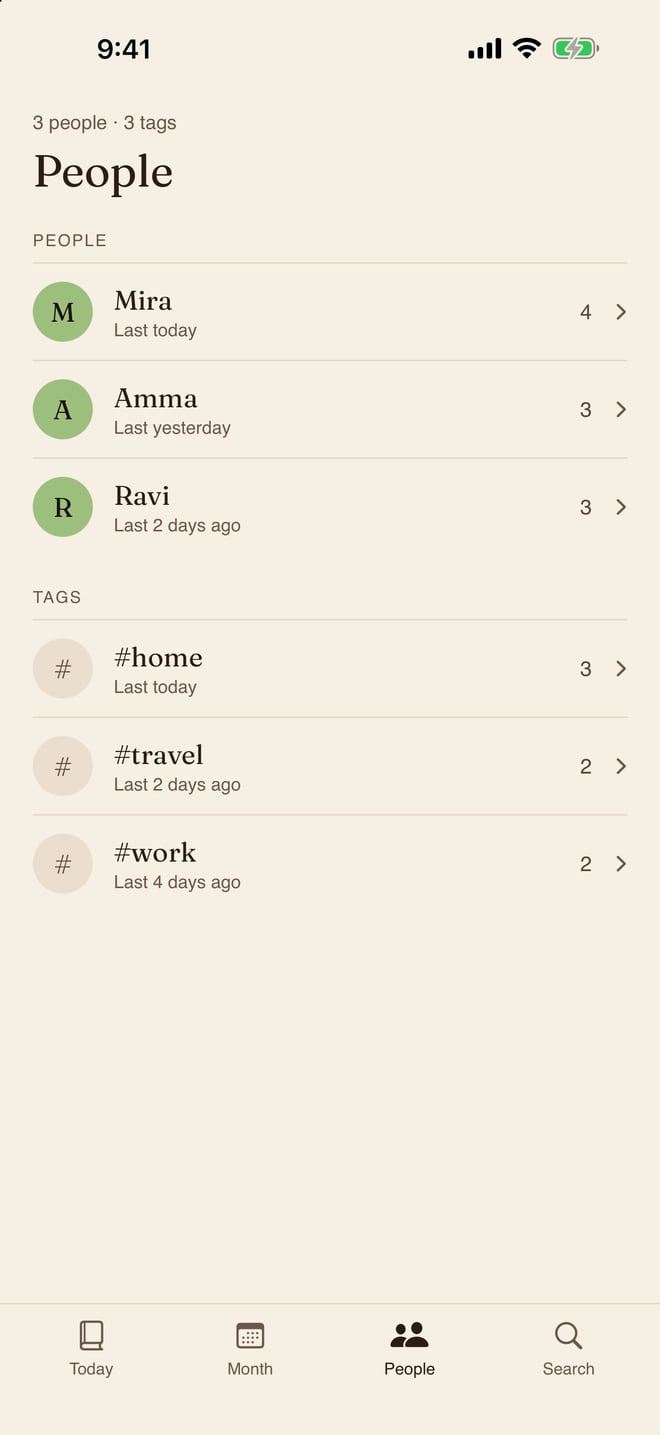
People
Everyone you wrote about, on one page
Write @Mira or #home as you go. Unfurl gathers the rest.
A page for every person
Every moment with them, month by month.
Linked to Contacts
Their photo and birthday, from the one card you pick.
#tags work the same
#home, #travel or #work, each with its own page.
Search it all
Words, @people and #tags across the whole journal.
Looking back
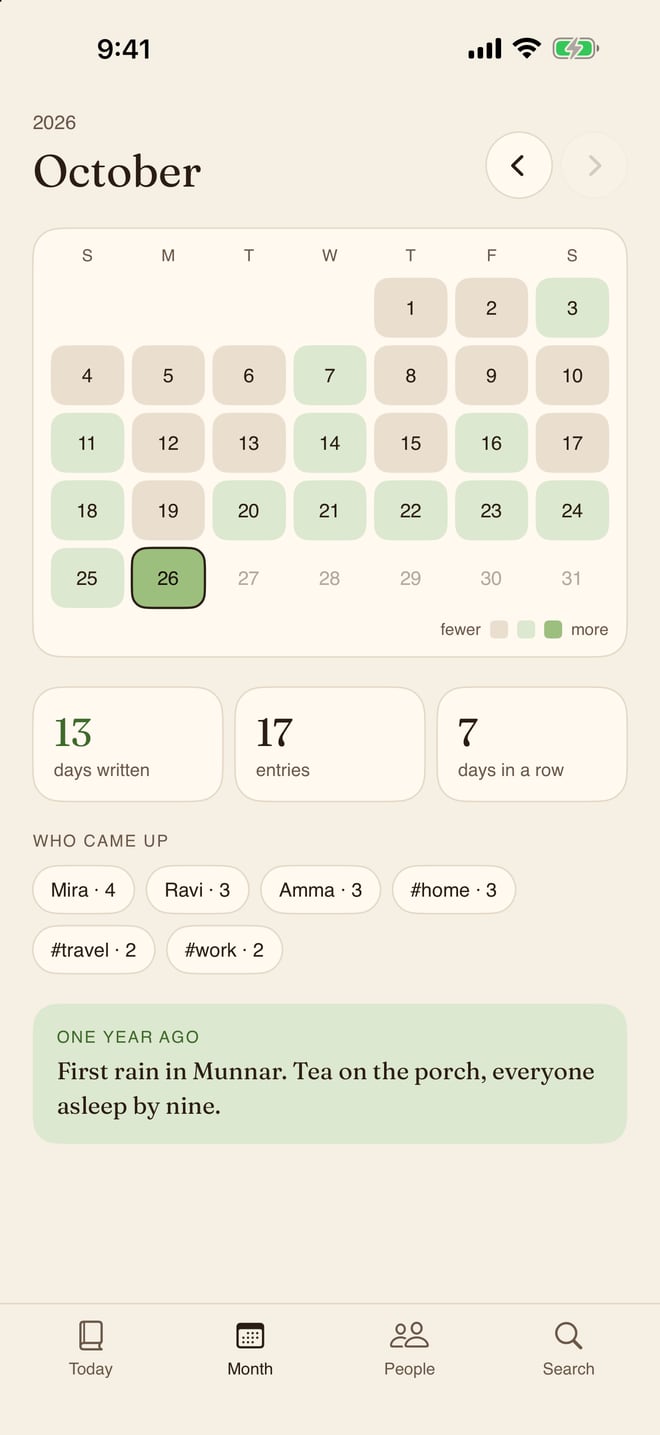
See the month, and the year before
A calendar of your days, and what you wrote on this date a year ago.
The month at a glance
Each day tinted by how much you wrote, with your streak.
Any day, any year
Tap the date to go straight to a day, years back included.
On This Day
What you wrote on this date in earlier years.
Who came up
The people you wrote about most this month.
And also
Small things that help it stick
So writing a line is never more than a tap away.
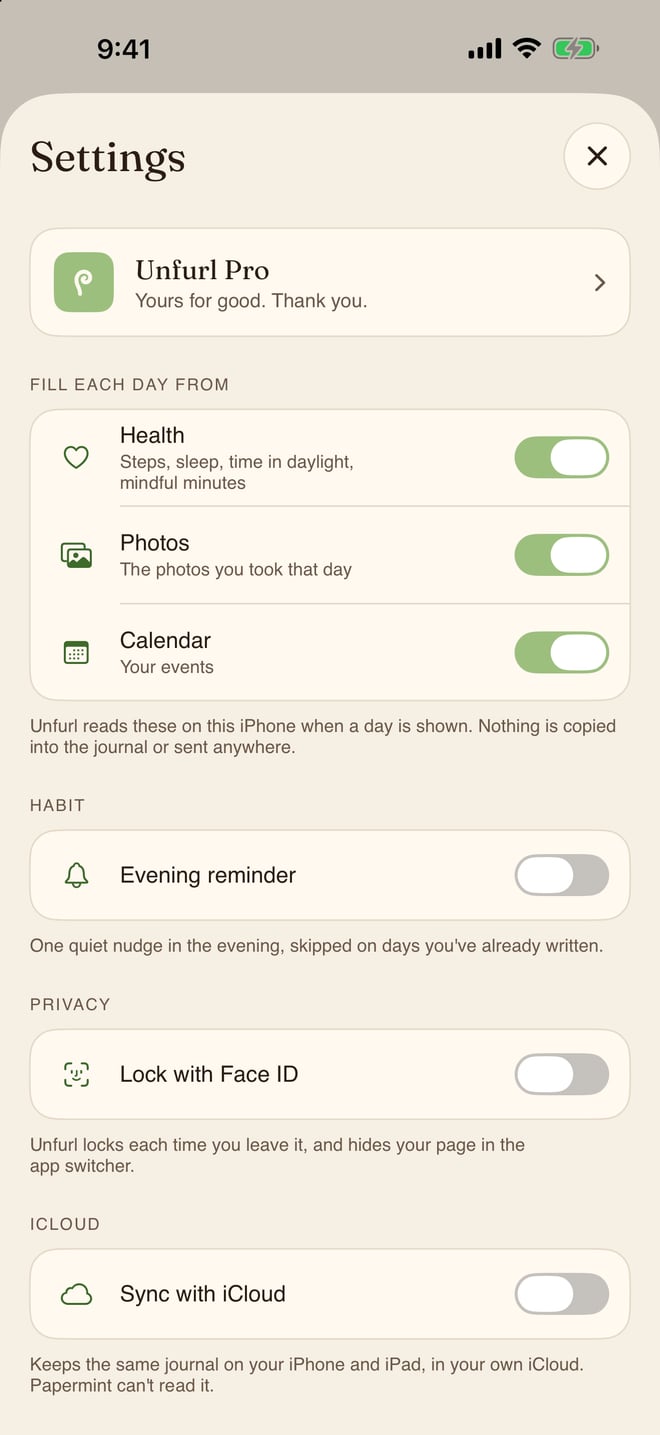
Evening reminder
One quiet nudge at the time you pick, skipped on days you already wrote.
Widgets
Today on the Home Screen and the Lock Screen, with your streak and a tap to write.
Control Center
A Write in Unfurl control that opens today's page, ready to type.
Siri and Shortcuts
Say "Add to Unfurl" and the line lands on today's page.
Share into Unfurl
A link or a quote from any app becomes a line on today's page.
iPhone search
Find an entry from the Home Screen, and land on its day.
Mood to Apple Health
Each day's mood saved as your State of Mind, if you like.
Day One import
Bring your Day One journal over from its JSON export.
Markdown export
The whole journal in one file, a heading per day. Always free.
iCloud sync
The same journal on your iPhone and iPad, in your own iCloud.
iPhone and iPad
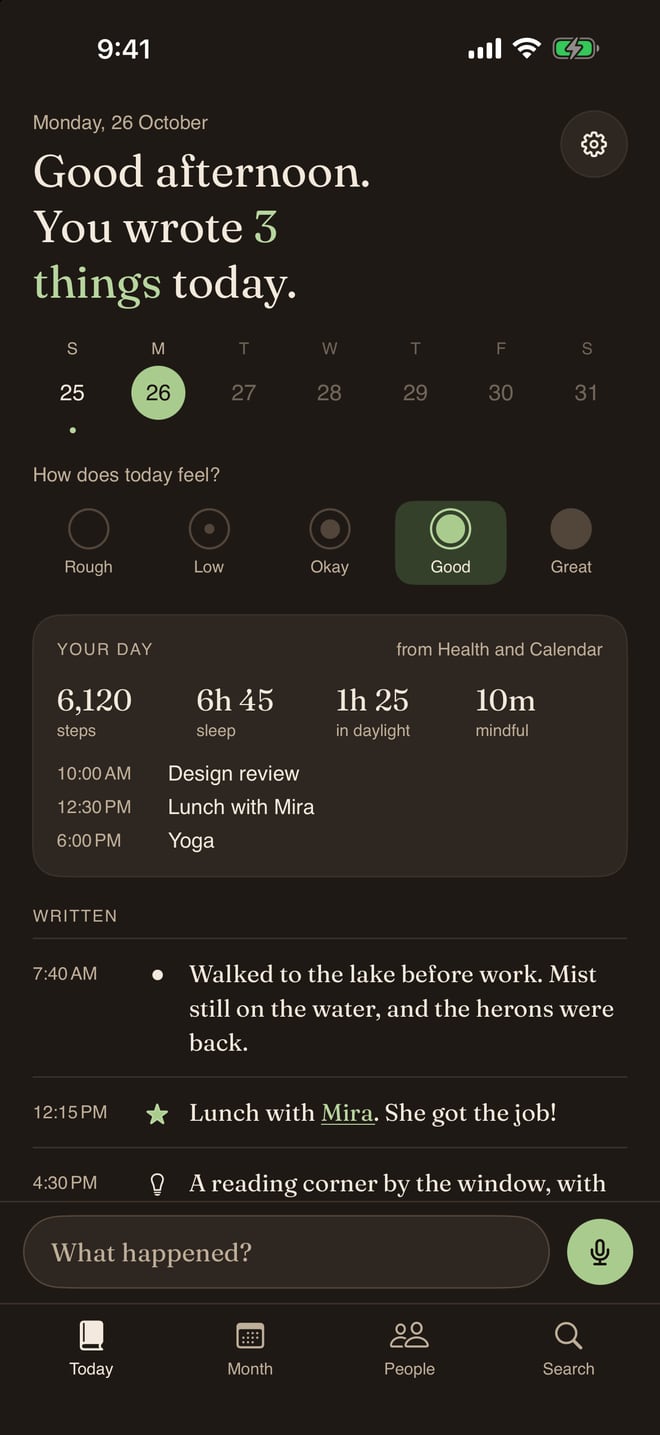
A paper page on both, in light or dark.
How it works
Start in under a minute
No account to make. Open it and write.
Pick what fills your day
Switch on Health, Photos and Calendar, or none of them.
Write a line
Type it or say it. Mention @people and #tags as you go.
Look back
The month, On This Day, and a page for everyone.
Private by design
Your journal is yours and nobody else's.
No account
Nothing to sign up for. Open it and write.
No servers of ours
No analytics, no third-party code, nothing collected.
Health stays in Health
Read on your iPhone when a day is shown, never stored or sent.
Only your own iCloud
Synced to your private iCloud, never to us. Switch it off any time.
Face ID lock
Locks each time you leave, hidden in the app switcher.
Take it with you
Export to Markdown whenever you like, for free.
Price
Two weeks of everything. Then decide.
Free
Freefor good
- Everything for your first 14 days
- Then writing without limits, dictation, mood, search and the month
- Lock, reminders, widgets, Day One import and Markdown export
Unfurl Pro
$14.99once
- The filled-in day: Health, Photos, Calendar, weather and Moments
- Photos in entries, people pages and iCloud sync
- Shared with Family Sharing. No subscription, ever
Questions
Asked before you download
Do I need an account?
No. There is no sign-in. Open Unfurl and write your first line.
What is free, and what does Pro add?
Your first 14 days have everything. After that, writing stays free for good, with dictation, mood, search, the month, the lock, reminders, widgets, Day One import and Markdown export. Unfurl Pro is $14.99 once and adds the filled-in day, photos in entries, people pages and iCloud sync.
Does Unfurl keep my Health data?
No. Steps, sleep, workouts, daylight and mindful minutes are read on your iPhone when a day is shown. They are never copied into your journal, synced or sent anywhere. If you switch it on, Unfurl saves each day's mood to Health; nothing else is written.
Do I need an Apple Watch?
Only for sleep and time in daylight, which the Health app records from a watch. Steps, mindful minutes, photos and events work with the iPhone alone.
Can I bring my Day One journal?
Yes. In Day One, choose Export › JSON, unzip it in Files, and pick the .json file in Unfurl's Settings. Starred entries become highlights and tags become #tags.
A daily journal that fills itself in.
Free to download, everything for 14 days, then Pro for $14.99 once. iPhone and iPad.
Coming soonto the App StoreMore from Papermint
Other apps, same promise.
 WhittleVoice notes that write themselves
 KeepersA photo cleaner you swipe
 SketchyColoring pages for kids
 LumenA photo viewer for the Mac
 PennyBookA private expense tracker
 Porter.local names for dev servers
 AlmanacSee which app is behind it
 RoostWindows back where they belong
 WinnowClear your Mac, keep a way back
 WrenTalk, and it types
 SheafEvery PDF tool, on your Mac
 TacetA clipboard that keeps keys quiet