
The short answer
macOS has free Dictation built in: turn it on in System Settings › Keyboard, press the shortcut and talk, and on Apple silicon many languages are handled on the Mac. It can't learn your own words, pick a different speech model, tidy ums and corrections, or keep a record of what you said. For that, a hold-to-talk app that runs speech on the Mac, such as Wren ($9.99 once), types into any app without a subscription and without your voice leaving the Mac.
Most people speak a sentence far faster than they type it. Dictation turns that into typing: you talk, and the words appear where your cursor is. On a Mac you can do it for free today, and for most short messages that’s all you need.
Below is how to set up the built-in option, where it falls short, and what to look for if you dictate a lot. At the end is Wren, the dictation app we made for exactly that.
The free option: macOS Dictation
- Open System Settings › Keyboard and turn on Dictation.
- Pick a Shortcut. The default is the microphone key, or pressing fn (Globe) on keyboards without one; you can pick pressing Control twice or another option instead.
- Click into any text field, press the shortcut, and talk. Press it again when you’re done.
- Add a language under Languages if you speak more than one.
It costs nothing, works in most apps, and on Macs with Apple silicon many languages are handled on the device. If you dictate a short reply now and then, stop here.
What built-in Dictation doesn’t do
- Your own words. Dictation has no list of names and jargon to listen for, and no way to say “when you hear this, type that”. (Voice Control, a separate accessibility feature, has a vocabulary.)
- A choice of model. You get Apple’s speech recognition and nothing else. Open models like NVIDIA’s Parakeet and OpenAI’s Whisper are now small enough to run on a Mac, and each has its own strengths.
- Tidying. What you say is typed much as you said it. Changing your mind mid-sentence (“Friday, no wait, Thursday”) leaves both in the text.
- A record. Once it’s typed, it’s gone. If the app you were in loses the text, there is nothing to copy back.
The usual answer to all this is a dictation app, and most good ones are monthly subscriptions. Many also send your audio to a server to be transcribed.
What to look for in a dictation app
- Speech on the Mac. If the model runs locally, your voice never leaves the Mac, it works on a plane, and it doesn’t wait on a network.
- Hold to talk. Holding a key while you talk and letting go to type is quicker than starting and stopping, and you never leave it listening by mistake.
- Works in every app. Mail, chat, documents, browsers, code editors and terminals, without copying and pasting.
- Tidying you can trust. It should take out ums and false starts but leave your words alone, and stay out of the way in code.
- A fair price. Something you pay for once, with updates included.
Dictating anywhere with Wren
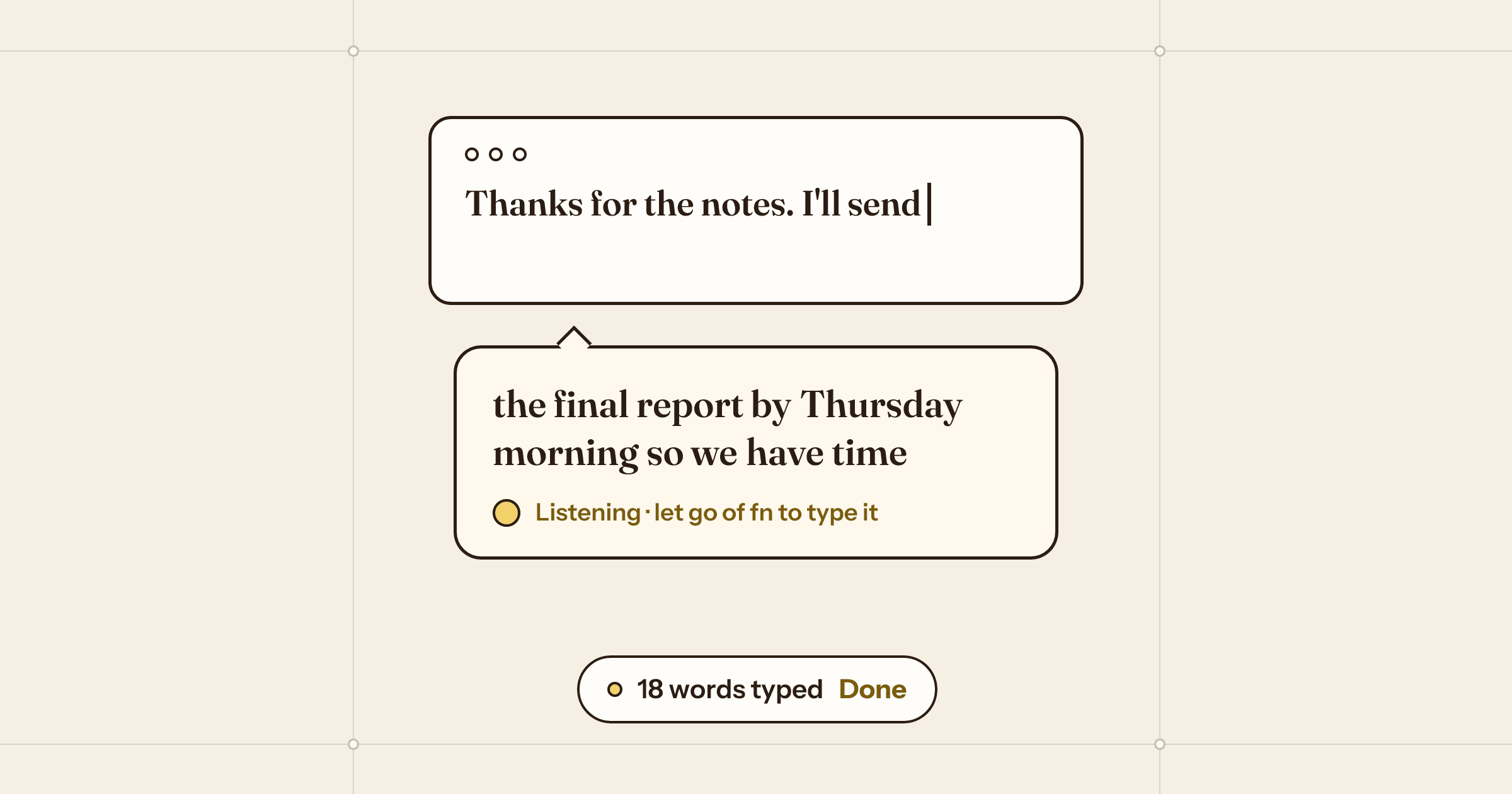
Wren is the Mac dictation app we made. Hold a key (fn by default, or Right Option, Right Command, ⌥Space or one of your own), talk, and let go: the words are typed where your cursor is, in any app. A quick tap keeps it listening hands-free until you tap again, and Esc cancels. While you talk, a small paper card opens under your text cursor.
Speech runs on the Mac. The default voice is NVIDIA’s Parakeet v2 for English, the fastest and most accurate in our tests; on our Mac it returned a 5-second sentence in about 0.06 seconds. Apple Speech covers about 30 languages and shows words as you speak, Parakeet v3 covers 25 European languages, and Whisper covers 99.
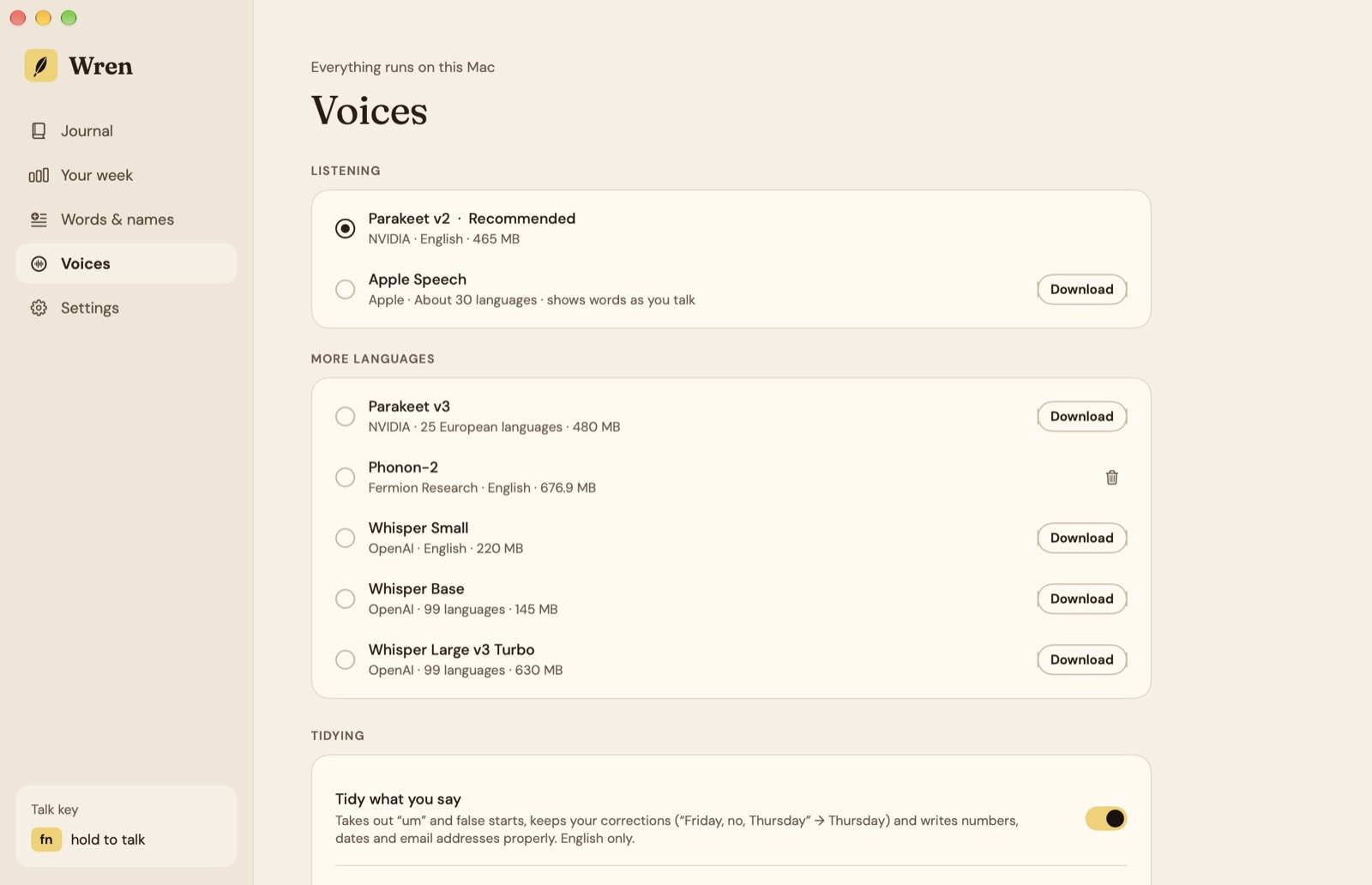
Tidying is on for English. It removes ums and false starts, keeps your correction (“Friday, no wait, Thursday” becomes Thursday), drops the last sentence when you say “scratch that”, and writes addresses properly: “katherine at google dot com” becomes katherine@google.com. Words & names teaches it the names you use, and fixes replace anything it gets wrong, with every voice.
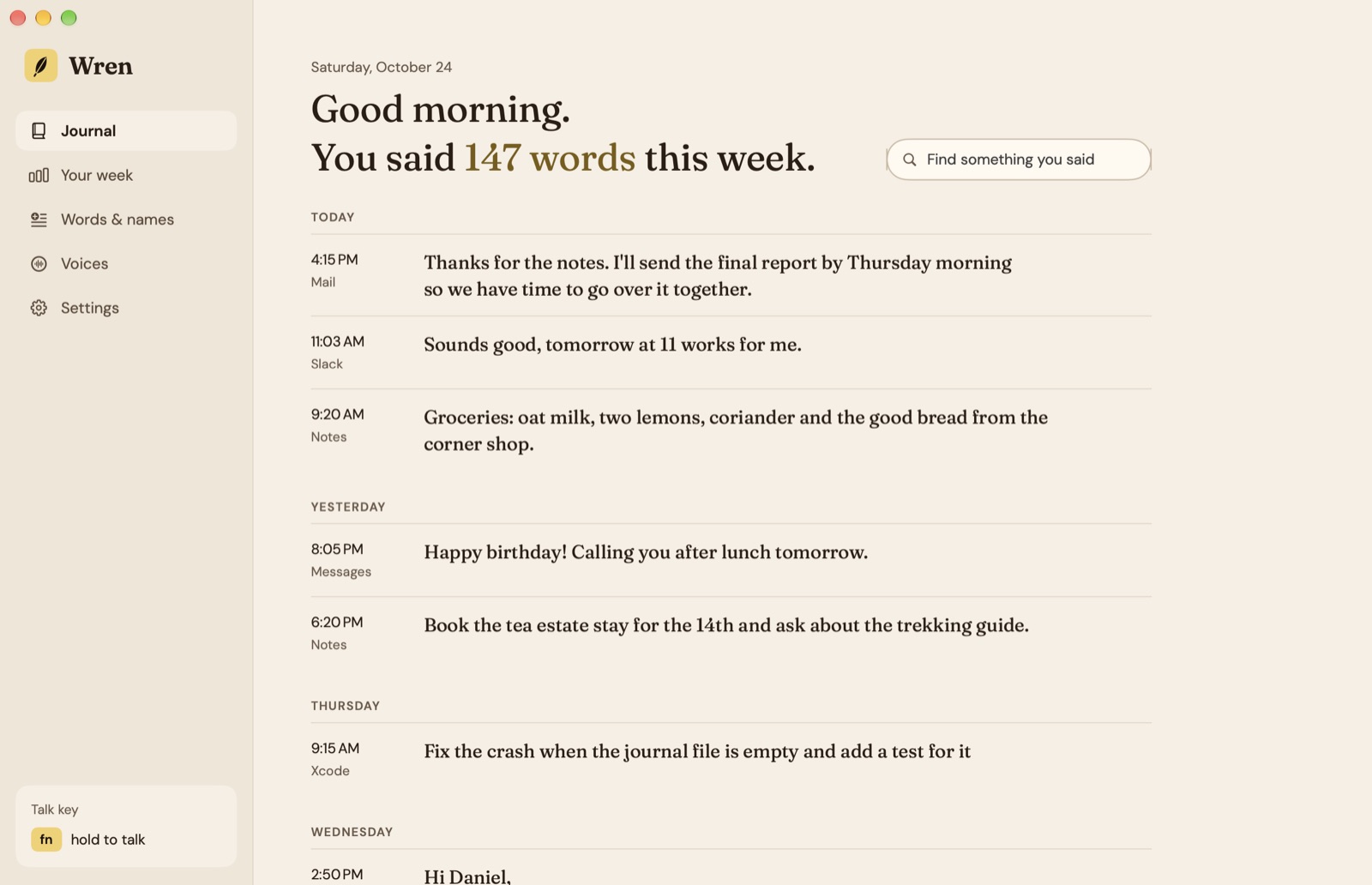
Everything you said is kept in a journal on your Mac, by day and by app, so you can search it and copy something again. You can turn it off or clear it.
Wren is free for 7 days, then $9.99 once for one Mac or $19.99 for three, with every future update. It needs macOS 26 or later on Apple silicon.
Habits that make dictation work
- Say the whole thought. Pausing to think is fine; you don’t have to speak in perfect sentences when tidying takes out the ums.
- Correct out loud. “No wait” and “scratch that” are faster than reaching for the keyboard.
- Teach it once. Add the names it gets wrong the first time, and it gets them right after.
- Use a decent microphone. A MacBook’s built-in microphones are good in a quiet room; a headset helps in a noisy one.
Questions
Is Mac dictation free?
Yes. Dictation is part of macOS. Turn it on in System Settings › Keyboard › Dictation and press the shortcut in any text field.
Does Mac dictation work offline?
On Macs with Apple silicon, Dictation handles many languages on the device, so it works without a connection for those. Apps like Wren run every voice on the Mac once it has been downloaded.
Why use a dictation app instead of the built-in one?
For a sentence or two, built-in Dictation is fine. An app earns its place when you dictate a lot: a key you hold in every app, a choice of speech models and languages, your own words and fixes, tidying that removes ums and keeps corrections, and a record of what you said.
Does Wren send my voice anywhere?
No. Speech runs on the Mac, and audio and text never leave it. Wren goes online only to download a voice once, check for updates and check its licence.
What does Wren cost?
It's free for 7 days, then $9.99 once for one Mac or $19.99 for up to three, with every future update. It needs macOS 26 or later on Apple silicon.
 Winnow
 Roost
Roost
 Almanac