
Mezzo
Volume Mixer Your Mac Never Had.
Give every app on your Mac its own volume slider.
- A volume slider per app
- Mute and solo
- Saved scenes with shortcuts
Try it here
Mezzo, right on this page
A made-up Mac with five apps playing. Drag a slider, mute one, then try a scene.
Mixer
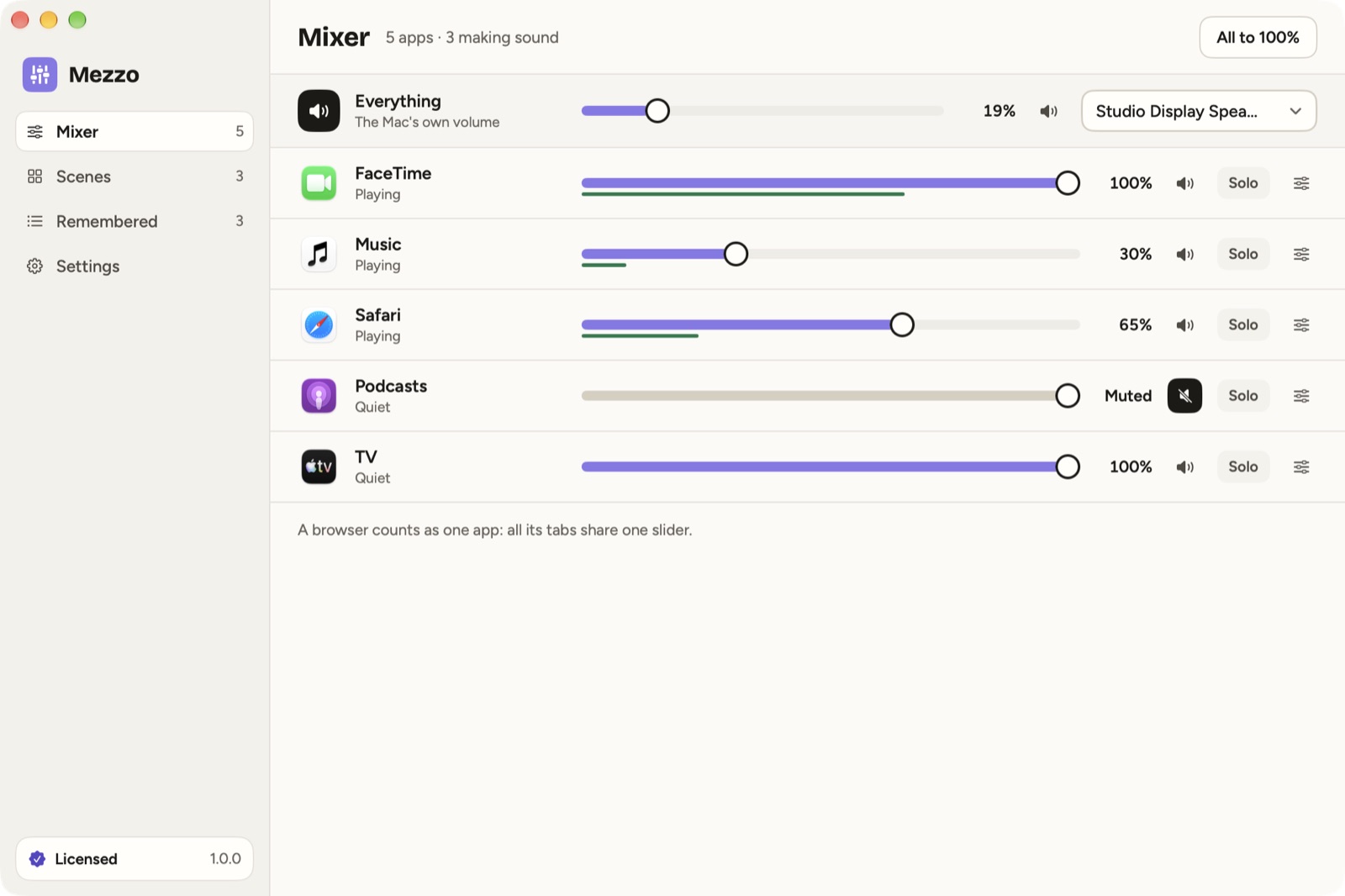
5 apps · 3 making soundA browser counts as one app: all its tabs share one slider.
A slider for every app
Drag Music down and the call stays where it is. Mute silences one app; Solo plays one alone. Apps left at 100% are never touched.
The mixer
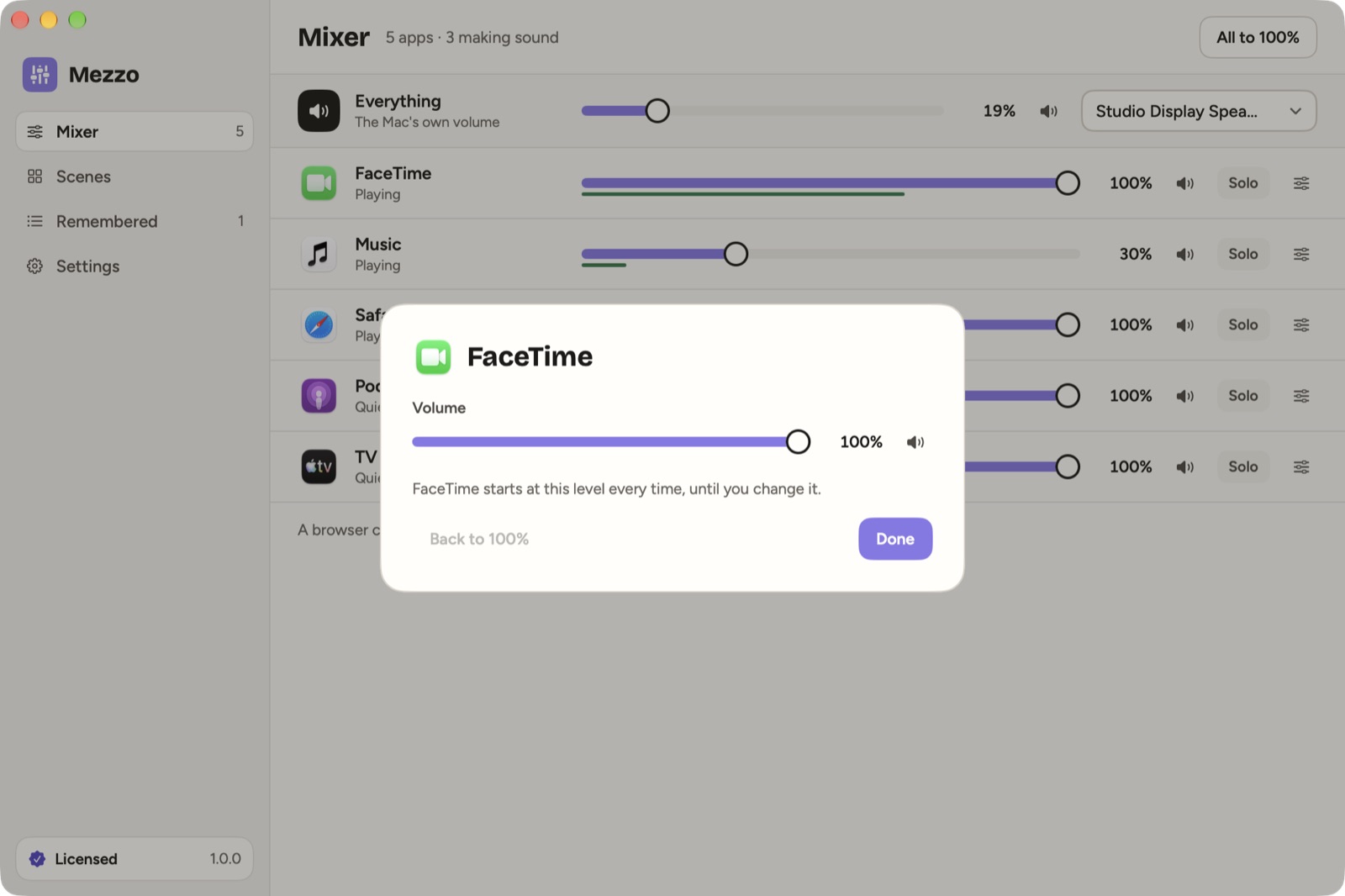
Every app gets its own slider
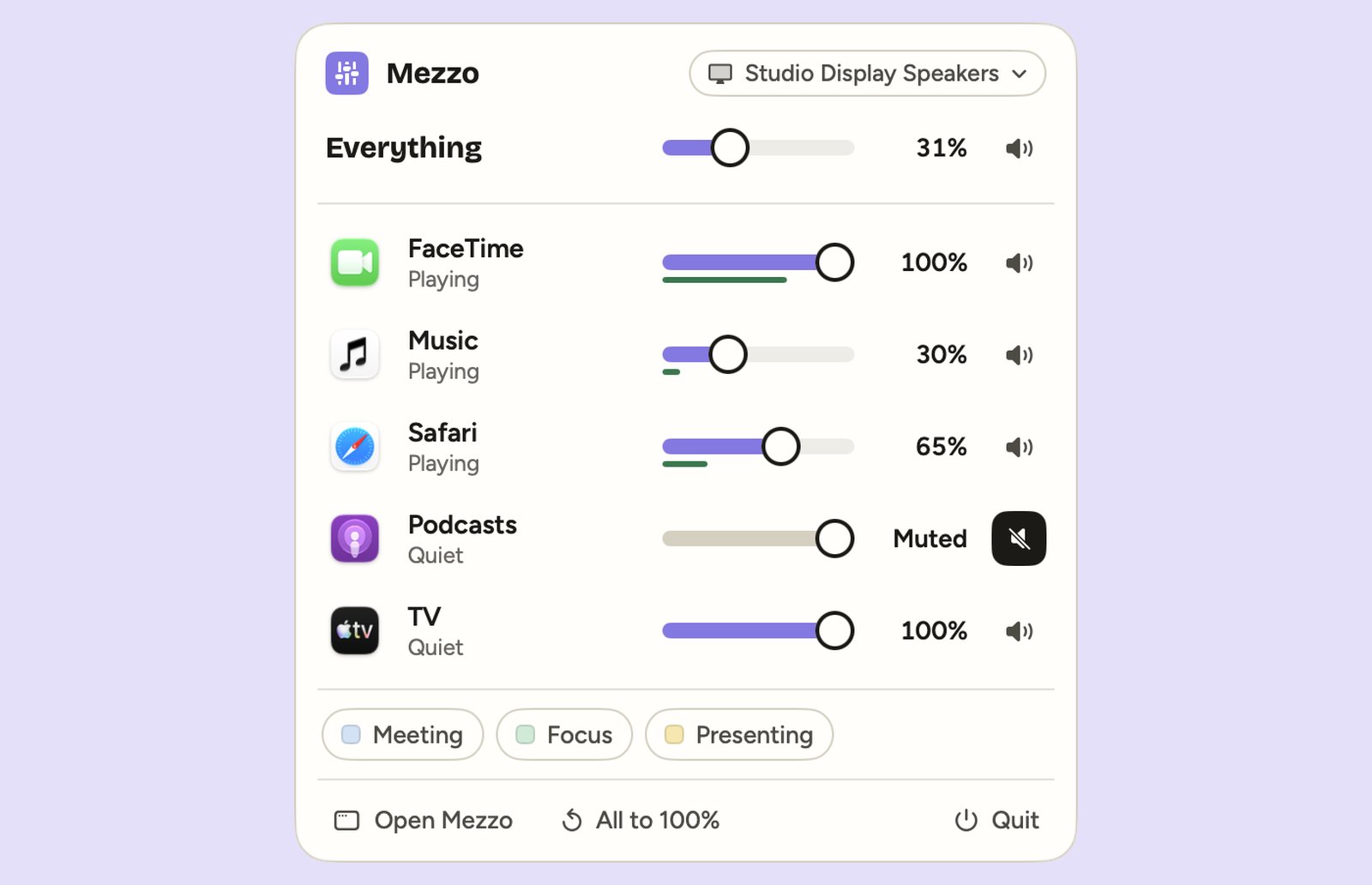
macOS has one volume for everything. Mezzo adds one for each app, in the menu bar.
A slider per app
Turn the music down and leave the call where it is. Each app that makes sound gets a row.
In the menu bar
Click the faders icon, or press ⌥⇧M, and the mixer opens under it. No window to find.
Mute one app
One click silences an app and keeps its level for when you unmute it.
Solo
Hear one app alone for a moment. Press Solo again and the rest come back as they were.
Everything
The Mac's own volume sits at the top, so the whole mix is in one place.
Who is making sound
A thin meter under each slider moves with the app's sound, and each row says Playing or Quiet.
Scenes
Change every level with one click
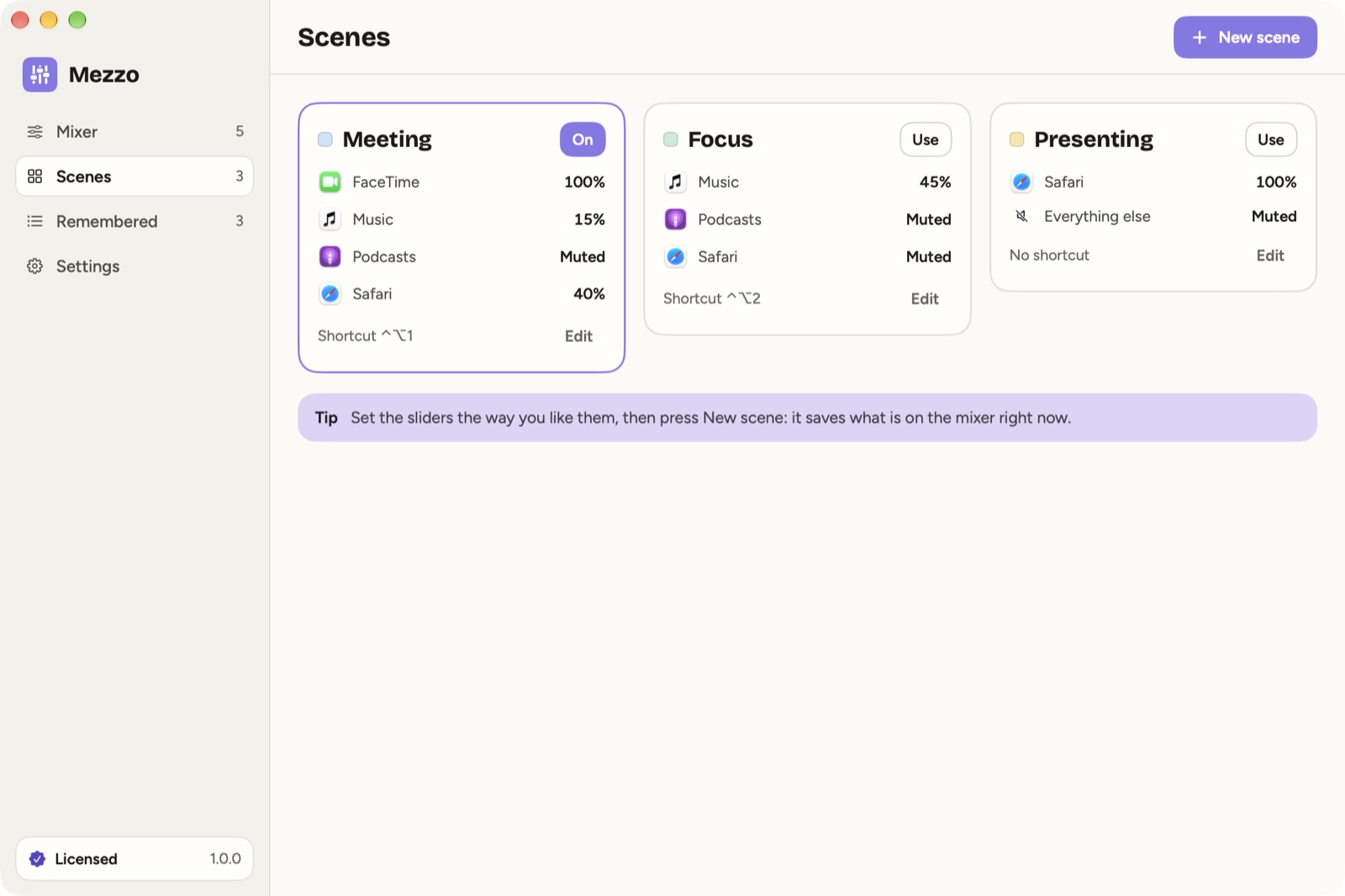
Set the sliders for a meeting, a film or deep work, save them, and bring them back any time.
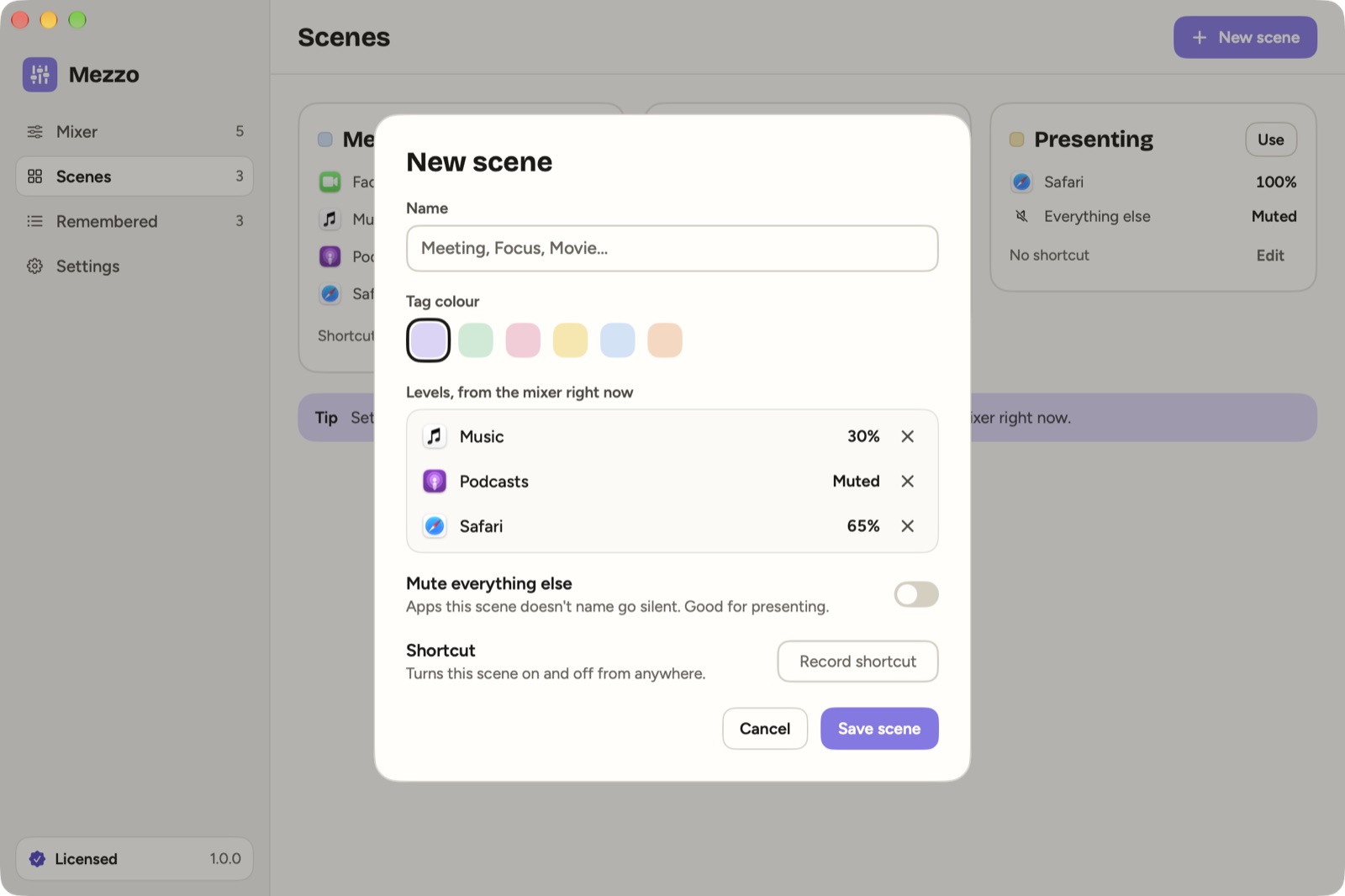
Save what's on the mixer
New scene takes the levels as they are right now. Give it a name and a colour.
One click, on and off
Scenes sit as chips in the menu bar mixer. Click one to use it, click again to stop.
Your old levels return
Turn a scene off and every app goes back to where it was before.
A shortcut for each
Give a scene its own keys and switch from any app, without opening anything.
Mute everything else
A scene can silence every app it doesn't name. Good for presenting.
Edit any time
Change a scene's levels, name, colour or shortcut, or delete it.
Remembered
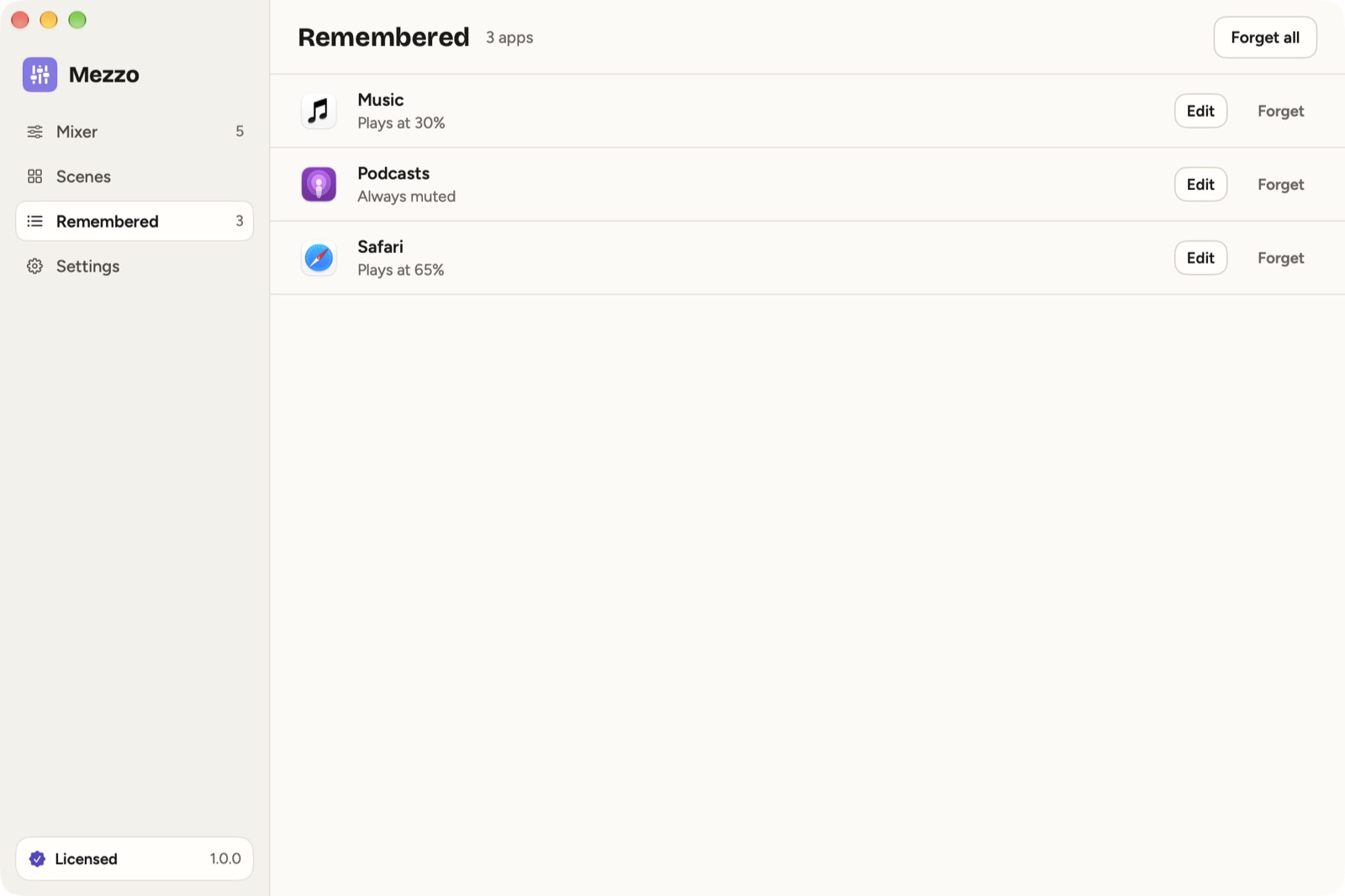
Set a level once. It stays.
The chat app that's always too loud stays quiet tomorrow too.
Levels are remembered
Each app starts at the level you left it, every time it opens.
Always muted
Mute an app once and it stays silent until you say otherwise.
Forget one, or all
The Remembered page lists every app with a level. Forget puts an app back at 100%.
Boost a quiet app
Turn on boosting in Settings and sliders go to 200%, for a soft video or a faint caller. Off by default.
Never louder than
With boosting on, give an app a top of 100%, 150% or 200%.
Open at login
Start Mezzo with your Mac and every app begins at its own level.
Keys and outputs
Hands on the keyboard
Change the app you're in without reaching for the mouse, and pick where sound plays.
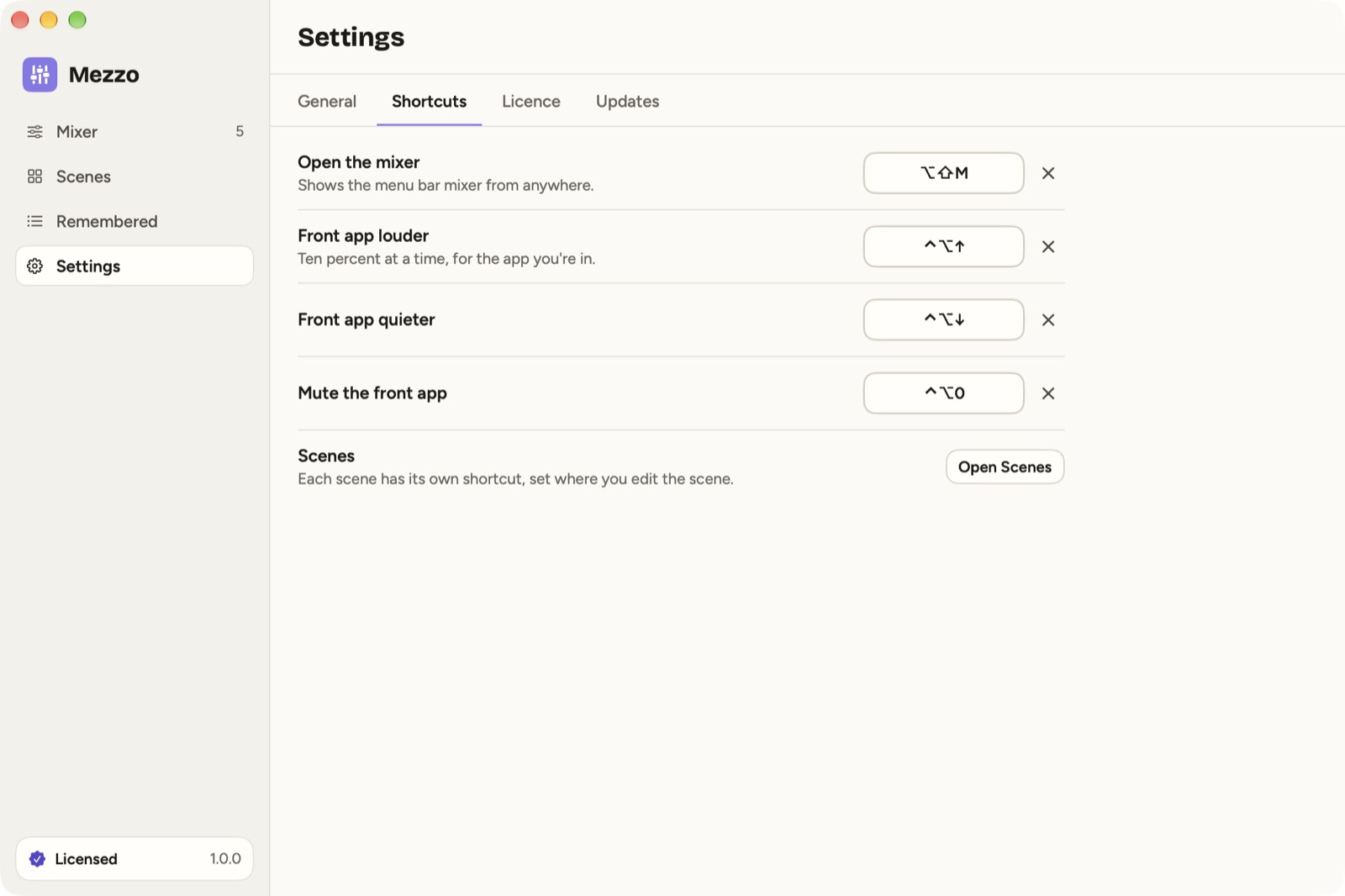
Front app louder, quieter
⌃⌥↑ and ⌃⌥↓ move the app you're in, ten percent at a time.
Mute the front app
⌃⌥0 silences the app you're in. Press it again to bring it back.
Open the mixer
⌥⇧M shows the menu bar mixer from anywhere.
Your own keys
Record a different shortcut for any of them, or clear the ones you don't want.
Choose the output
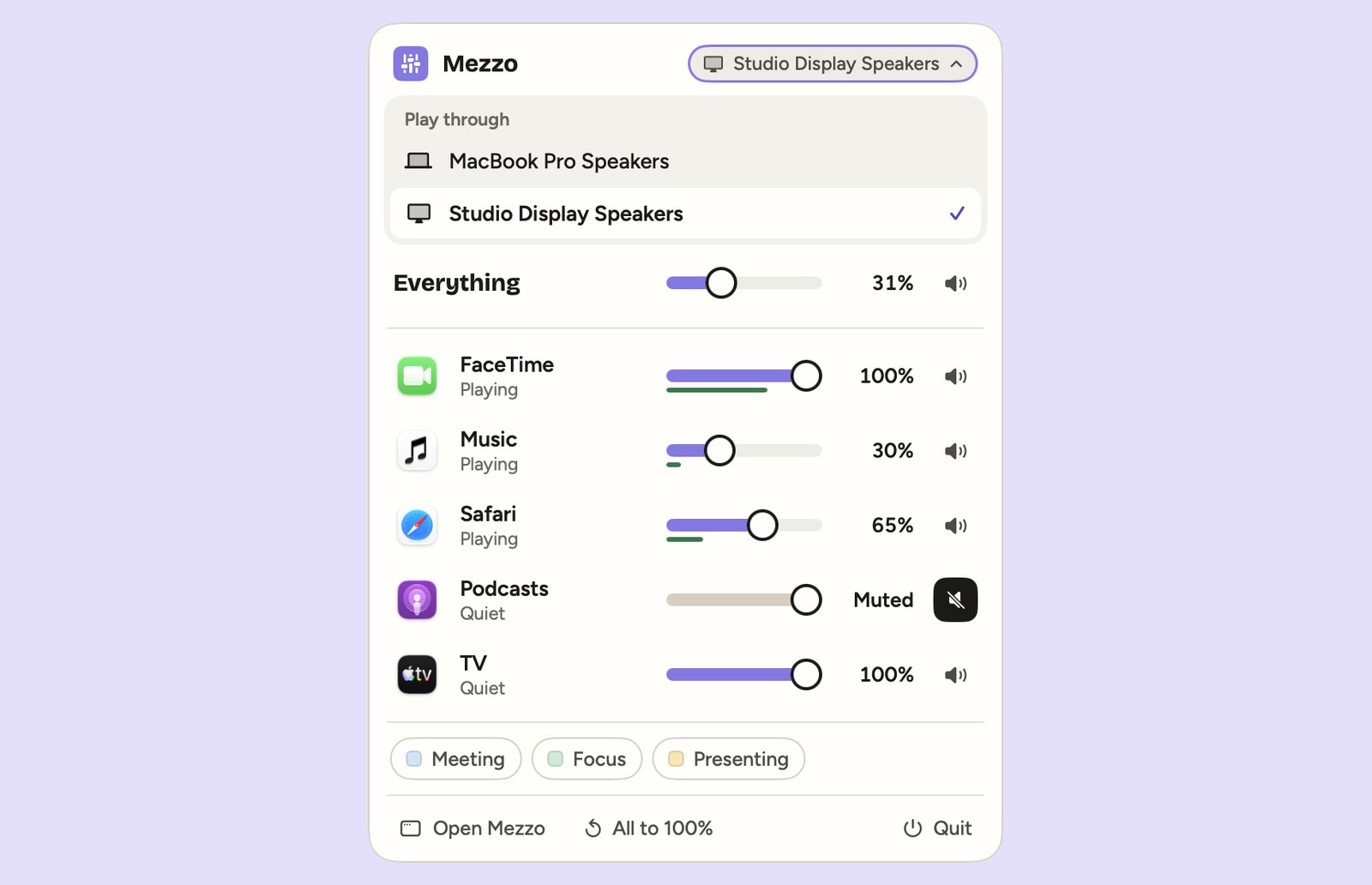
Speakers, a display or headphones: pick where sound plays from the top of the mixer.
All to 100%
One button puts every app back at its own volume.
And also
And the details
The small things that make it calm to use.
Untouched at 100%
Mezzo only handles apps you've moved. An app at 100% plays exactly as it did before.
Quit, and it's gone
When Mezzo quits, every app goes back to its own volume. Nothing is left behind.
A five-step welcome
What it does, the one permission it needs, the shortcut, and what to know. See it again from Settings.
Light and dark
Mezzo follows your Mac's appearance.
Updates built in
Mezzo checks for a new version by itself and installs it inside the app. Every update is signed.
Apple silicon and Intel
macOS 14.4 or later, signed and notarized by Apple.
How it works
Set up in a minute.
One permission, then drag a slider.
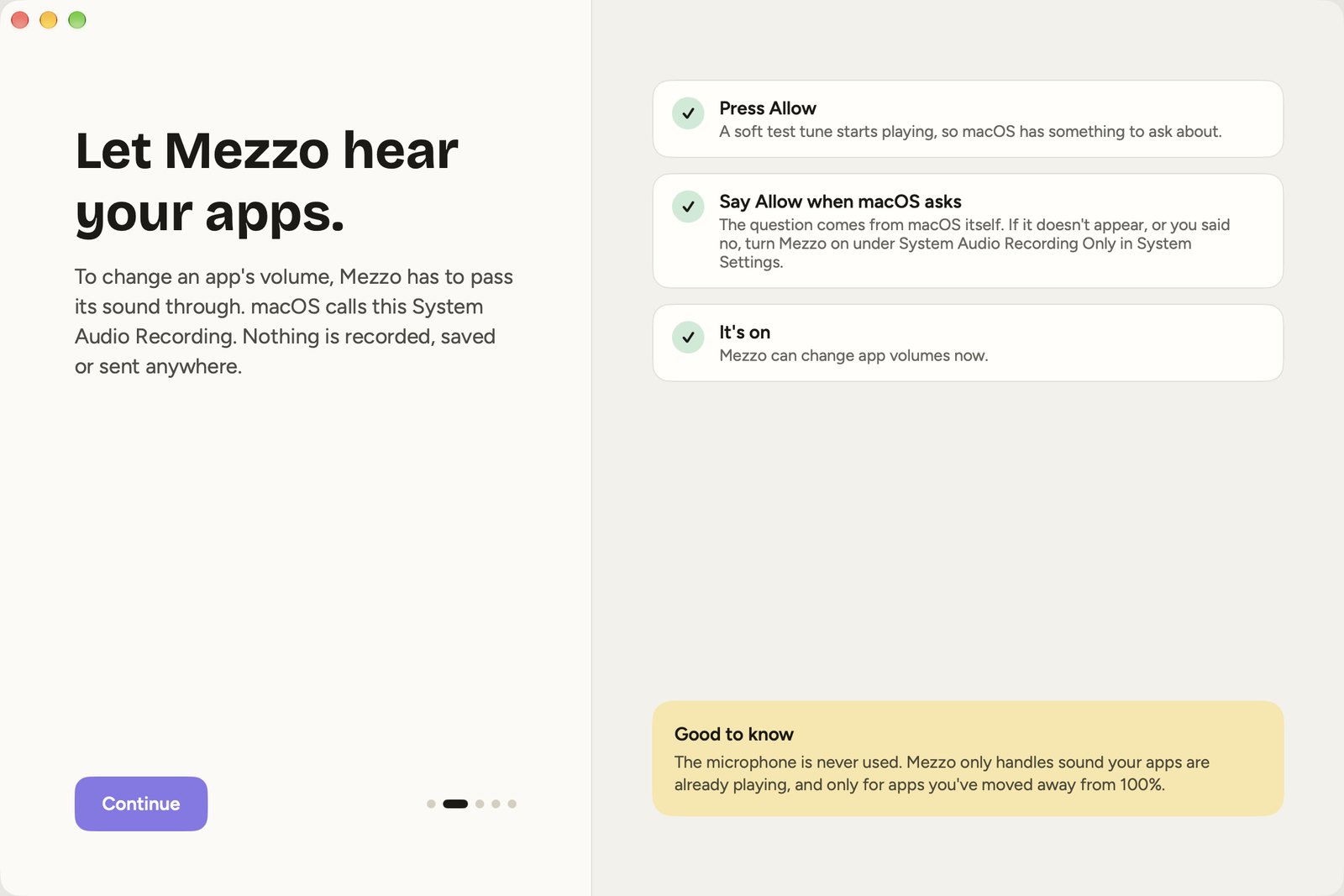
Say Allow once
macOS asks to let Mezzo handle your apps' sound. Nothing is recorded or saved.
Drag a slider
Open the mixer from the menu bar and set each app where you like it.
Save a scene
Keep the levels for a meeting or a film and bring them back with one click.
Private by design
Your sound, only on your Mac.
Nothing is recorded
Mezzo passes an app's sound through at a new level. It never saves it and never sends it anywhere.
The microphone is never used
Mezzo only handles sound your apps are already playing, and only for apps you've moved away from 100%.
No analytics, no account
It fetches only our update feed, and checks your licence with us.
Your permission, your call
System Audio Recording is the one permission. Turn it off in System Settings at any time.
Price
Try everything for 7 days. Then pay once.
Free trial
7days
- Every feature, nothing held back
- Scenes and levels kept after
- No account
Mezzo
$9.99once
- One Mac, every future update
- $19.99 for up to three Macs
- No subscription
Questions
Asked before you download
How do I change the volume of one app on a Mac?
macOS has one volume for the whole Mac and none for single apps. Mezzo adds a slider for each app that makes sound. Click its icon in the menu bar, or press ⌥⇧M, and drag the app's slider: the music goes down and the call stays where it is.
Why does Mezzo ask for System Audio Recording?
To change an app's volume, Mezzo has to pass that app's sound through itself, and macOS calls this System Audio Recording. Nothing is recorded, saved or sent anywhere, and the microphone is never used. Without the permission Mezzo can't change any app's volume, and apps play at their normal level.
Can I set different volumes for two browser tabs?
No. macOS treats a browser as one app, so all its tabs share one slider. To set two sites apart, open one of them in another browser.
What is a scene?
A scene is a set of levels with a name, like Meeting or Focus. Set the sliders the way you like, press New scene, and Mezzo saves them. Turn the scene on with one click or its own shortcut; turn it off and every app goes back to where it was. A scene can also mute every app it doesn't name.
Can an app be louder than 100%?
Yes, if you turn it on. 100% is an app at its own full volume. With Allow boosting past 100% on in Settings, sliders go to 200% for apps that are too quiet even then. Boosted sound can distort, so it is off by default, and each app can have its own top of 100%, 150% or 200%.
Does Mezzo change the sound of apps I haven't touched?
No. Mezzo only handles apps whose level isn't 100%. The rest play exactly as before. When Mezzo quits, every app goes back to its own volume.
Does Mezzo remember my levels?
Yes. Each app starts at the level you left it, and a muted app stays muted. The Remembered page lists them, with Forget for one app or all. You can turn remembering off in Settings, and then levels last only until Mezzo quits.
Can I send one app to my headphones and another to the speakers?
Not yet. You choose one output for the Mac from the top of the mixer, and every app plays there.
What does it cost?
Every feature is free for 7 days. Then it's $9.99 once for one Mac, or $19.99 for up to three, with every future update and no subscription. After the trial, apps go back to their normal volume until you buy; your scenes and remembered levels are kept. Your keys and Macs are at console.papermint.studio.
Why isn't it on the Mac App Store?
Mezzo is downloaded from us instead, signed and notarized by Apple, so updates reach you the day they are ready and one key can cover up to three Macs.
A volume slider for every app.
Free for 7 days, then $9.99 once. Apple silicon and Intel, macOS 14.4 or later.
DownloadmacOS 14.4+ · Apple silicon & IntelMore from Papermint
Other apps, same promise.
 WrenTalk, and it types
 TacetEvery copy kept, keys kept quiet
 BatonDraw on your screen as you present
 OrielScreenshots and recordings, kept local
 LumenA photo viewer for the Mac
 SheafEvery PDF tool, on your Mac
 PennyBookA private expense tracker
 AlmanacSee which app is behind it
 RoostWindows back where they belong
 WinnowClear your Mac, keep a way back
 WhittleVoice notes that write themselves
 KeepersA photo cleaner you swipe
 SketchyColoring pages for kids
 LanternEvery device on your network
 BalmMedicine reminders for the family
 UnfurlA journal that fills itself in